NoniusSoft, Software e Consultoria para
Telecomunicações, S.A.
Rua Actor Ferreira da Silva, 100
4200-298 Porto • Portugal
4.11.5. Upld/Dwnl Sys Files Submenu
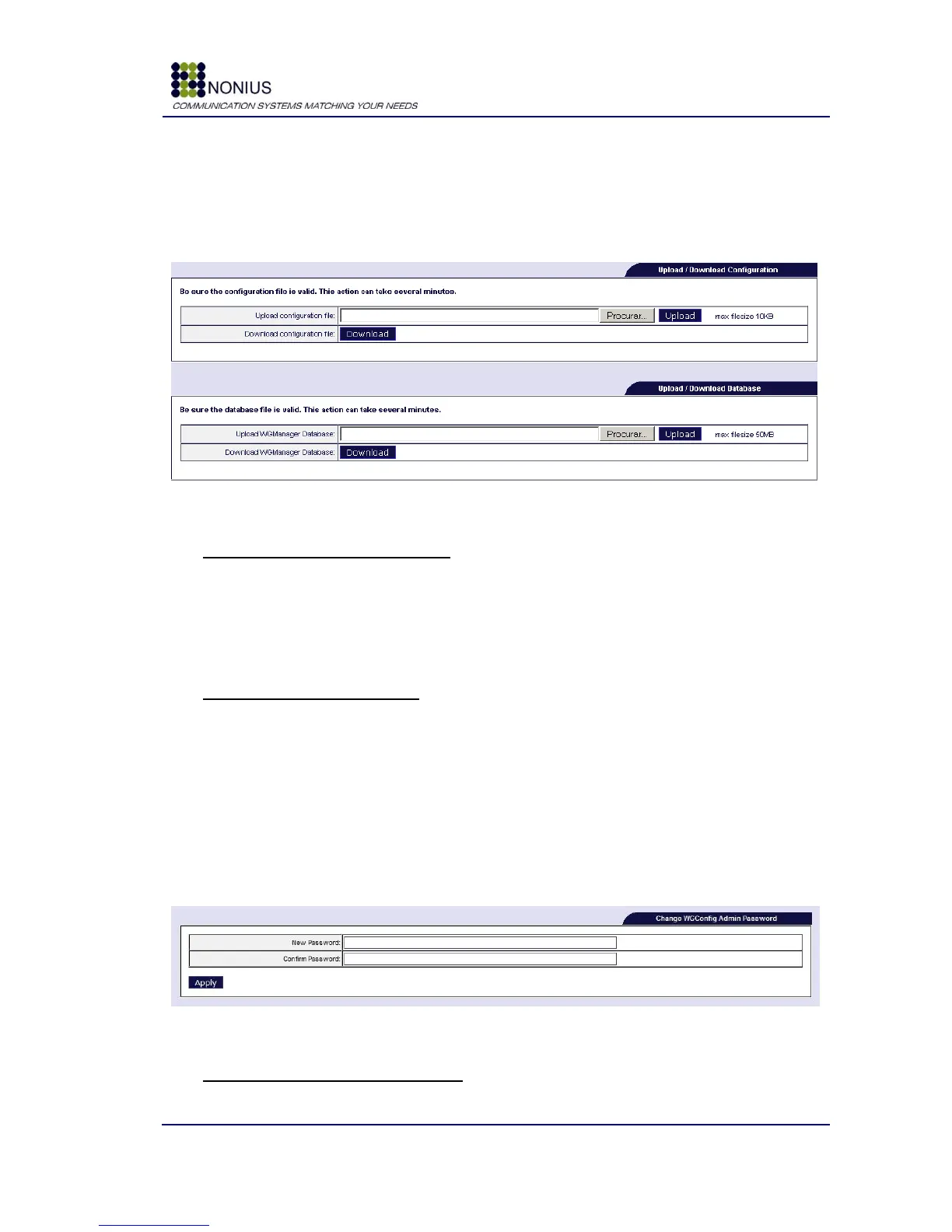
This feature allows saving the WGS5000 configuration file and database. By uploading previously
saved files, you may instantly have WGS5000 configured exactly the same way as before.
Figure 79: Administration Menu – Upld/Dwnl Sys Files
Upload / Download Configuration
Upload configuration file: To perform the upload of a configuration file please select the file and
afterwards select “Upload”.
Download configuration file: To perform the download of WGS5000 configuration file please
select “Download”.
Upload / Download Database
Upload WGManager Database: To execute a database upload, please select database file, then
select “Upload”.
Download configuration file: To execute a database download, please select “Download”.
4.11.6. Passwords Submenu
Passwords changes are made through this submenu. You will be able to modify password for
WGManager and WGConfig access.
Figure 80: Administration Menu – Passwords
Change WGConfig Admin Password



 To Next Page