NoniusSoft, Software e Consultoria para
Telecomunicações, S.A.
Rua Actor Ferreira da Silva, 100
4200-298 Porto • Portugal
4.5.3. Virtual Interfaces
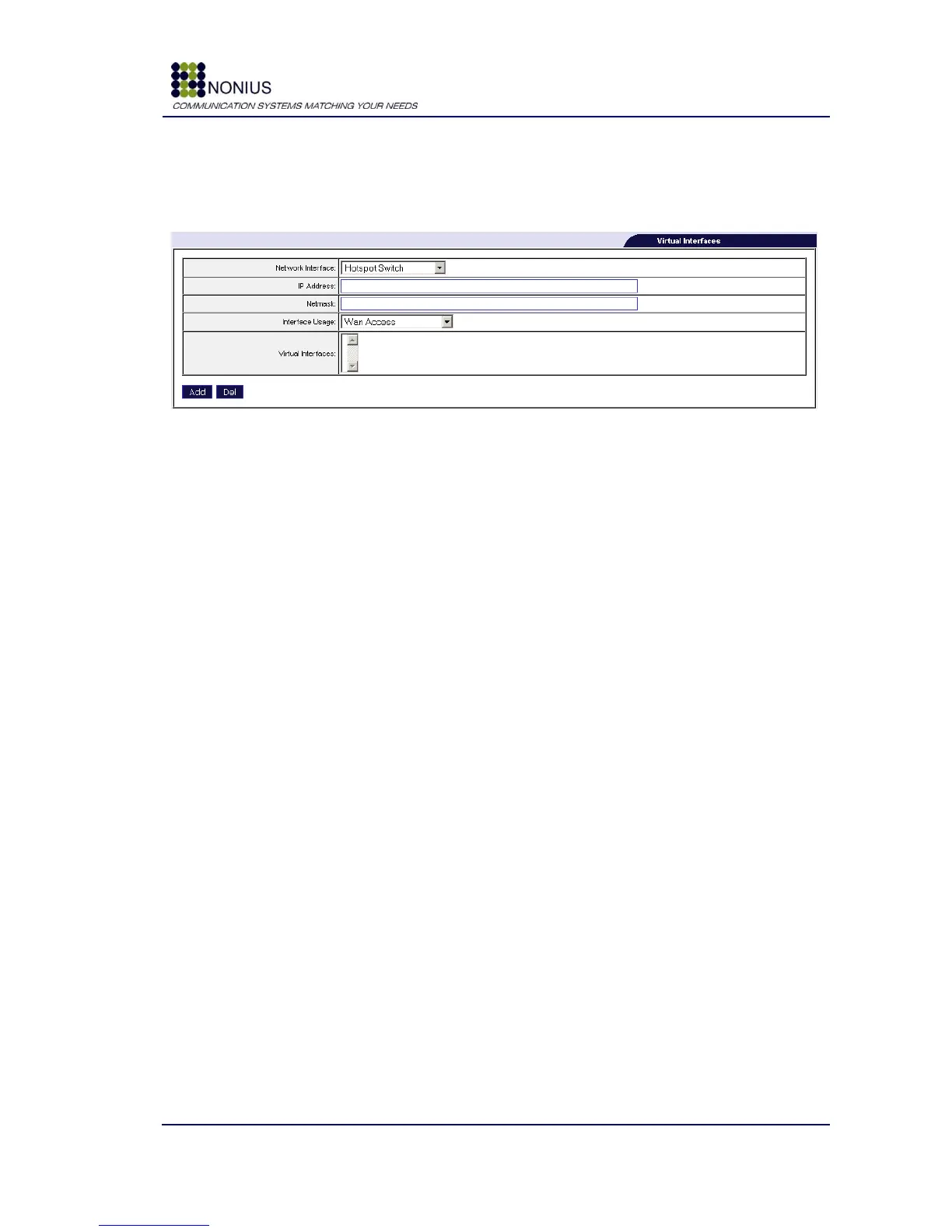
Virtual interfaces‟ parameters can be configured at the following menu:
Figure 14: Network Menu – Virtual Interfaces
How to create a virtual interface over a physical interface:
First you have to choose the Network Interface. You can choose between the Hotspot LAN and
Corporate LAN interfaces. The next step is to choose the IP address and the Netmask. Then choose
if you want this interface to have access (routing) to the following interfaces: Wan Access,
Corporate LAN Access, or just for maintenance (Without routing).
Network Interface: Select between Hotspot LAN or Corporate LAN interfaces.
Note: The correct choice of interface is dependant of the Network Diagram. For example, choose
Hotspot LAN if your device(s) will connect to the hotspot, but you want to provide them free and
uncontrolled access to the hotspot. Choose Corporate LAN if your devices are connected to this
interface and so on.
IP Address: Insert the IP address you wish to allocate to the virtual interface.
Netmask: Insert the Netmask you wish to allocate to the virtual interface.
Interface Usage: Select from Wan Access, Corporate LAN Access, or Maintenance.
Note: Choose Maintenance if you are creating the Virtual Interface only for managing the
WGS5000 or any active equipment connected to this WGS5000‟s physical inteface. Choose WAN or
Corporate LAN Access if you wish that the WGS5000 forwards packets to and from these networks.
Virtual Interfaces: This text box lists the existing virtual interfaces.
Example:



 To Next Page