Switches List: list of switches added so far.
WG3PSW Add Rooms
Rooms Sequence: Insert the room sequence. Each room will belong to a distinct VLAN. In the
example above, room 121 doesn‟t exist.
Switch ID: Each switch will be identified by a ID in “WG3PSW Add Switches”, the form below. This
sequence is related with “sequence VLAN IDs”. Let‟s see, sequence VLAN ID [100-120] belongs to
switch [1], as sequence VLAN IDs [200-220] belongs to switch [2].
Switch Ports Sequence: You should define the switch ports that are being used for “sequence
VLAN IDs”. In the example above, rooms 100 to 120, with VIDs 100 to 120, are connected to ports
1 to 21 of the switch number 1; room 122, with VID 122, is connected to port 22 of switch 1;
rooms 200 to 220, with VIDs 200 to 220, are connected to ports 1 to 21 of switch 2 and so on.
Rooms List: list of rooms added so far.
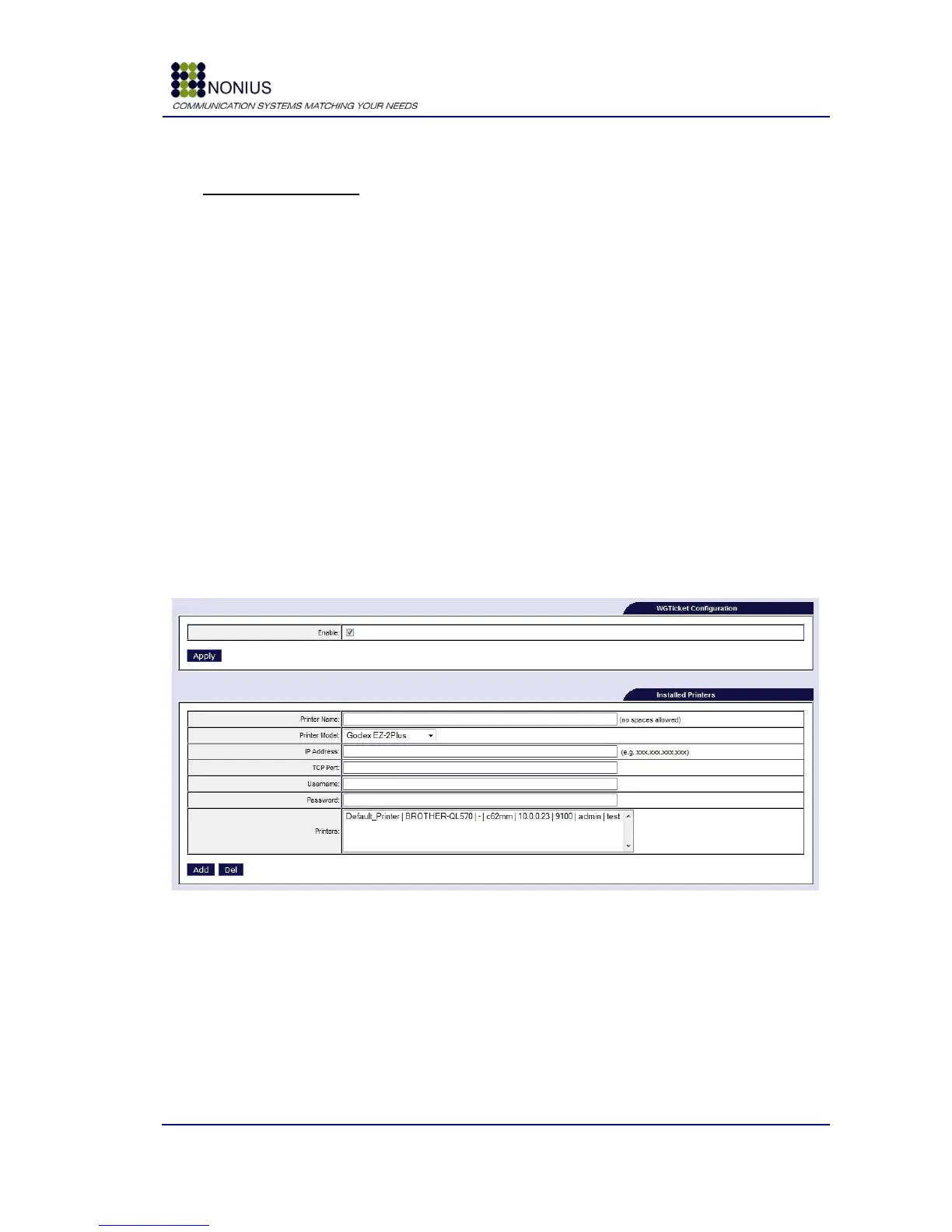
4.12.3. WGTicket Configuration Submenu
This submenu is only visible if the WGTicket license is active. This configuration will be necessary
for WGHotel and WGPublic solutions - where it may be intended that user login data (username and
password) are printed on a ticket‟s printer.
Figure 89: WGHotel – WGTicket Configuration
Enable: Enable/disable WGTicket.
Printer Type: Select the printer from the drop-down menu. Supported ticket printers are the
Godex-EZ-2Plus, the PRP-080 and the Brother QL-550/560/580N. Please get in touch with Nonius
for details on supporting other ticket printers.
IP Address: Define the printer‟s IP address.
TCP Port: Define the TCP communication port.



 To Next Page