NoniusSoft, Software e Consultoria para
Telecomunicações, S.A.
Rua Actor Ferreira da Silva, 100
4200-298 Porto • Portugal
4.7.2. DHCP Server
This submenu is visible when there is at least one LAN interface configured as DHCP LAN Port on
the Physical Interfaces submenu [4.4.1]. A DHCP Server will be enabled on this port, providing free
access to the Internet to the machines connected to this interface.
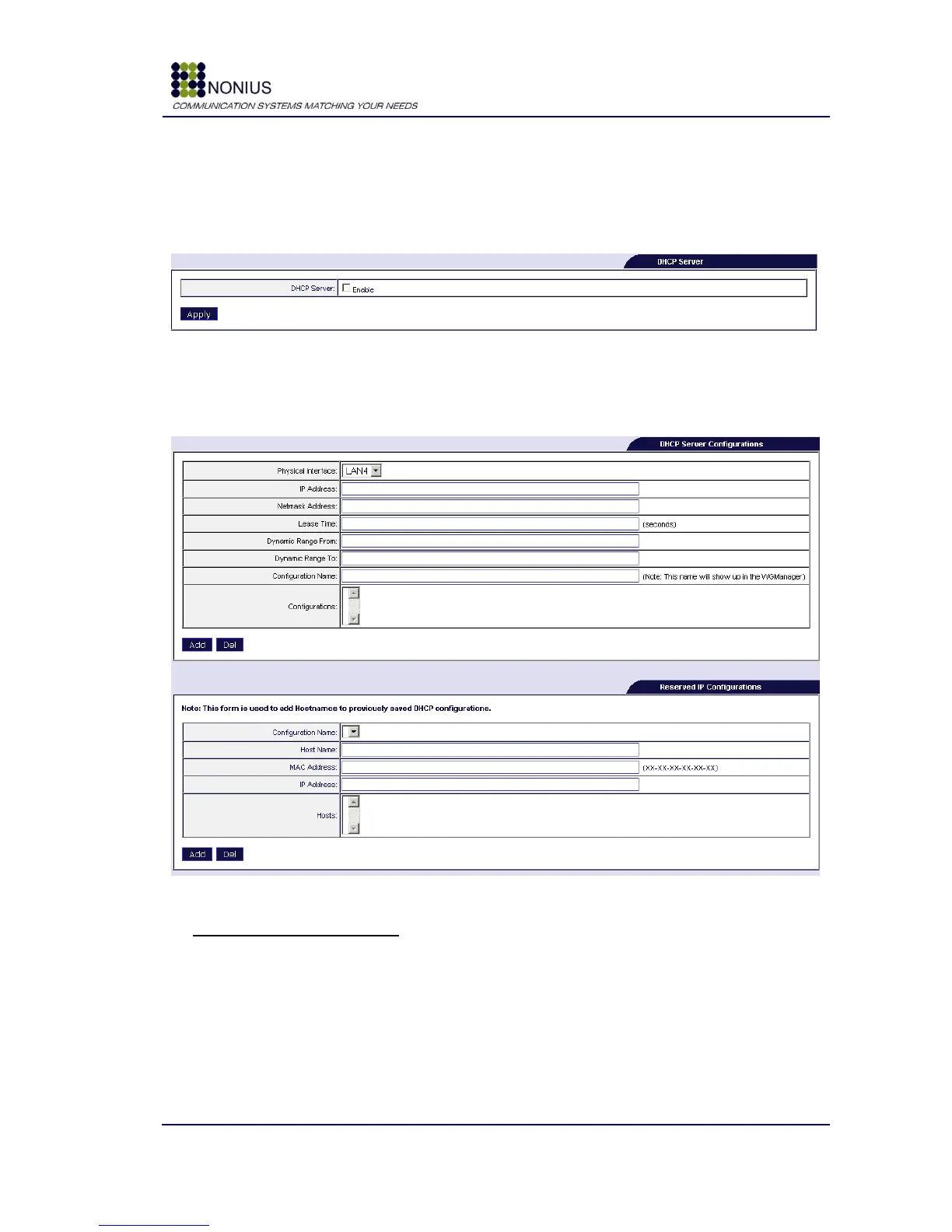
Figure 36 - DHCP Server
DHCP Server: Enables/disables the DHCP server configuration.
When enabled, the following forms appear:
Figure 37 - DHCP Submenu
DHCP Server Configurations
Physical Interface: select from the list of possible LAN interfaces the one you desire.
IP address: Insert the network IP address of the range to be configured on clients.
Netmask Address: Insert the network mask to be configured on clients.
Lease Time: Insert the DHCP lease time, i.e., the time after which an IP address is released from a
client and can be assigned to another client.
Dynamic Range From: insert the first IP address to be assigned to clients.



 To Next Page