NoniusSoft, Software e Consultoria para
Telecomunicações, S.A.
Rua Actor Ferreira da Silva, 100
4200-298 Porto • Portugal
4.5.7. Firewall
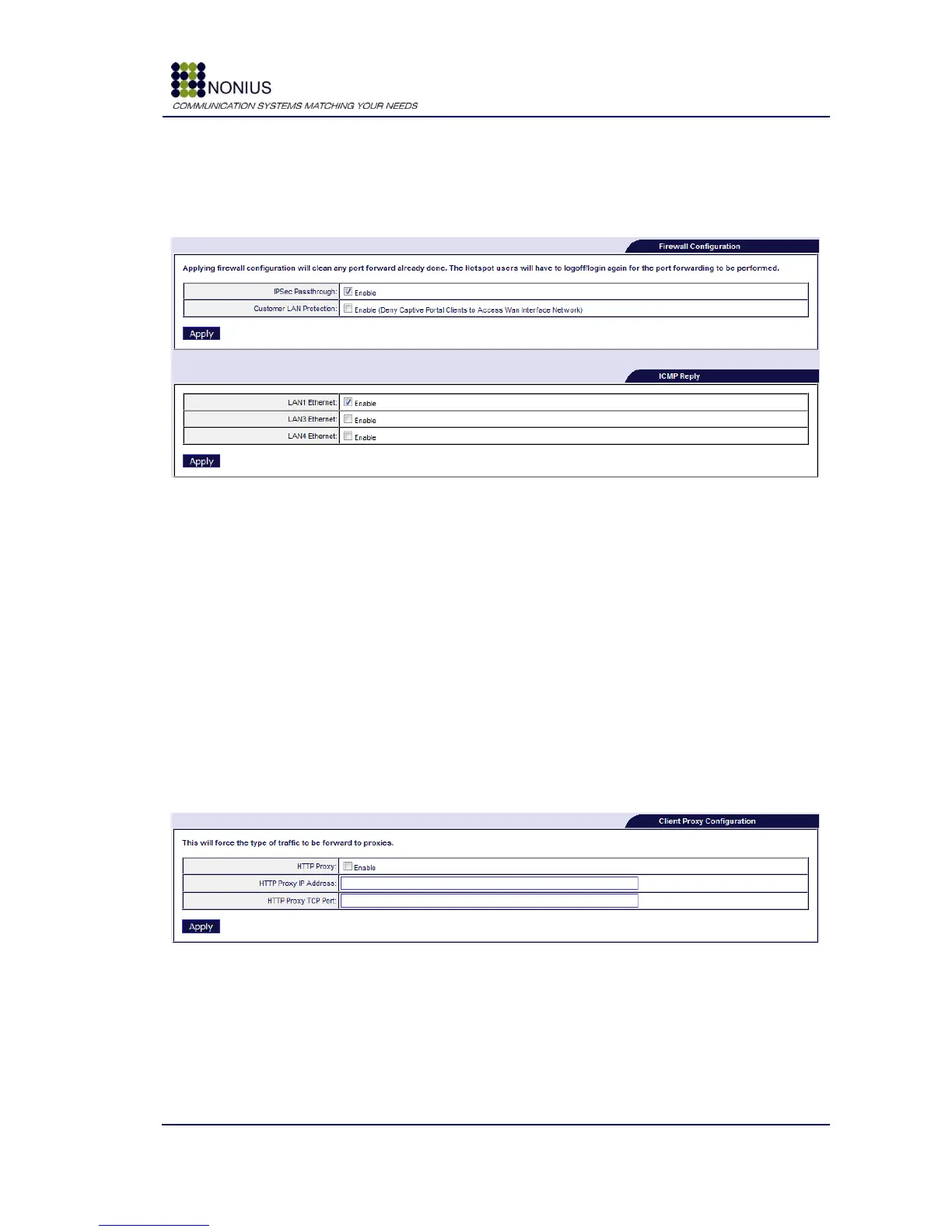
This menu allows the configuration of the WGS5000‟s firewall.
Figure 23 - Firewall configuration and ICMP Reply
IPSec Pass-through: If this checkbox is enabled, IPSEC protocol will be allowed between two
endpoints that use this protocol.
Customer LAN Protection: If this checkbox is enabled, the public Internet users will not be able
to access the costumer‟s local area network, except for DNS services, if an internal DNS server is
being used.
Enable the ICMP reply checkbox for being able to PING the WGS5000 at the chosen interface. It is
not possible to enable ICMP replies on the Captive Portal interface due to the Captive Portal‟s
nature of capturing all traffic and redirecting to a login page.
Figure 24 - Client Proxy Configuration
HTTP Proxy: Enable/disable proxy configuration. When a proxy is used, HTTP traffic is routed to
the previously configured proxy.
HTTP Proxy IP Address: Chose proxy IP address.
HTTP Proxy TCP Port: Chose the communication port.



 To Next Page