NoniusSoft, Software e Consultoria para
Telecomunicações, S.A.
Rua Actor Ferreira da Silva, 100
4200-298 Porto • Portugal
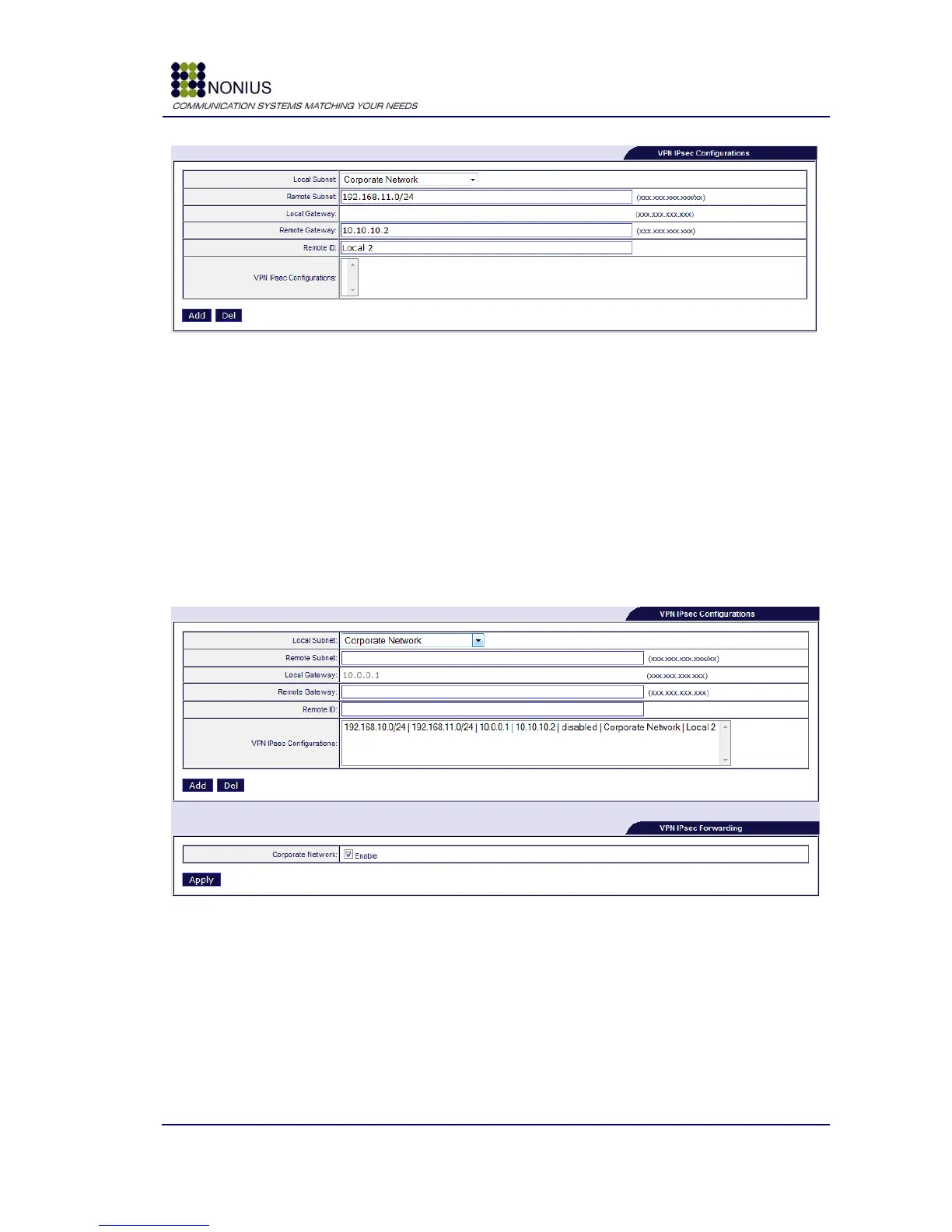
Figure 21 - VPN IPsec Configurations
Local Subnet: select the subnet that will be used for establishing the VPN;
Two choices are available: Nonius Access Points Network and Corporate Network (usually).
Remote Subnet: insert the remote subnet‟s IP address range;
Local Gateway: public IP address of the local gateway (Read-Only);
Remote Gateway: public IP address of the remote WGS5000;
Remote ID: insert a name for the remote site.
VPN IPSec Configurations: this text area lists all configured IPSec tunnels.
Figure 22 - VPN IPsec Forwarding
When the configuration is finished it is necessary to enable IPsec Forwarding to start the
negotiation of the VPN tunnel. WGS5000 has a watchdog every 5 minutes to ensure that the VPN
tunnel is up. It also detects a dead peer and tries to re-establishes the tunnel.



 To Next Page