NoniusSoft, Software e Consultoria para
Telecomunicações, S.A.
Rua Actor Ferreira da Silva, 100
4200-298 Porto • Portugal
Tip: After applying the license the target is rebooted automatically to apply the new license
attributes.
4.11.4. Remote Management Submenu
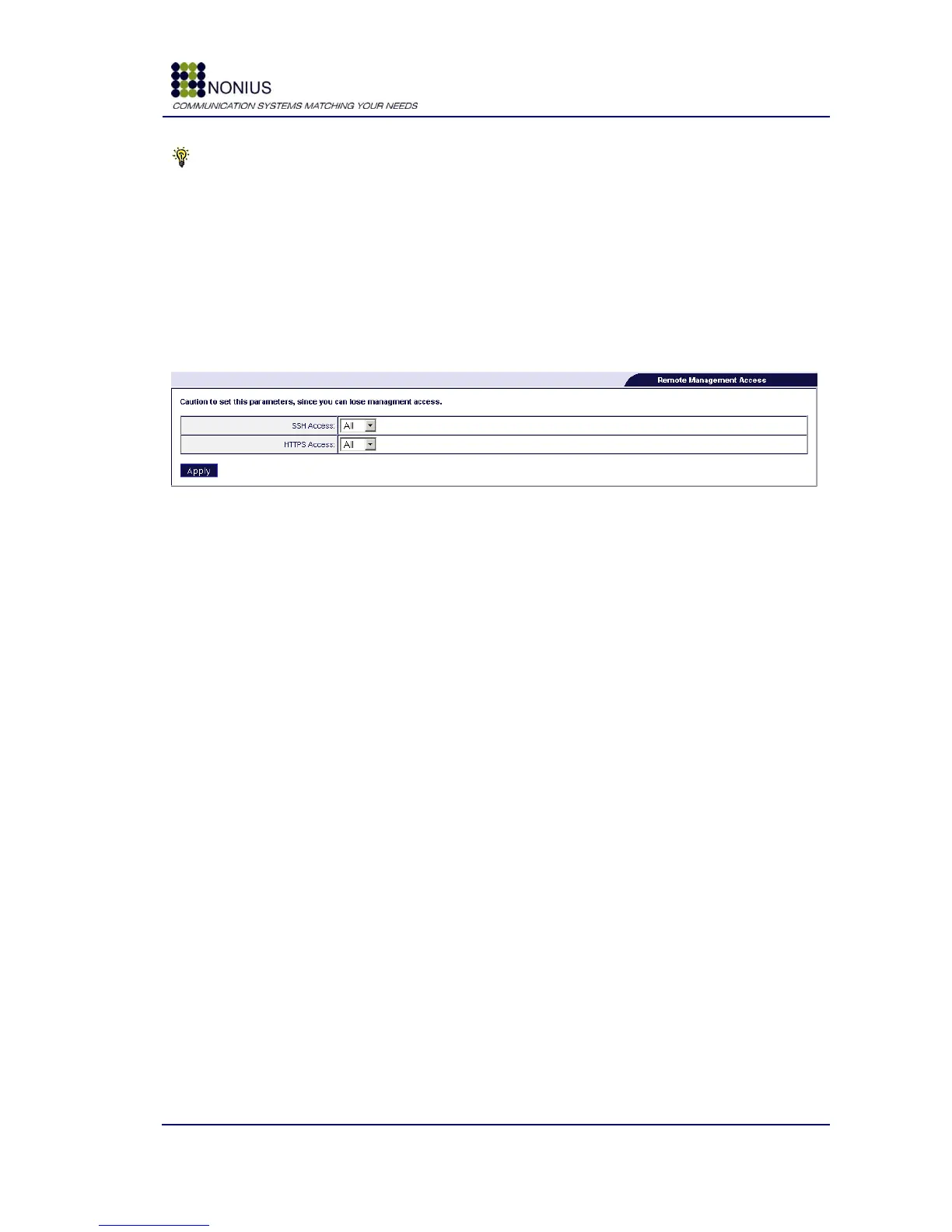
This submenu limits the system‟s remote access. Remote access to the WGS5000 can be performed
through an SSH session or through a safe HTTPS session using the web browser. Depending on
where the manager stands in a networking point of view - WAN, LAN or both – the access to the
SSH or HTTPS interfaces may be prohibited or allowed. Please note that SSH access to the
WGS5000 is exclusive of Nonius employees.
Figure 78: Administration Menu – Remote Management
SSH Access: Enable/disable the remote access through an SSH session. The options are listed
below:
ALL: Enable/disable the remote access through SSH session using LAN or WAN.
LAN: Enable/disable the remote access through SSH session using LAN.
WAN: Enable/disable the remote access through SSH session using WAN.
HTTPS Access: Enable/disable the remote access through a HTTPS session. The options are listed
below:
ALL: Enable/disable the remote access through HTTPS session using LAN or WAN.
LAN: Enable/disable the remote access through HTTPS session using LAN.
WAN: Enable/disable the remote access through HTTPS session using WAN.



 To Next Page