Zero-Config Static DNS: This feature grants Internet access even the user has manually
configured DNS servers on his network connection. The user will be redirected to login page, which
wouldn‟t happen otherwise.
Please note: Zero-Config Static DNS is a stable version yet!
Zero-Config Static IP: This feature grants Internet access even the user has manually configured
IP addresses on his network connection. The user will be redirected to login page, which wouldn‟t
happen otherwise.
Please note: Zero-Config Static IP is not a stable version yet!
Zero-Config Static Proxy: This feature grants Internet access even the user has manually
configured Proxy servers on his network connection. The user will be redirected to login page,
which wouldn‟t happen otherwise.
Please note: Zero-Config Static Proxy is not implemented yet!
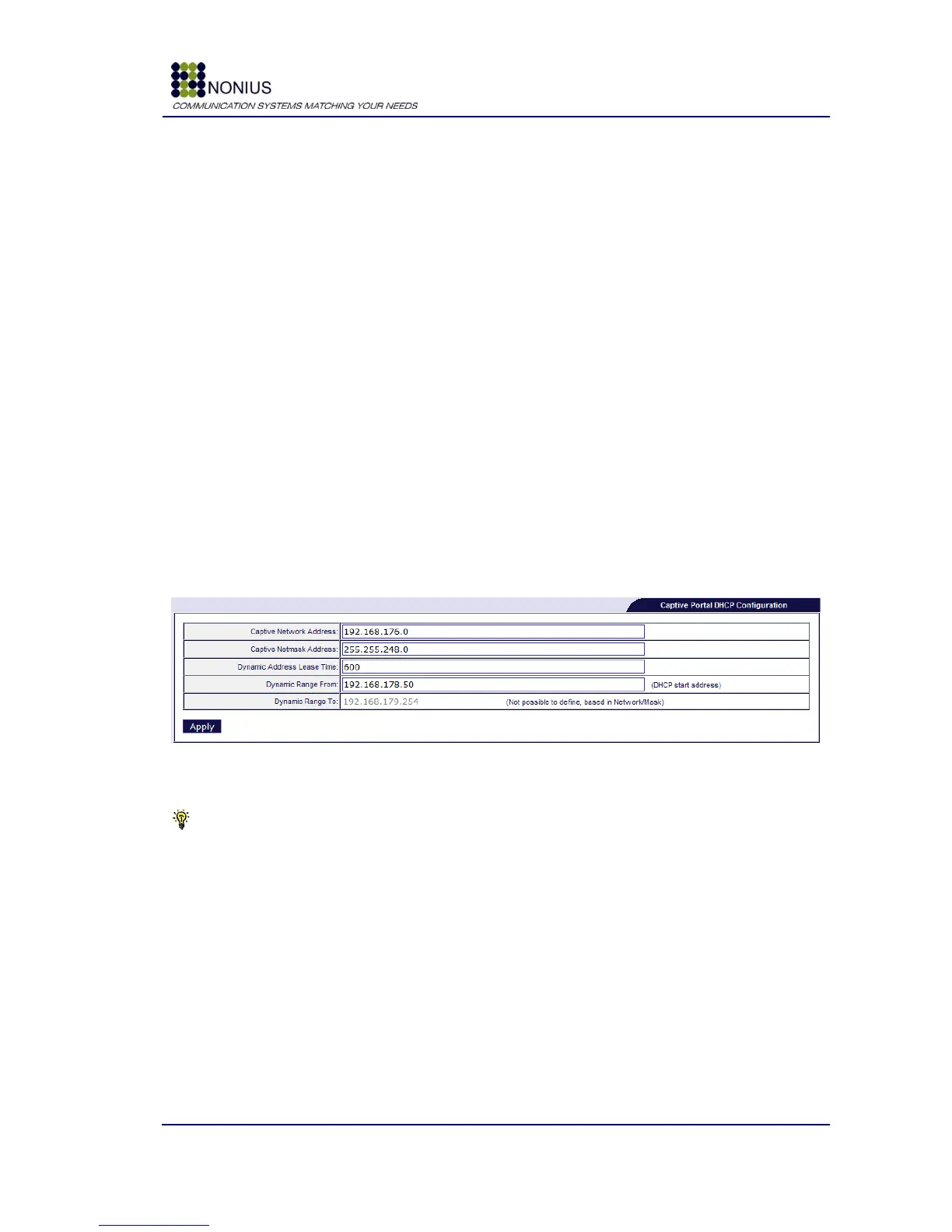
Pre-defined Captive Portal Network: if enabled, the captive portal will use its pre-defined pool
of IP addresses. If disabled, you can manually define the range of IP addresses that will be
assigned by the captive portal. When this check-box is disabled, a new form appears below [Figure
34]. It is possible to configure the network range and mask, the lease time and the start IP address
available for DHCP assignment.
Figure 34 - Manual configuration of the captive portal's network
Tip: you should be very careful when manually configuring the captive portal network address
and mask. A wrongly configured network and mask may cause instability in the WGS5000‟s
behaviour.
Captive Portal Network: This field is a select box if the Pre-defined Captive Portal Network is
enabled. The captive portal is, by default, configured in range 192.168.176.0/21. This means that
there are 2048 available IP addresses for the hotspot. The WGS5000 automatically divides this
range in a dynamic and a static part, i.e., addresses from 192.168.176.2 to 192.168.179.254 will be
dynamically assigned to users by the captive portal, while addresses from 192.168.180.1 to
192.168.182.254 may be assigned to any equipment that requires a static IP address. You can
reduce the size of this range by selecting the ranges 192.168.180.0/22 (1024 addresses) or
192.168.182.0/23 (512 addresses).
Primary Radius Server: Primary Radius server IP address.



 To Next Page