NoniusSoft, Software e Consultoria para
Telecomunicações, S.A.
Rua Actor Ferreira da Silva, 100
4200-298 Porto • Portugal
Activation by e-mail: Enable/disable the confirmation email.
SMTP Server IP Address: IP address of the mail server.
SMTP Server port: Insert the SMTP port (default 25).
SMTP Authentication: Enable/disable SMTP authentication (if required). Username and password
must be supplied.
SMTP TLS: Enable/disable SMTP secure connection (if required).
Activation Link Hostname: WGS5000 hostname used for activation.
Tip: Usually, the Activation Link Hostname is configured with the default gateway of the Captive
Portal, i.e., if the Captive Portal has the network address 192.168.176.0, the default gateway is
192.168.176.1. Example of Activation Link:
https://192.168.176.1/WGManager/htdocs/useraccount.php?key=e12149b8e92c22675abf2d6e2fe0
88498a0db1db
Name From: Insert the name of entity that sends the email (the e-mail‟s FROM: field).
E-Mail From: Insert the reply email address (the e-mail‟s REPLY TO: field).
Subject: Insert the email‟s subject.
E-Mail Message: Insert the email message (body).
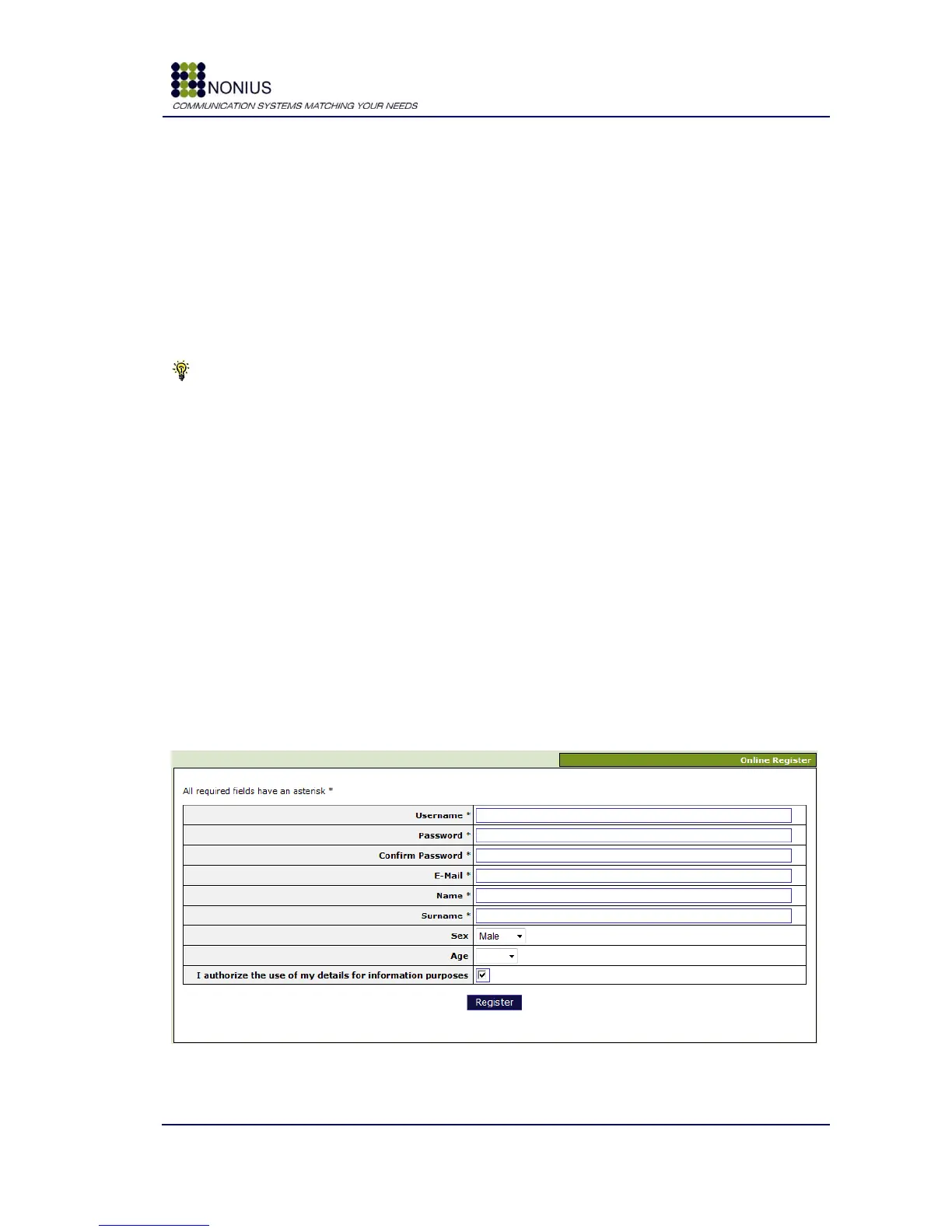
Form Fields: Configure the fields to be shown on the online register window (Figure 56). The
available options are listed at the top of this form.
Mandatory Fields: Configure the mandatory fields shown (Figure 56). Three fields are always
mandatory: username, password and email. The remaining fields are optional.
Figure 56: Online Register Window Example


 To Next Page