NoniusSoft, Software e Consultoria para
Telecomunicações, S.A.
Rua Actor Ferreira da Silva, 100
4200-298 Porto • Portugal
Login Page Type: there are two options – normal or frames. The normal page is very simple and
light and you can only personalize it by uploading a client‟s logo. The frames page divides the login
page in two frames. The left one is used for insertion of the login data, while the right one can be
any page desired by the client.
Hotspot Login Page Layout:
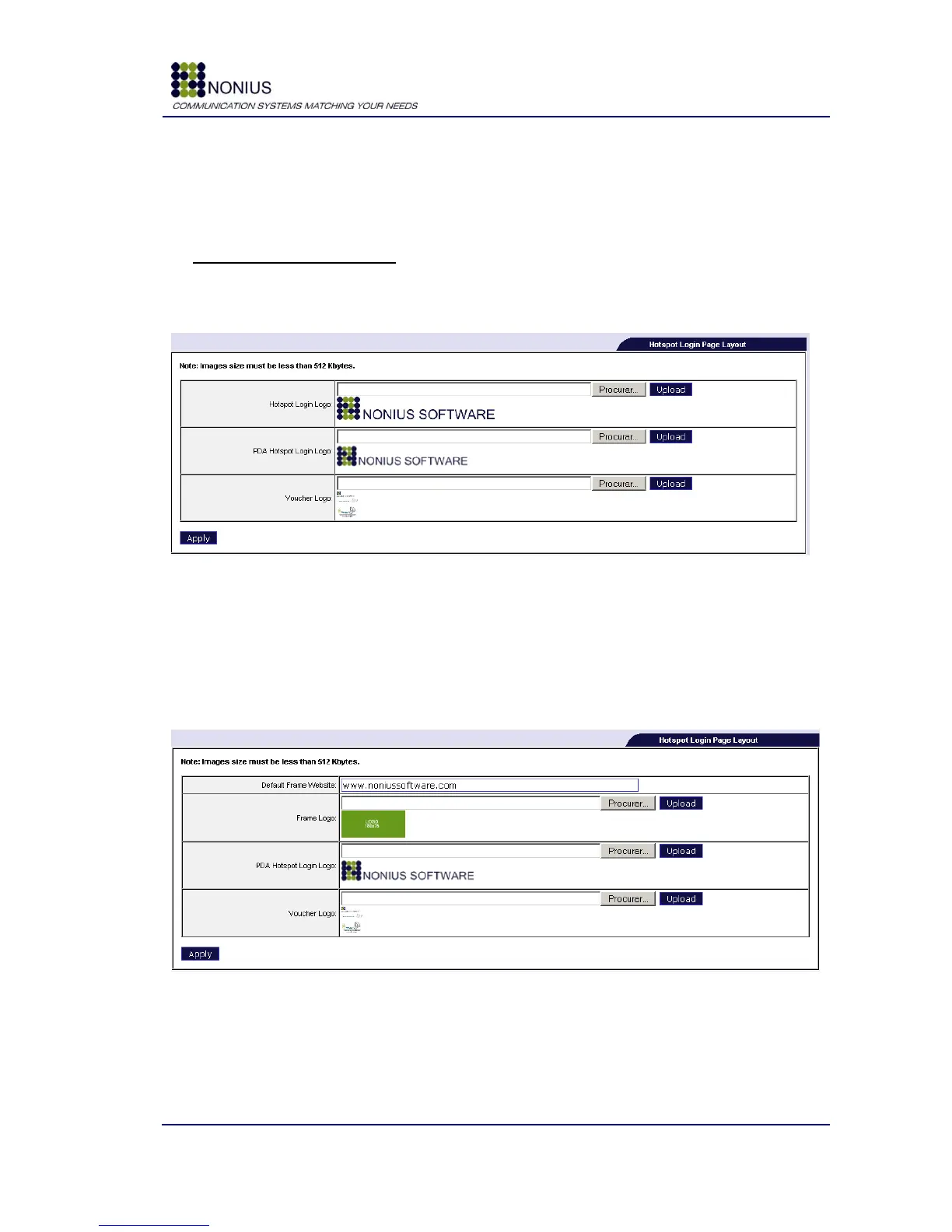
Depending on the chosen login page type the following form changes. For the normal page the
options are:
Figure 48: “Normal” Hotspot Login Page Layout
Hotspot Login Logo: Here you may upload the image that will appear in login page.
PDA Hotspot Login Logo: Upload the image that will appear in login page when using a PDA to
Internet access.
Voucher Logo: Upload the image that will be presented in vouchers. The size of the voucher logo
must be 178x143 pixels.
Figure 49 - Frames Login Page Layout
Default Frame Website: insert the page that will be displayed on the right frame.
Frame Logo: To upload a “JPG” image logo for the frame, the size of the frame logo must be
180x75 pixels.



 To Next Page