OPERATING MANUAL
5-8
21833-3.4
NORMARC 7013
INSTRUMENT LANDING SYSTEM
Remote Maintenance and Monitoring ©1999 Navia Aviation AS
.
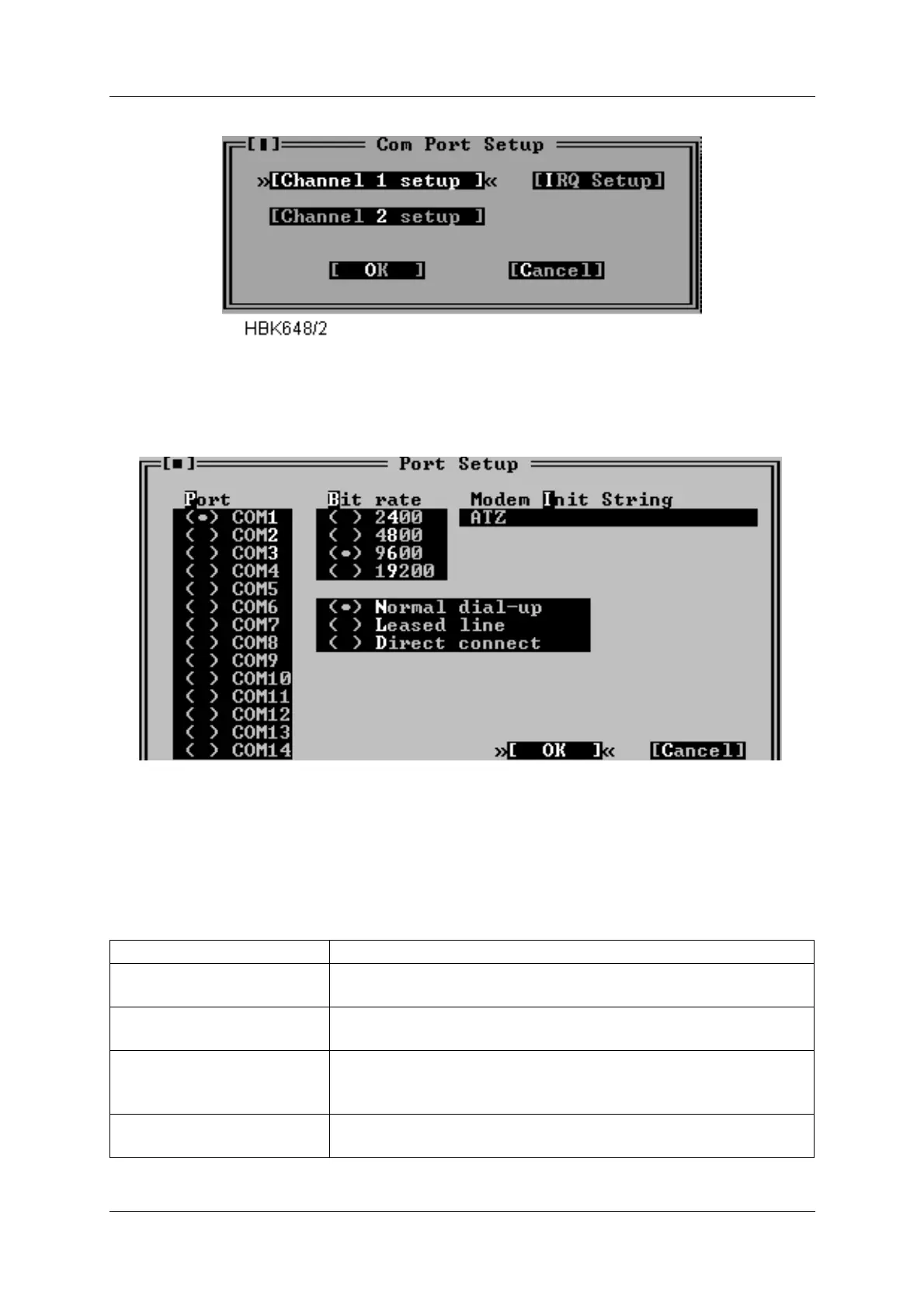
Figure 5-2 Com port setup dialog
Selecting one of the Channel setup buttons opens up a dialog like Figure 5-3 shows.
Figure 5-3 Channel setup dialog
Note: DOS version also has the “Modem hangup String” and “Use DTR to hangup” fields in
this window. In the Win95/NT version DTR will always be used to hangup the modem.
The items in this dialog has the following purposes.
Item Purpose
Port Specifies the serial communications adapter to which the
modem or ILS is connected.
Bit rate Specifies the bit rate to use when communicating with the
modem or ILS.
Use DTR to hang-up Select this if the software should use the DTR line instead of the
"Modem hang-up string" to make the modem hang up. This is
faster and safer than using the Modem hang-up string.
Direct connect Select this if the PC is connected to the ILS via a null modem
cable.



 To Next Page