©1999 Navia Aviation AS 21833-3.4 Remote Maintenance and Monitoring
OPERATING MANUALNORMARC 7013
INSTRUMENT LANDING SYSTEM
5-41
ing the appropriate windows by selecting menu items from the ILS menu. Note that some
menu items will not be accessible because some information types is not stored in the log file.
To move back and forth in the stored data, press F7 and F8.
5.23.2 Medium time periodic (MED)
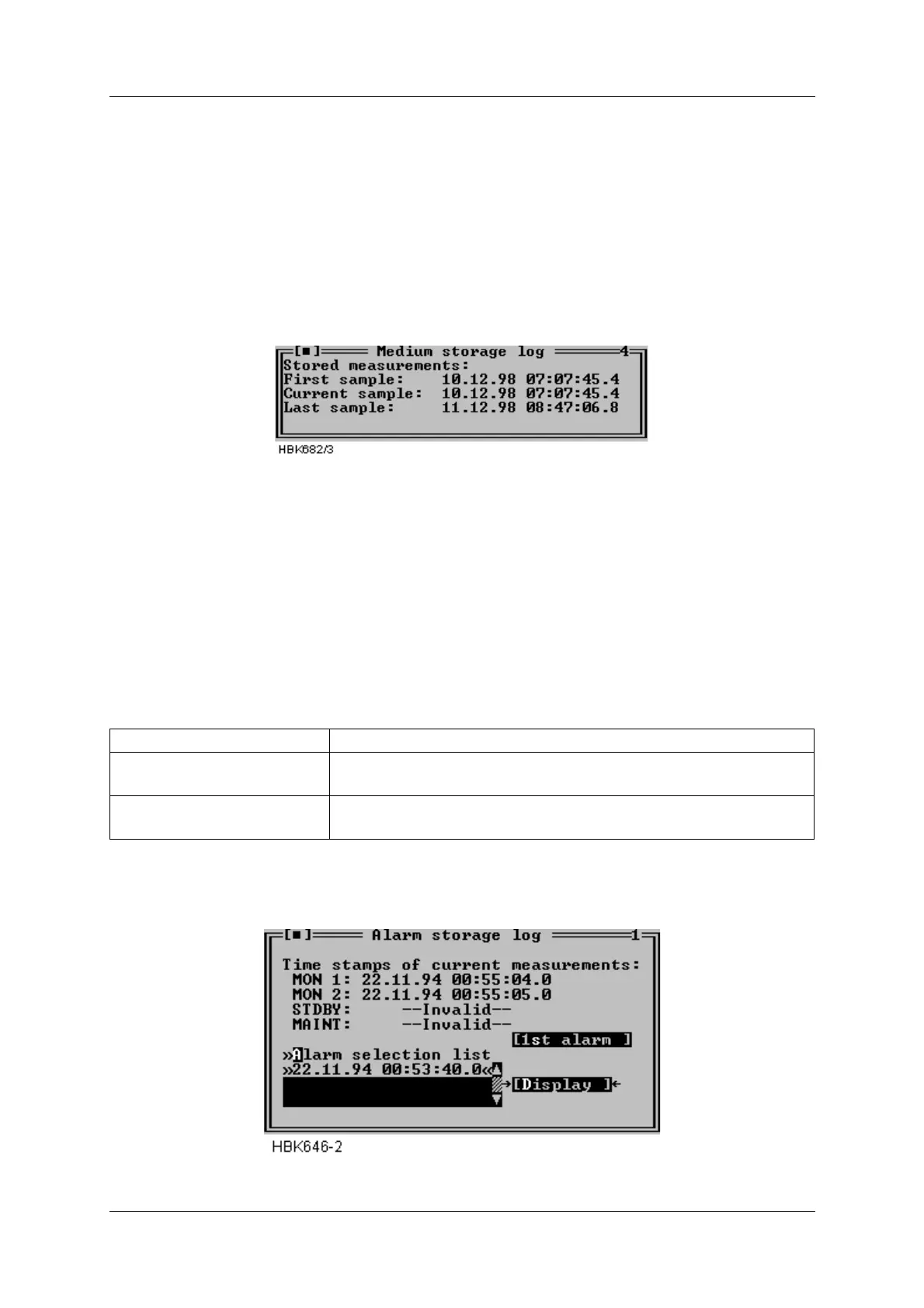
When a MED file has been opened a window as shown below will be opened.
This window displays the time stamps of the first, the currently displayed one, and the last
sample stored in the file.
Figure 5-55 MED file log window
5.23.3 Alarm storage (ALA)
When an ALA file has been opened a window as shown below will be opened. This window
shows the time stamps of the currently displayed Monitor 1, Monitor 2, Standby (if installed)
and Maintenance monitor samples. This window also has a list where you select an alarm to
study.
The operation of the window is outlined in the table below.
Table 5-16 Alarm storage operations.
Figure 5-56 ALA file log window
To accomplish this Do this
Study a specific alarm Select the desired alarm on the alarm selection list and press
the “Display” button.
Advance to the first raw
alarm state
Press the “1st alarm” button.



 To Next Page