OPERATING MANUAL
5-14
21833-3.4
NORMARC 7013
INSTRUMENT LANDING SYSTEM
Remote Maintenance and Monitoring ©1999 Navia Aviation AS
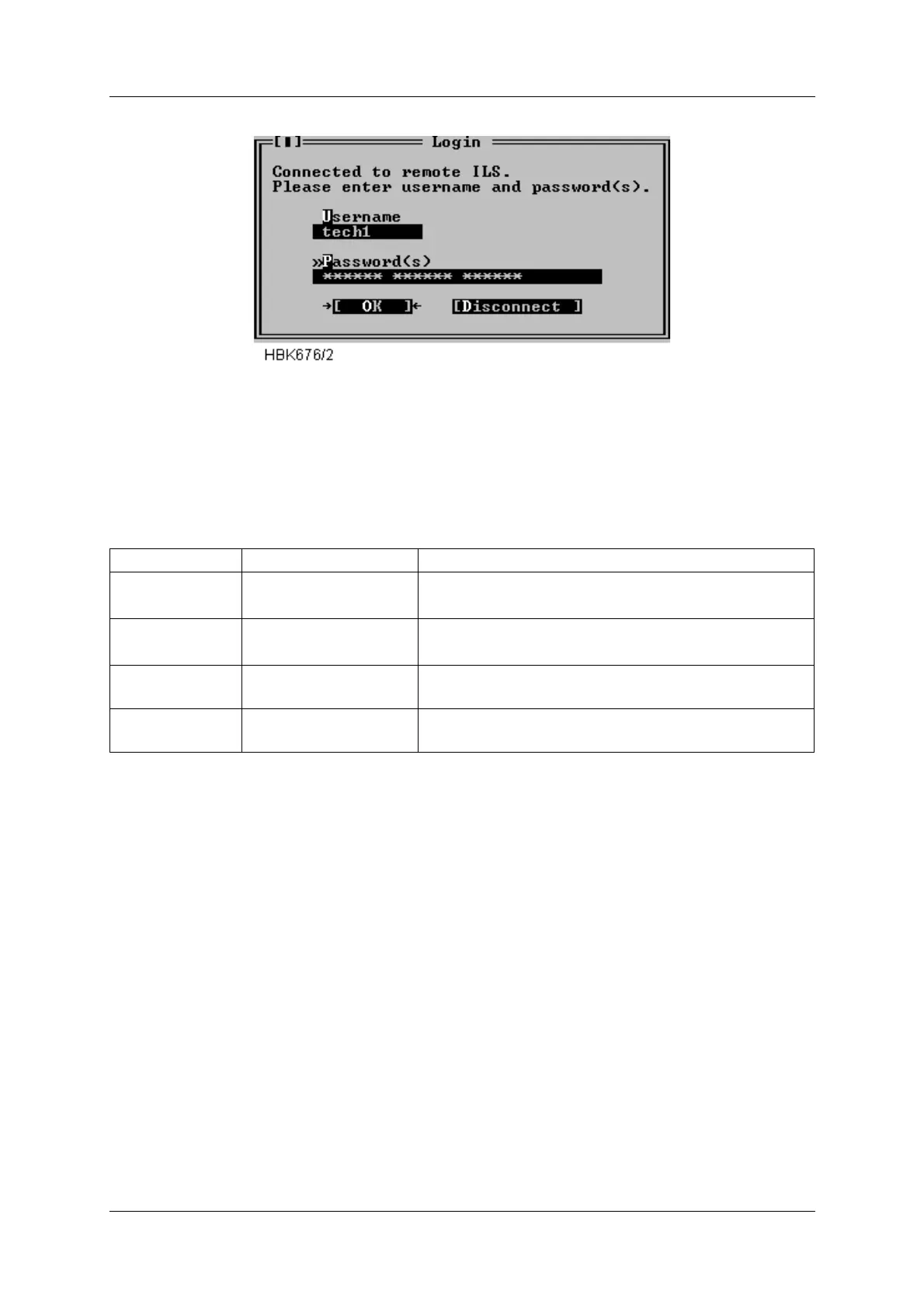
Figure 5-10 Login dialog box
Your assigned access level depend on the number of passwords and the username entered.
Different passwords must be separated with a space character. The following table outlines
the access level properties, and how to gain them. Increasing access levels adds more
access rights, and retaining the rights for the lower access levels.
Table 5-7 Login access rights.
When you have entered correct login information and pressed the OK button, the program will
start to retrieve ILS configuration data. Windows that was open the last time you was con-
nected to the ILS will automatically be opened when the ILS configuration has been received.
If you enter invalid login information the ILS will not grant you access rights to the ILS. The
software will display a message telling you what went wrong, and let you perform another
login attempt. You have three attempts. If all attempts are used without success the ILS will
disconnect and not allow more login attempts for 3 minutes.
When the program has received the configuration data, the ILS configuration will be displayed
in a window in the upper left corner of the desktop area. This window will be referred to as the
“Link” window. Figure 5-11 shows a typical Link window.
Access level You enter Access rights
1 your username and 1
password
Read all measurements/status and show all settings,
and download.
2 your username and 2
passwords
Change front panel settings and change settings in
the “Ident and mod. switches” window.
3 your username and 3
passwords
Change all settings (except user administration)
MASTER username MASTER
and 3 passwords
Set up new users and change passwords.



 To Next Page