©1999 Navia Aviation AS 21833-3.4 Remote Maintenance and Monitoring
OPERATING MANUALNORMARC 7013
INSTRUMENT LANDING SYSTEM
5-35
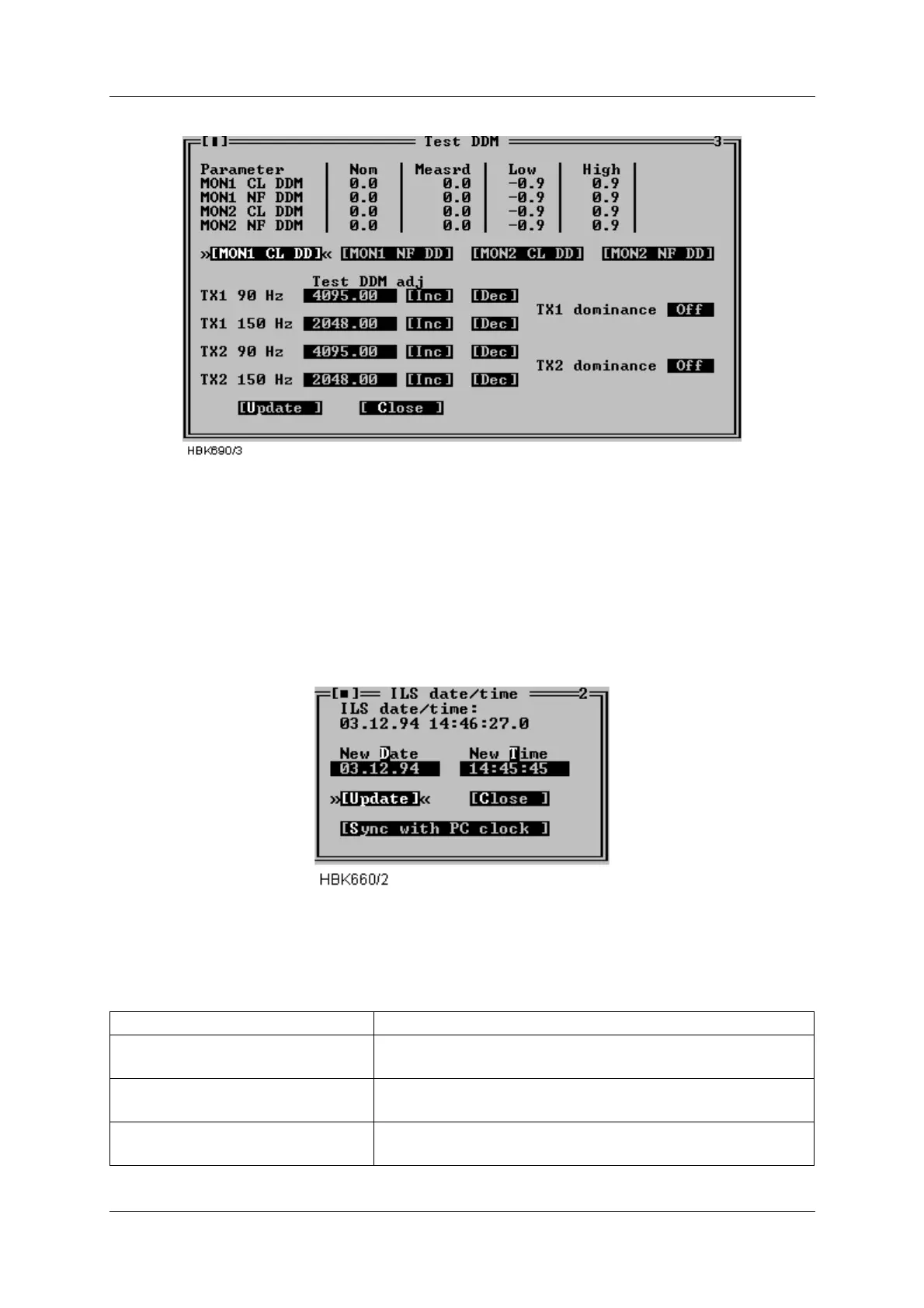
Figure 5-45 Test DDM window
The test DDM values are unit-less integers in the range 0-4095.
5.16 Set ILS date/time
The functionality of the ILS|Set ILS date/time window depends on whether or not the user is
logged in as an ordinary user or as master user. When logged in as a master user this window
allows setting of the ILS RMS system clock. When logged in as an ordinary user, this window
displays the current ILS RMS system date/time.
Figure 5-46 ILS date/time window.
The available master user operations is outlined in the table below.
Field Description
New Date Holds the date to be sent to the ILS upon an Update but-
ton activation.
New Time Holds the time to be sent to the ILS upon an Update but-
ton activation.
Update (button) Sets the ILS RMS clock to the date/time specified in the
New Date and New Time fields.



 To Next Page