©1999 Navia Aviation AS 21833-3.4 Remote Maintenance and Monitoring
OPERATING MANUALNORMARC 7013
INSTRUMENT LANDING SYSTEM
5-31
ters.
These scaling values are stored in the RMS system in the ILS. This implies that the values will
have to be changed if a PA module is replaced.
5.11 Front panel operation
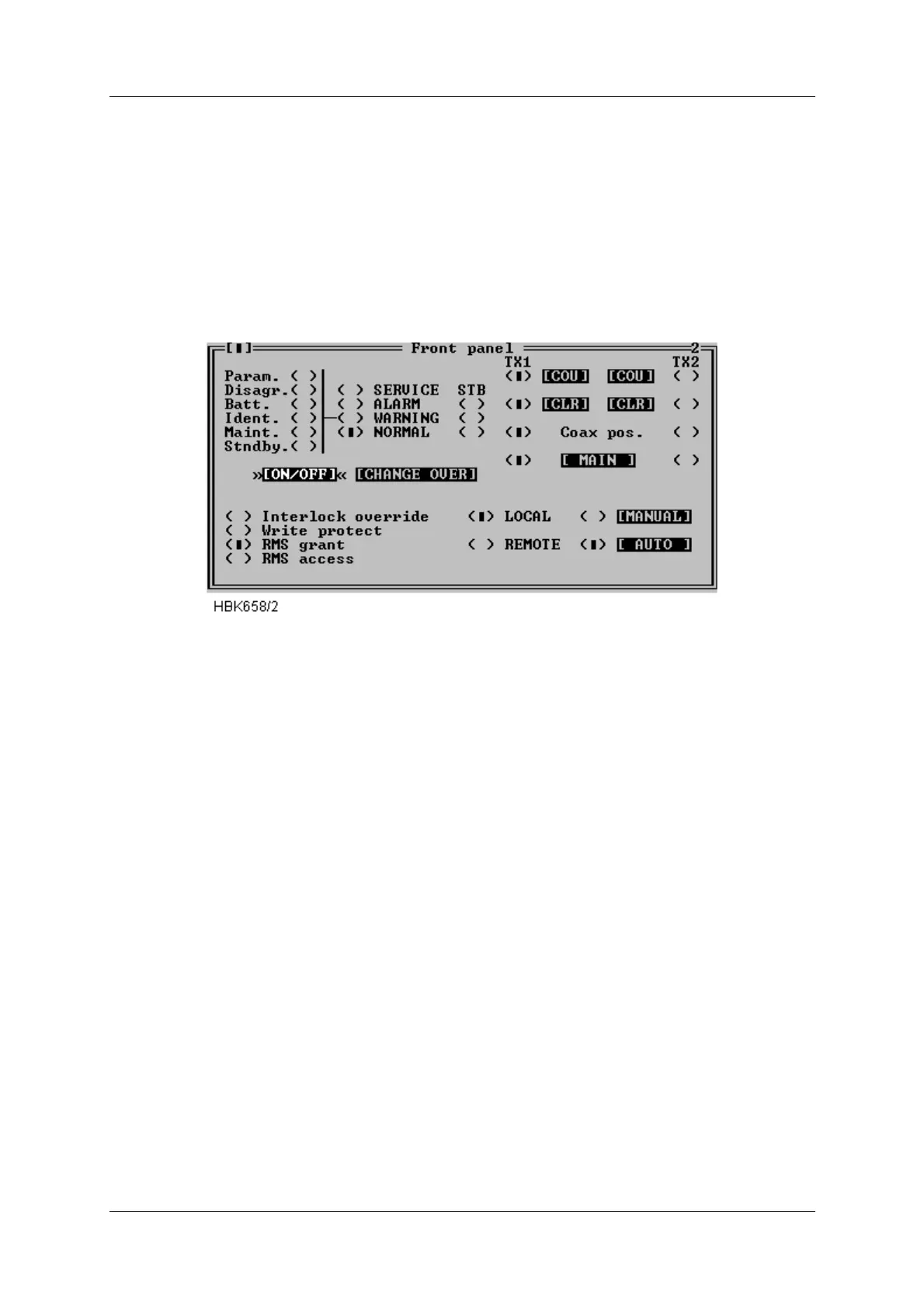
When ILS|Front panel is selected a window displaying the same information as the ILS front
panel is opened. See Figure 5-41.
Figure 5-41 Front panel window
Pressing buttons in this window has the same effect as pressing the corresponding switch on
the ILS front panel.
Note that some switches on the ILS front panel is not possible to change from the RMM sys-
tem (e.g. write protect). The settings of these switches is displayed as “LED’s” in this window.
5.12 Get historical data
5.12.1 General
Selecting ILS|Get historical data opens the Storage download window, shown in Figure 5-42.
This window is used to download one of the data storages.
The different storages contain the following information. All stored items are given a corre-
sponding time stamp:
• Alarm storage: Samples of all monitor and maintenance parameters for a period starting
from 30s before an alarm occurred and ending with the actual alarm sample. Up to 7 alarm
storages can be stored in the ILS. The RMM will download all storages into one alarm stor-
age file.
• Warning storage: One sample of all monitor and maintenance parameters at the instant
when a warning LED is activated. The 25 last warnings are stored.
• Medium time periodic storage: One sample of all monitor and maintenance parameters
stored periodically at user specified intervals (see 5.22). The storage contains the last 96
samples.
• Long time periodic storage: For every day through a 180 days period, the mean value and



 To Next Page