©1999 Navia Aviation AS 21833-3.4 Remote Maintenance and Monitoring
OPERATING MANUALNORMARC 7013
INSTRUMENT LANDING SYSTEM
5-39
This is an access level 1 operation.
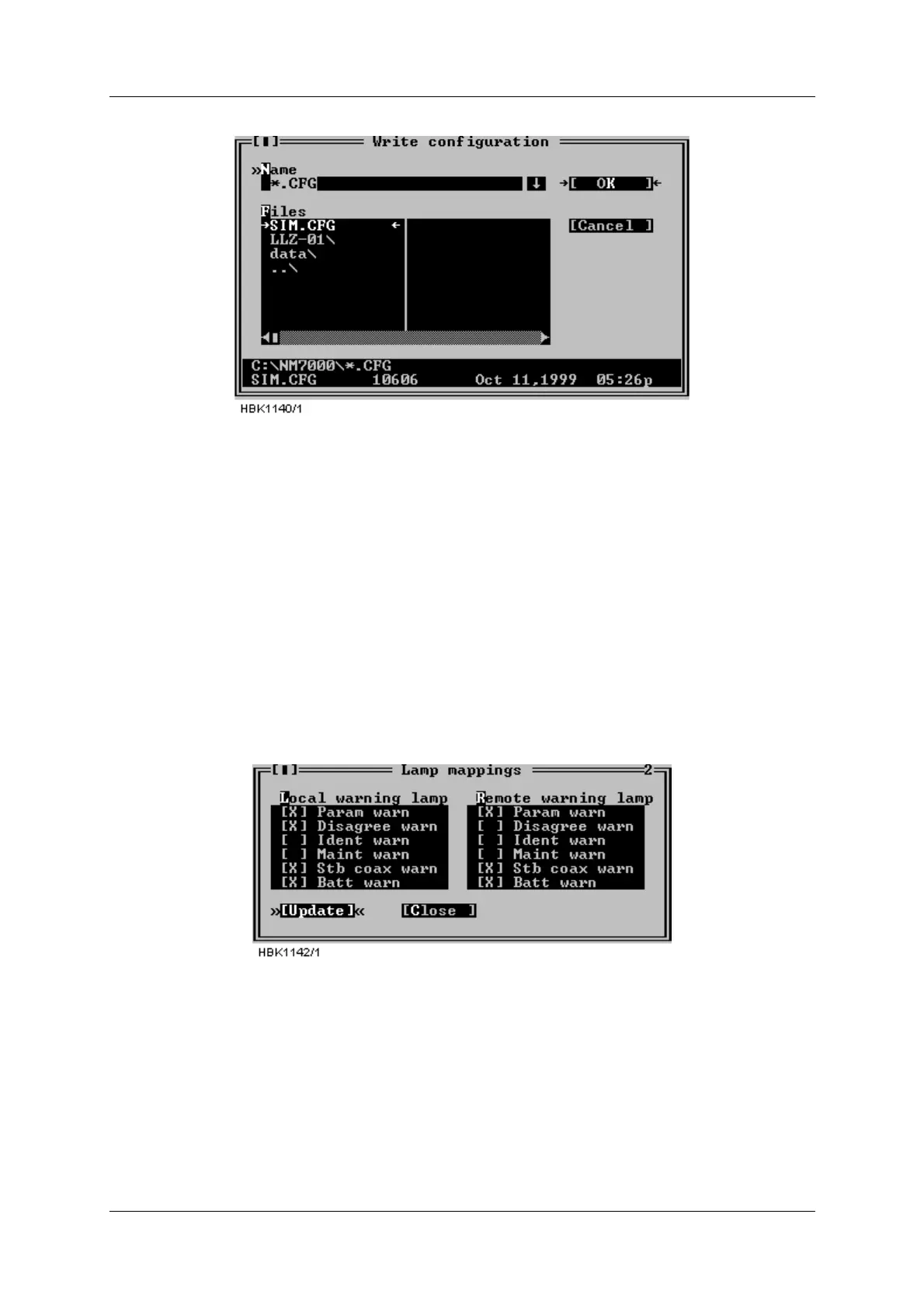
Figure 5-51 Write configuration to file.
The configuration file is a plain ASCII text file. The file may be inspected by the user, but to
avoid introducing possible errors, it is not recommended to manually edit it
5.21 Lamp mappings
At access level 3 the user may configure which of the small warning LED’s that are “mapped”
to the main (big) warning LED on the local an remote control panels.
Figure 5-52 shows the window that appears when the “ILS | Configuration options | Lamp
mappings” menu item is selected. An “X”-mark to the left of the warning type indicates that an
active warning of that type will cause the corresponding main warning lamp to be activated.
If the configuration is changed, remember to click the “Update” button to send the new set-
tings to the cabinet.
Figure 5-52 Lamp mappings HBK1142
5.22 Medium storage sample interval
The sample intervals for the medium time storage may be selected by choosing ILS| Configu-
ration options| Medium storage sample interval. This brings up the window shown below.



 To Next Page