OPERATING MANUAL
5-22
21833-3.4
NORMARC 7013
INSTRUMENT LANDING SYSTEM
Remote Maintenance and Monitoring ©1999 Navia Aviation AS
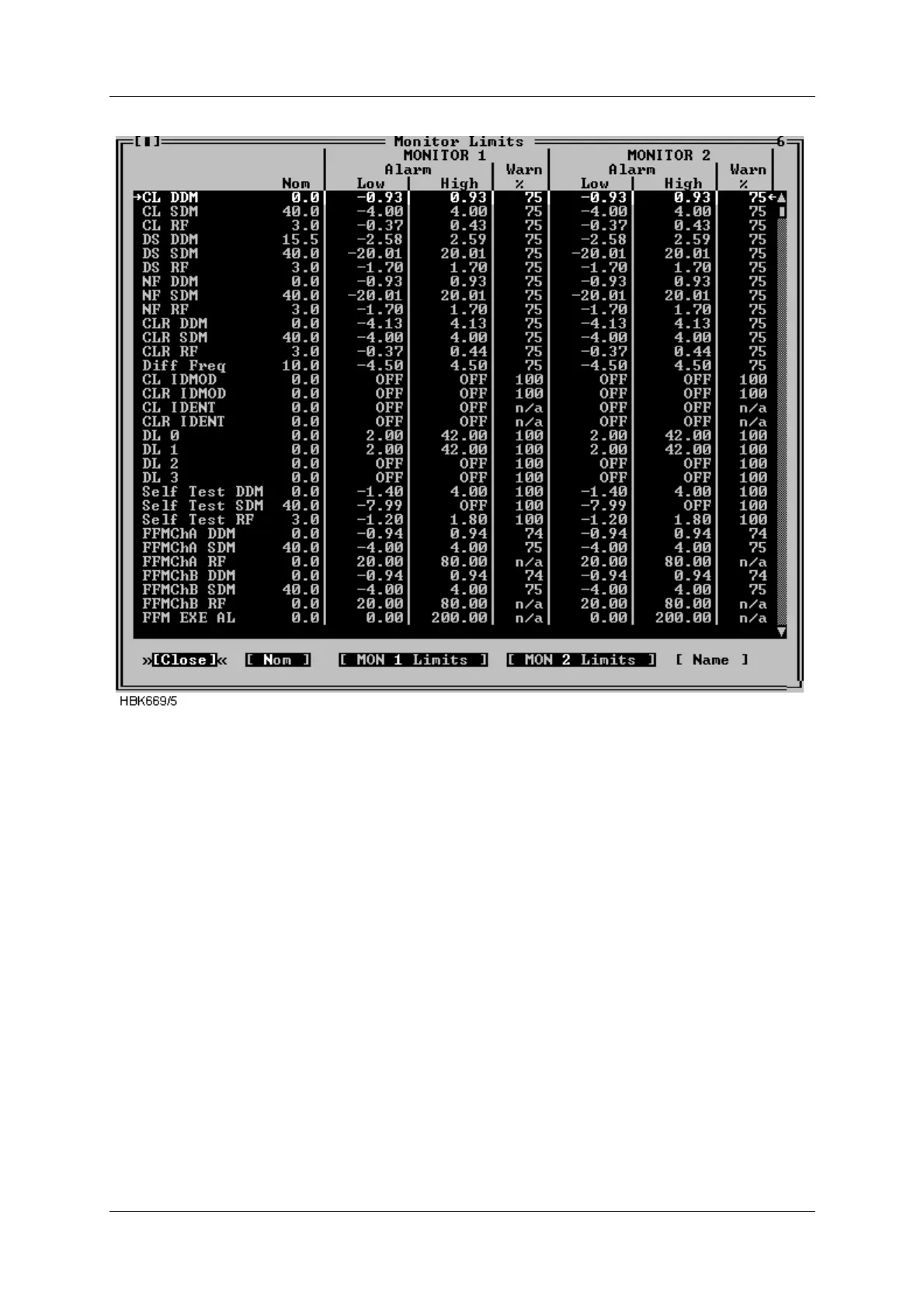
Figure 5-23 Monitor 1&2 limits window
The alarm limit field will show “OFF” if the alarm limit is equal to the maximum or minimum
value.
The warning limit field for CL IDENT, CLR IDENT and external channels (i.e. FFM RF and
VOICE) will show “n/a” as the warning limits for these parameters is not defined as a percent-
age of the alarm limits.
The “MON 1 Limits” and the “MON 2 Limits” buttons will only be displayed for access
level 3 and master user access level.
In order to change the alarm and/or warning limits for a specific parameter; first select the
parameter in the list box, then select the “MON 1 Limits” button or the “MON 2 Limits” button if
you want to change either monitor 1 or monitor 2 alarm/warning.
When one of the above mentioned buttons is selected a dialog similar to the one below is
opened. In this dialog one may enter new alarm limits and warning limit for the currently
selected parameter. The alarm limits is always relative to the nominal value. The warning limit
is always entered in percent of the selected alarm limit.
If the Symmetric button is pressed the alarm limit is entered as a value which is symmetric
around the nominal value; hence only one alarm limit will have to be entered in the symmetric



 To Next Page