©1999 Navia Aviation AS 21833-3.4 Remote Maintenance and Monitoring
OPERATING MANUALNORMARC 7013
INSTRUMENT LANDING SYSTEM
5-33
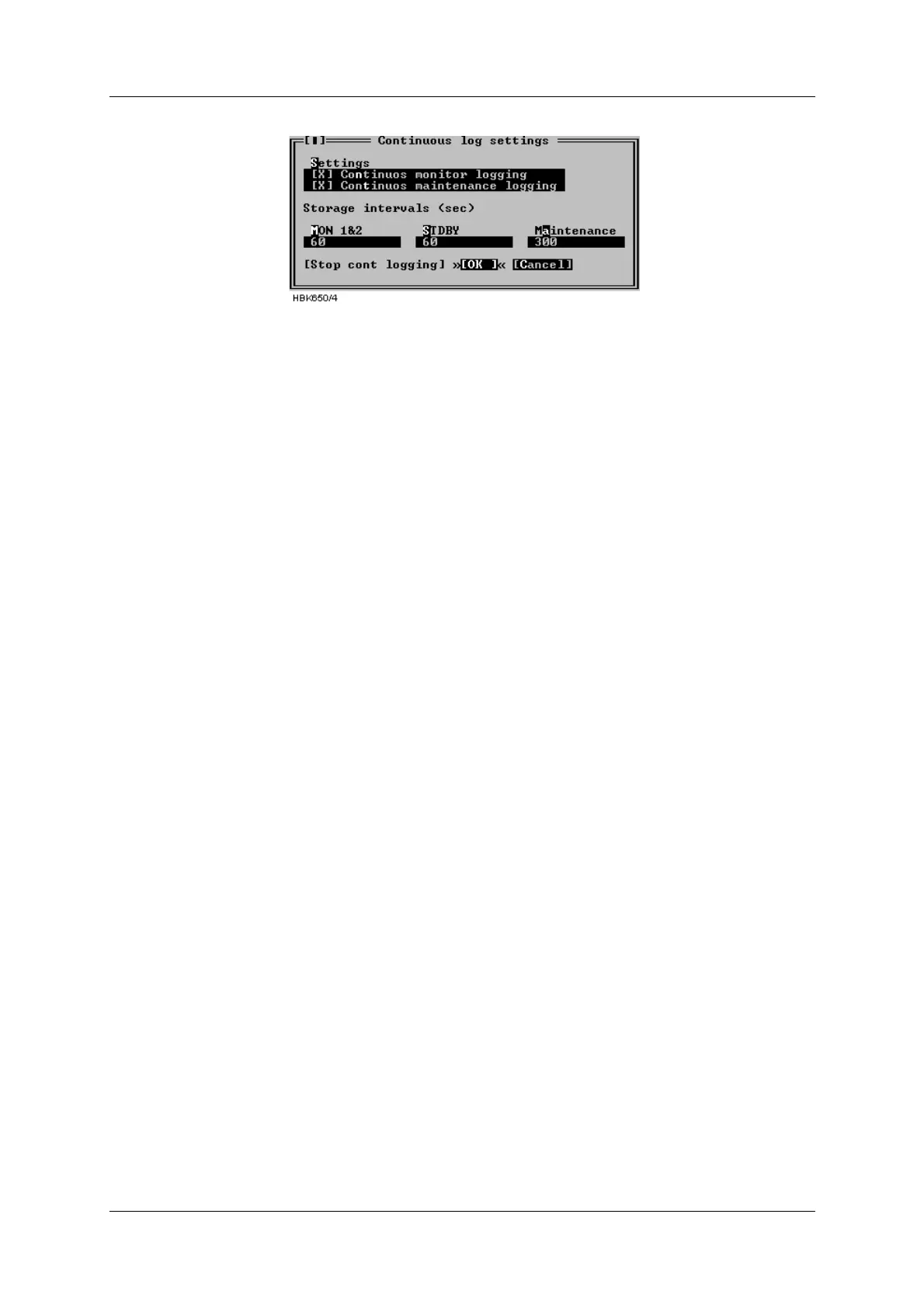
Figure 5-43 Continuous logging dialog
The time interval between each time a sample is stored can also be configured in this dialog.
The intervals must be entered in seconds and tenths of a second. The storage interval infor-
mation entered in this dialog will be stored and associated with the current station.
The software automatically creates a name for the file in which the data is stored. The name is
of the form YYMMDD.ext. Where YY is last two digits of the current year, MM is the month and
DD is the day of month number. The filename extension field is CNT.
The file will be created in the directory specified in the Log dir. field of the current station
setup.
The "Stop cont logging" button in this window can be used to stop logging continuous data
(once it has been enabled). When continuous logging has been turned on the "Continuous
log" field in the Link window displays "ON".
5.14 Events
Selecting ILS|Events brings up the window shown in Figure 5-44. This window displays the
last 50 events (user operations, log-in/out, alarms, warnings) in a scrollable list. The displayed
fields are:
• The time when the event occurred
• The user caused the event (if any)
• The event type description
Event diagnostics is also invoked from this window, see chapter 5.24 for a description of this
feature.



 To Next Page