©1999 Navia Aviation AS 21833-3.4 Remote Maintenance and Monitoring
OPERATING MANUALNORMARC 7013
INSTRUMENT LANDING SYSTEM
5-9
Table 5-3 Channel setup operations.
Modem configuration
5.4.1.1 Close Connection
Selecting the "Use DTR to hang-up" is recommended, as this method for closing the connec-
tion is both safer and faster than the "+++" escape sequence (Hang-up string). Note that the
modem must be configured with the AT&D2 command for the "Use DTR to hang-up" method
to work (some modems do not include this command in their default initiation).
5.4.1.2 Recommended init-strings
Refer to the Technical notes at the end of this chapter for information on how to set up the
modems on different types of connection.
5.4.2 IRQ setup
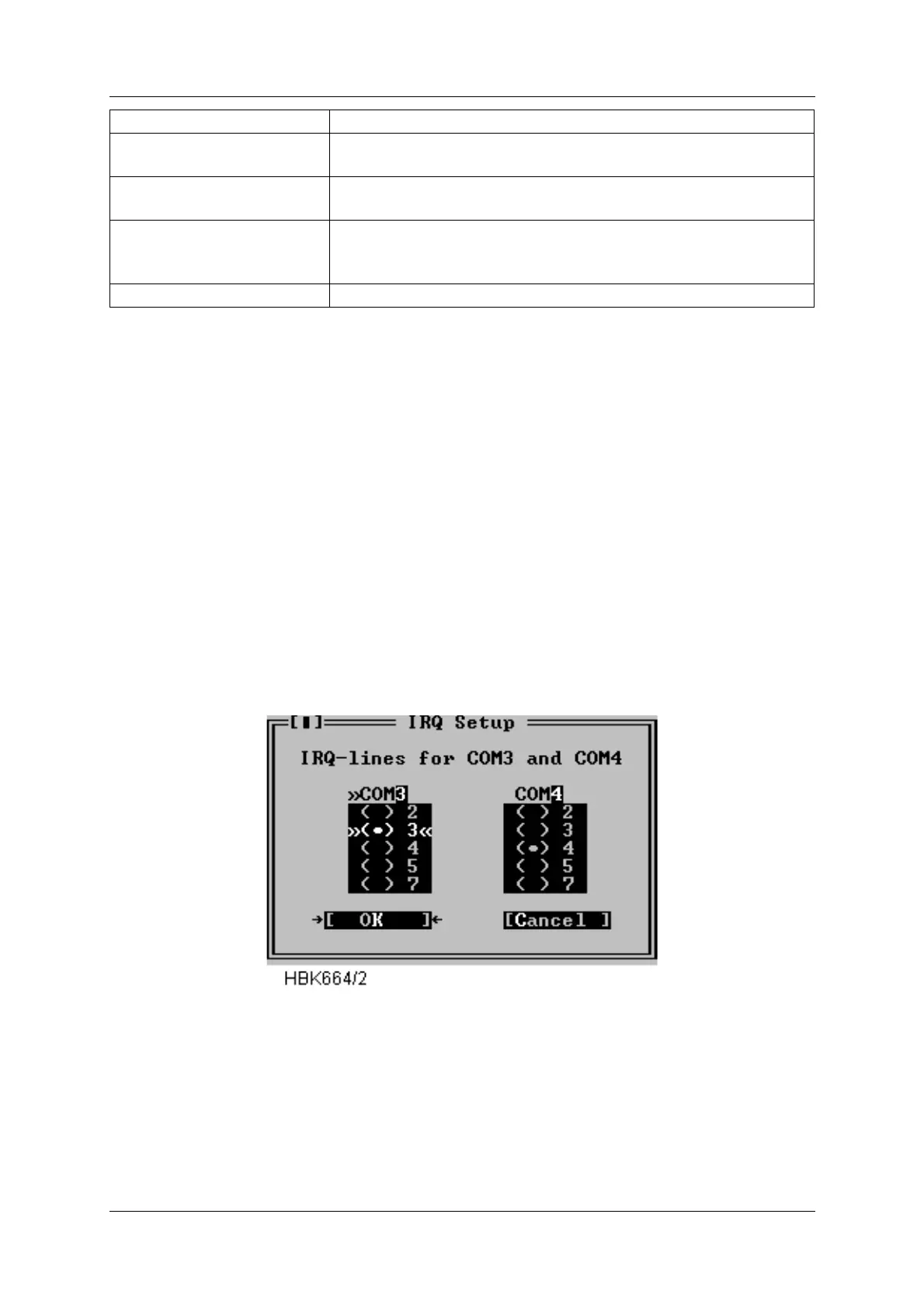
Selecting the IRQ setup button in the Com port setup dialog opens the following dialog.
Figure 5-4 IRQ setup dialog
This dialog allows alternate IRQ selections for COM3 and COM4.
NOTE
The Win95/NT version does not have this dialog, as these settings are handled at the
operating system level.
5.4.3 Printer setup
Leased line Select this if the PC is connected to the ILS via dedicated
leased line modems.
Normal dial-up Select this if the PC shall connect the ILS via modem on a pub-
lic telephone network.
Modem Init String This string will be sent to the modem before each dialing proc-
ess starts. The default is ATZ, which performs a software reset
of the modem.
Hang-up String Command to make the modem hang up the phone.
Item Purpose



 To Next Page