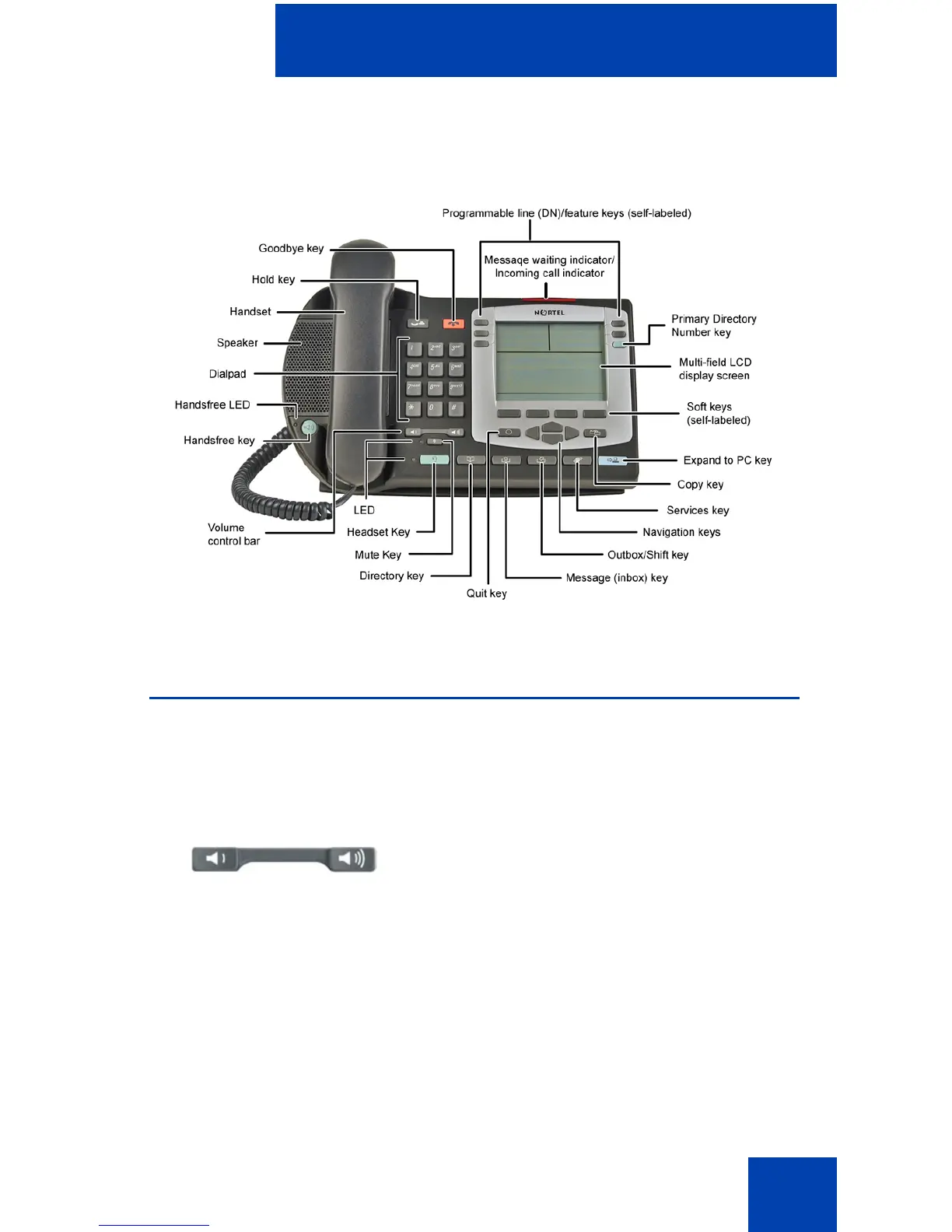
About the Nortel IP Phone 2004
15
Figure 3: IP Phone 2004
Telephone controls
Note: Some IP Phone 2004 phones are equipped with optional key
caps. Text in parentheses indicates labels appearing on the key caps.
For example, (Services).
Use the Volume control bar to adjust the
volume of the ringer, handset, headset,
speaker, and the Handsfree feature. Press
the right side of the rocker bar to increase
volume and press the left side to decrease
volume.















 To Next Page