Installing the BayStack 350 Switch
893-00992-E
2-9
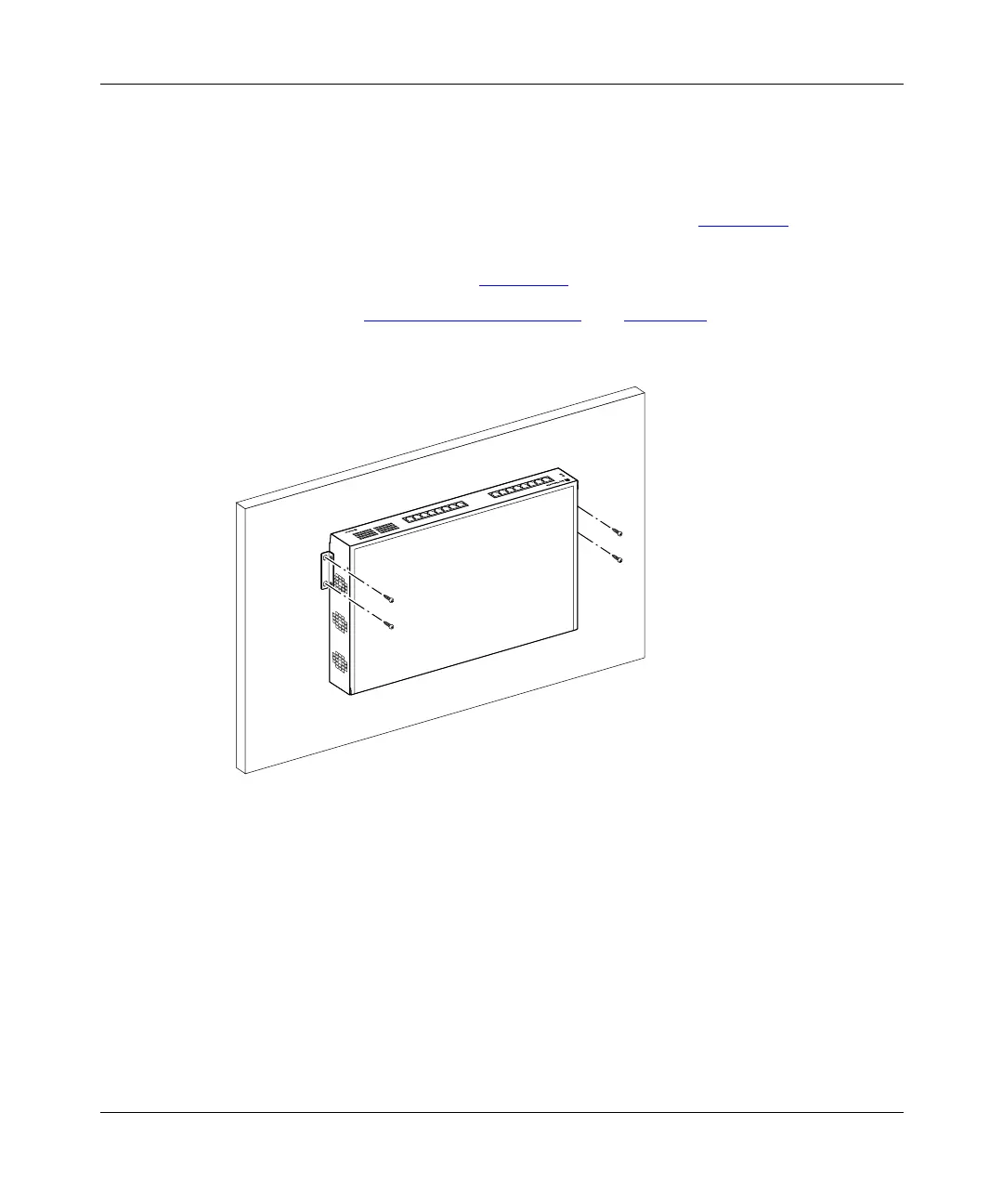
Wall Mounting the Model 350F and Model 350T
To mount the Model 350F or Model 350T on a wall, follow these steps:
1.
Using a Phillips or crosshead screwdriver, attach a mounting bracket to
each side of the switch using the supplied screws (Figure 2-2
).
2.
Insert two screws (not supplied) through each of the mounting brackets,
then tighten the screws (Figure 2-4
).
3.
Proceed to “Connecting Port Cables” on page 2-13 to connect the
network cables.
Figure 2-4. Wall mounting the Model 350F and Model 350T
310T
587FA














 To Next Page