Using the BayStack 350 Series 10/100 Autosense Switch
1-14
893-00992-E
Power Workgroups
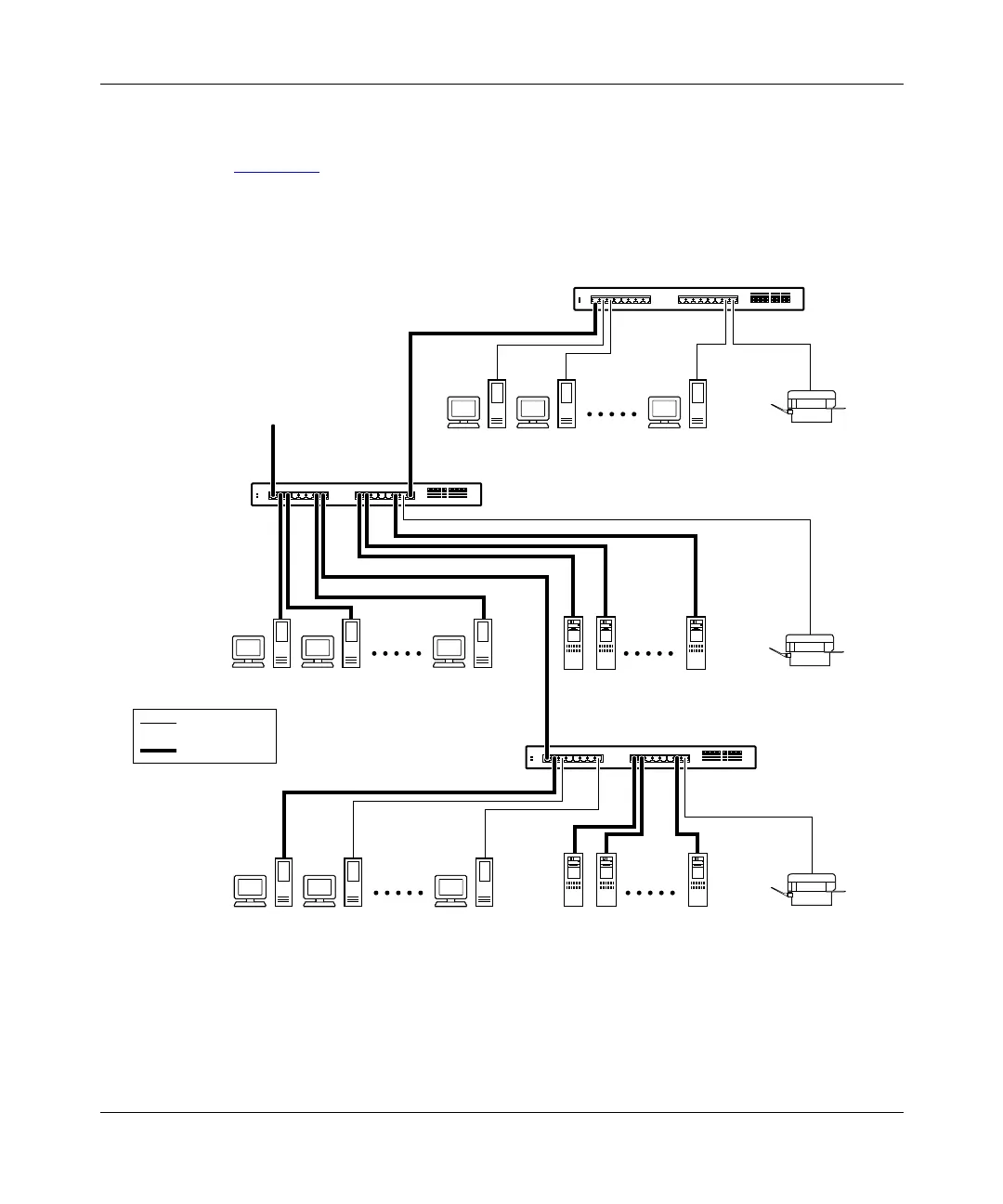
Figure 1-5 shows BayStack 350 switches connecting dedicated power workgroups
and standard departmental users. In this example, all users have access to 10 Mb/s
bandwidth or 100 Mb/s bandwidth on any port.
Figure 1-5. Configuring power workgroups
BayStack 350T switch
10 Mb/s
100 Mb/s
Key
BayStack 350T switch
To
network
center
BayStack 350T switch
620EA














 To Next Page