Using the BayStack 350 Series 10/100 Autosense Switch
1-18
893-00992-E
There are limitations when configuring multiple VLANs on a port and when
configuring VLANs that cross multiple switches. For example, to have multiple
VLANs that span multiple switches, no port should be configured to exist in more
than one VLAN in any of the switches. This method partitions the switches into
different, non-overlapping VLANs as shown previously in Figure 1-8
.
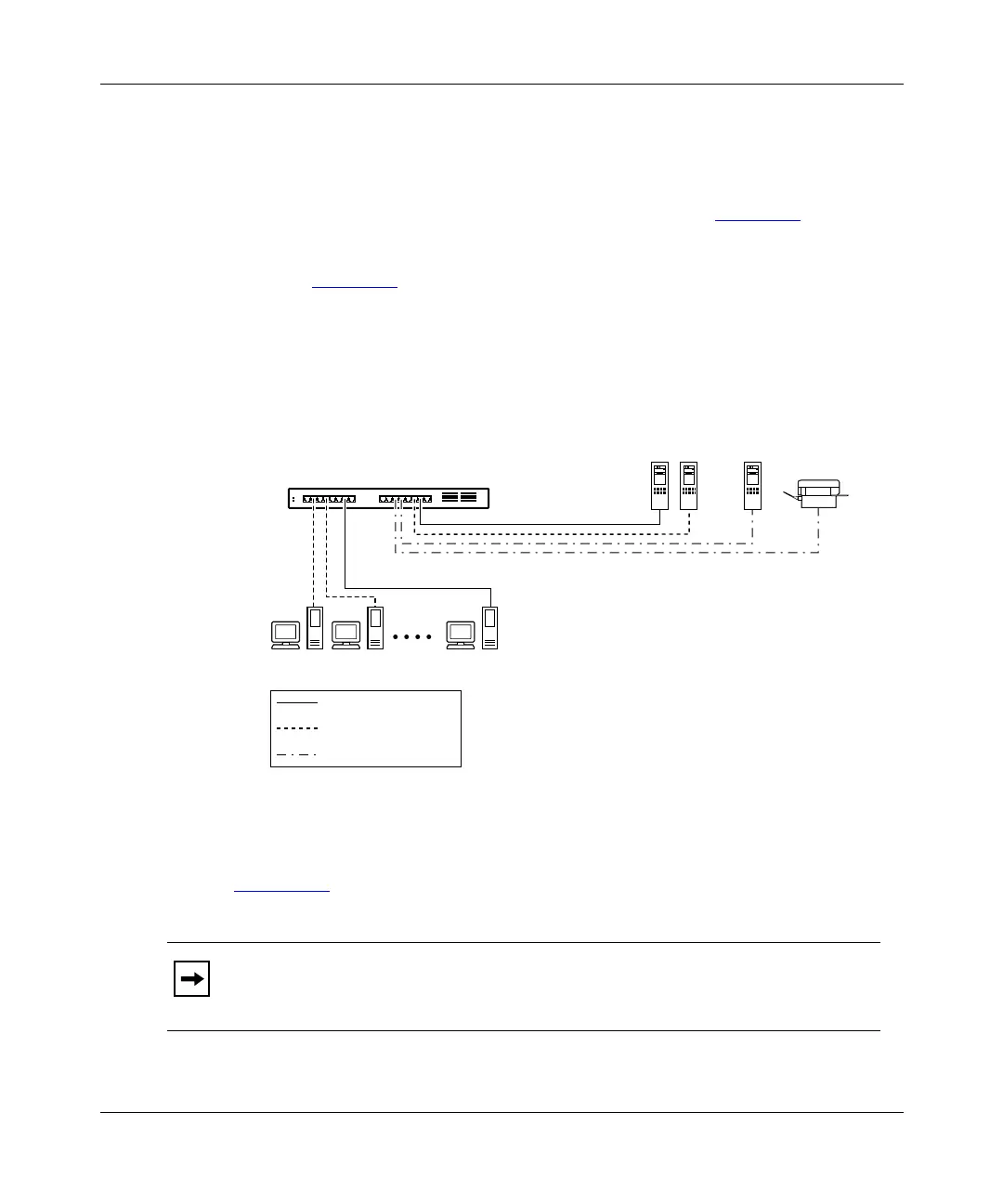
It is also possible to have resources exist in multiple VLANs on one switch as
shown in Figure 1-9
. In this example, clients on different broadcast domains share
resources. The broadcasts from ports configured in VLAN V1+V2 can be seen by
both VLAN V1 and VLAN V2 ports. Broadcasts from VLAN V1 ports can only
be seen by other VLAN V1 ports or VLAN V1+V2 ports. This analogy is also
true for ports that are assigned to VLAN V2.
Figure 1-9. Multiple VLANs sharing resources
Figure 1-10 shows an example of how to connect switch ports, that are configured
for multiple VLANs, to other switches.
Note:
When connecting switches that have ports configured for multiple
VLANs, the multiple VLANs do not get projected across the connection. The
connection is treated as a single VLAN at the other end.
SW1
V2V1
V1
+
V2
VLAN V1
VLAN V2
VLAN V1
+
V2
Key
BayStack 350T switch
V1 + V2
622EG














 To Next Page