Using the BayStack 350 Series 10/100 Autosense Switch
4-2
893-00992-E
LED Indications
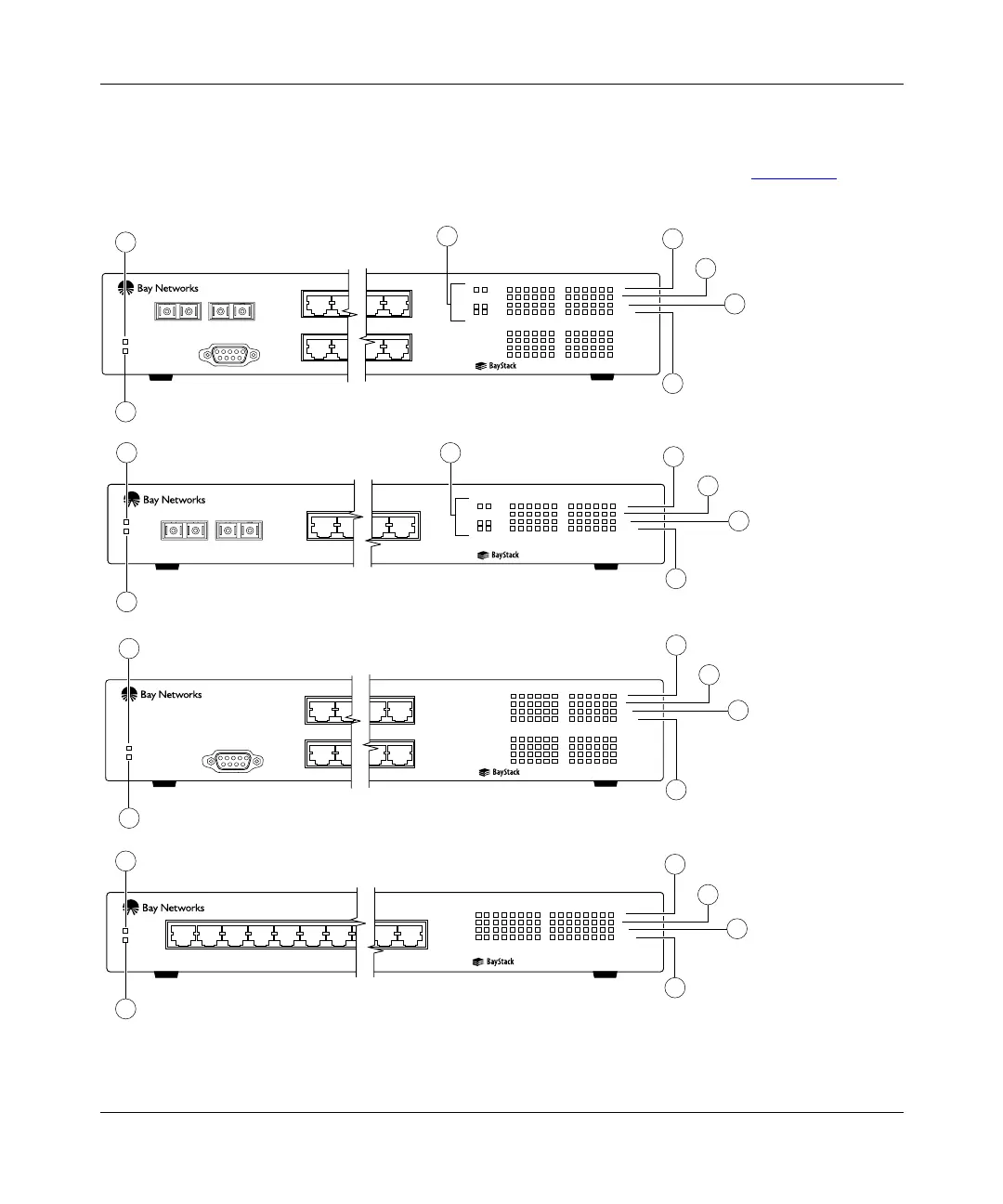
The BayStack 350 switch LEDs are located on the front panel (Figure 4-1).
Figure 4-1. LED locations
7832FA
1234567
Diagnostics
Power
15 16
1
4
5
7
2
6
350T 10/100 Autosense Switch
BayStack Model 350T front panel
12345678
F Dx
100
Activity
Activity
F Dx
1010
100
910111213141516
BayStack Model 350F-HD front panel
25 26
123456
F Dx
26
100
Activity
25
Activity
F Dx
10
100
789101112
13 14 15 16 17 18
Activity
F Dx
10
100
19 20 21 22 23 24
Diagnostics
Comm Port
Power
350F-HD
10/100 Autosense Switch
1 2 11 12
13
14
23
24
1
2
4
5
7
6
3
4
5
7
6
13 14
11 12
Diagnostics
Power
350F 10/100 Autosense Switch
12
1
3
2
BayStack Model 350F front panel
123456
F Dx
14
100
Activity
13
Activity
F Dx
10
100
789101112
BayStack Model 350T-HD front panel
123456
Activity
F Dx
10
100
789101112
13 14 15 16 17 18
Activity
F Dx
10
100
19 20 21 22 23 24
Diagnostics
Comm Port
Power
350T-HD
10/100 Autosense Switch
1 2 11 12
13
14 23
24
1
2
4
5
7
6













 To Next Page