Getting Started
893-00992-E
1-49
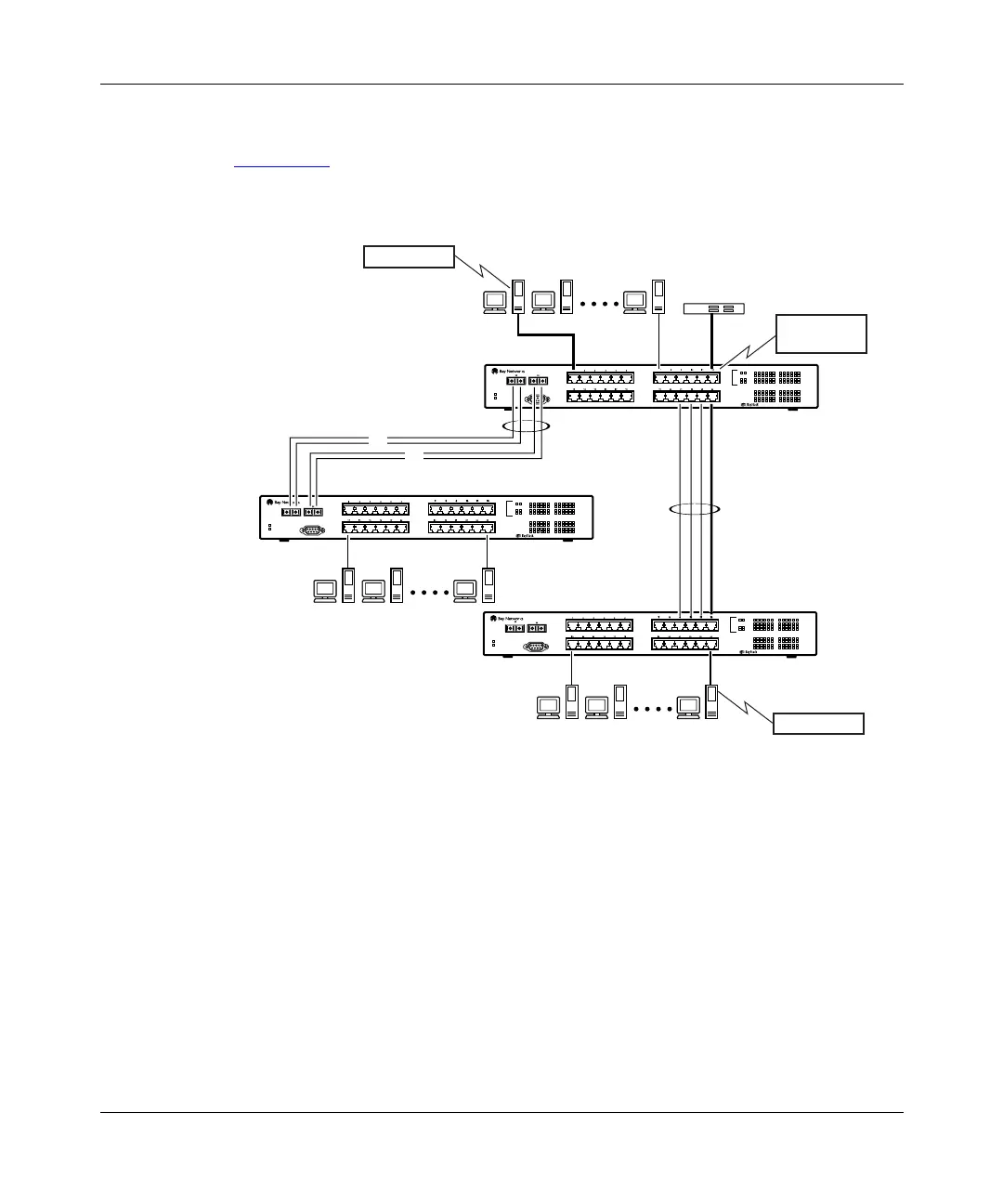
Address-Based Mirroring Configuration
Figure 1-32
shows an example of an address-based mirroring configuration where
port 12, the designated monitor port for switch SW1, is monitoring traffic
occurring between address A and address B.
Figure 1-32. Address-based mirroring configuration example
In this configuration, the designated monitor port (port 12) can be set to monitor
traffic in any of the following modes:
• Monitor all traffic transmitted from address A to any address
• Monitor all traffic received by address A from any address
• Monitor all traffic received by or transmitted by address A
• Monitor all traffic transmitted by address A to address B
• Monitor all traffic between address A and address B (conversation between
the two stations)
BS0027A
Address B
Address A
StackProbe
SW1
SW2
SW3
I1
I2
Diagnostics
Comm Port
Power
123456
F Dx
26
100
Activity
25
Activity
F Dx
10
100
789101112
13 14 15 16 17 18
Activity
F Dx
10
100
19 20 21 22 23 24
350F-HD
10/100 Autosense Switch
Diagnostics
Comm Port
Power
123456
F Dx
26
100
Activity
25
Activity
F Dx
10
100
789101112
13 14 15 16 17 18
Activity
F Dx
10
100
19 20 21 22 23 24
350F-HD
10/100 Autosense Switch
Diagnostics
Comm Port
Power
123456
F Dx
26
100
Activity
25
Activity
F Dx
10
100
789101112
13 14 15 16 17 18
Activity
F Dx
10
100
19 20 21 22 23 24
350F-HD
10/100 Autosense Switch
F
Monitor port
(port 12)
F














 To Next Page