Getting Started
893-00992-E
1-27
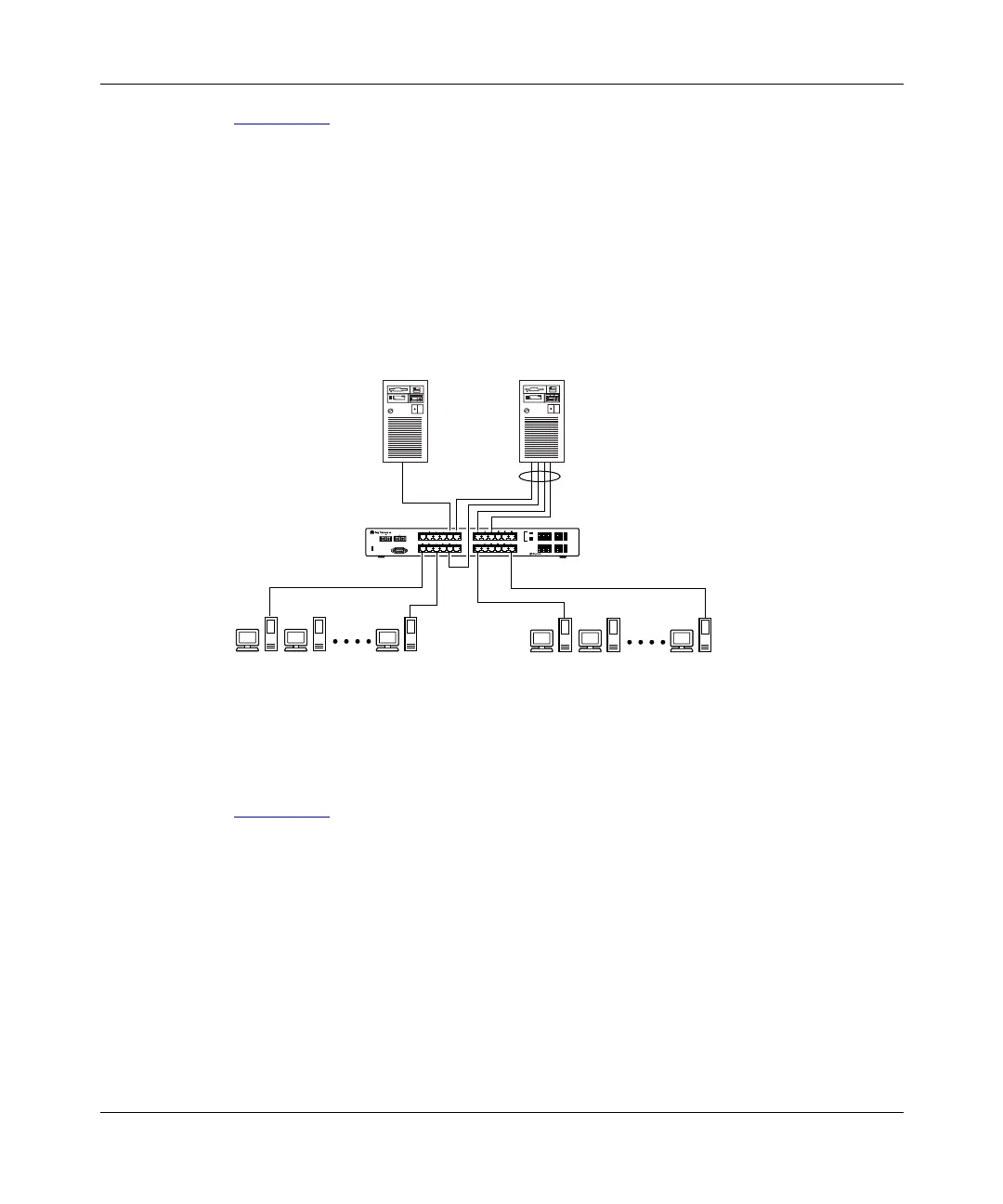
Figure 1-16 shows a typical server trunk topology utilizing the server trunk
configuration. FS1 utilizes dual MAC addresses, using one MAC address for each
NIC. For this reason, FS1 does not require a trunk assignment. FS2 is a single
MAC server (with a four-port NIC) and is set up as a server trunk configuration
(S1).
In this configuration example, server trunk S1 is assigned trunk members that
correspond to the information provided in Appendix B, “Server/Trunk
Connections.” This allows the trunks to operate at optimal efficiency.
Figure 1-16. Server trunk configuration example
Client/Server Configuration Utilizing MultiLink Trunks
Figure 1-17
shows an example of how MultiLink trunking can be used in a
client/server configuration.
In this example, both servers are connected directly to switch SW1. FS2 is
connected through a server trunk configuration (S1). The switch-to-switch
connections are through inter-switch trunks (I1, I2, I3, and I4).
FS2
Diagnostics
Comm Port
Power
123456
F Dx
26
100
Activity
25
Activity
F Dx
10
100
789101112
13 14 15 16 17 18
Activity
F Dx
10
100
19 20 21 22 23 24
350F-HD
10/100 Autosense Switch
FS1
BS0028A
S1
SW1














 To Next Page