Installing the BayStack 350 Switch
893-00992-E
2-15
Connecting Power
The BayStack 350 switch does not have a power on/off switch. When you connect
the AC power cord to a suitable AC power outlet, the switch powers up
immediately.
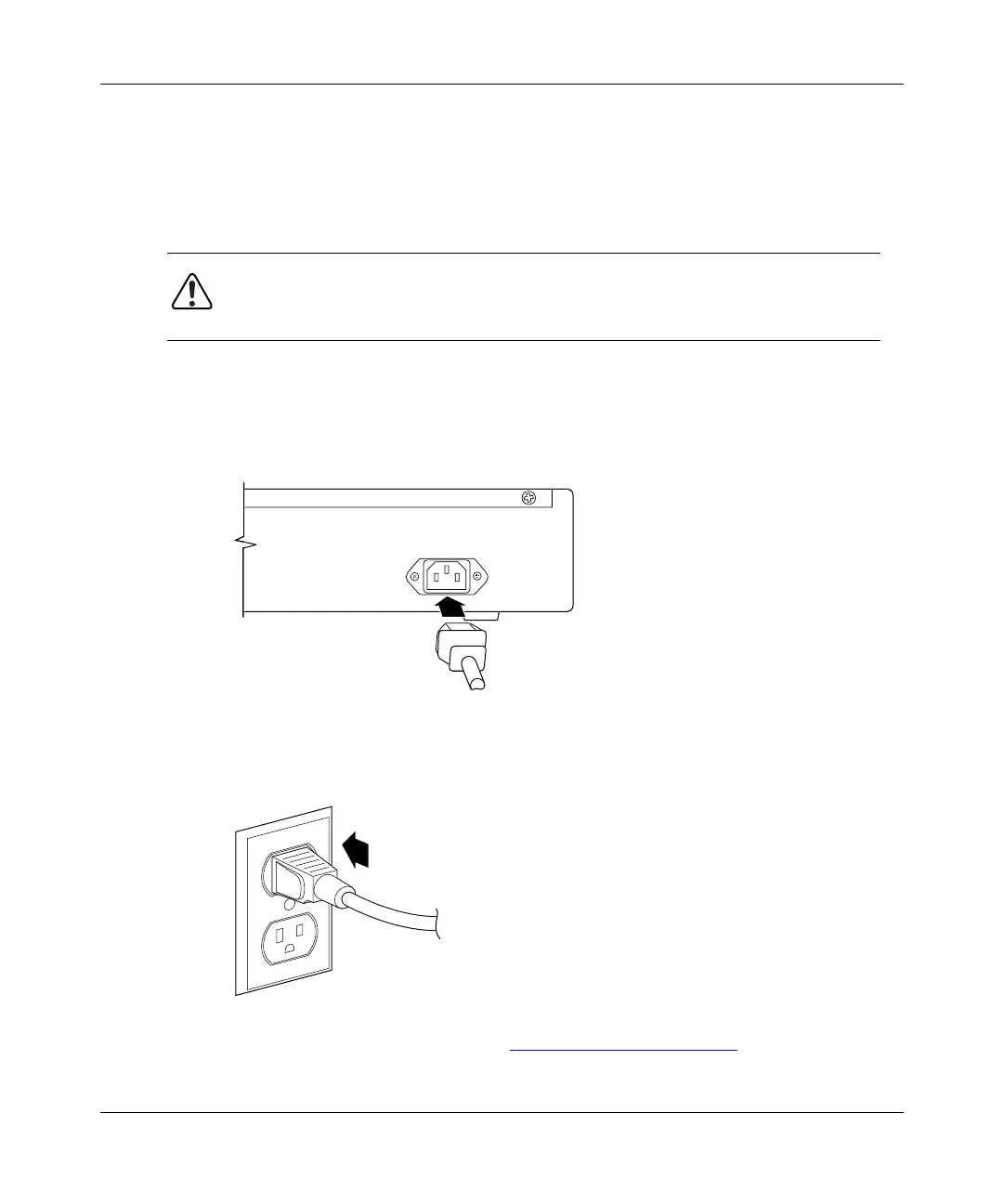
To connect the AC power cord, follow these steps:
1.
Plug one end of the AC power cord into the AC power receptacle on the
switch back panel.
2.
Plug the other end of the AC power cord into a grounded AC power
outlet.
3.
Proceed to the next section, “Verifying the Installation,” to verify proper
operation.
Warning:
Removal of the power cord is the only way to turn off power to this
device. The power cord must always be connected in a location that can be
accessed quickly and safely in case of an emergency.
7834FA
612FA













 To Next Page