893-00992-E
1-1
Chapter 1
Getting Started
This chapter introduces the BayStack 350 Series 10/100 Autosense Switch and
provides network configuration examples. It also describes the Quick-Start
procedures, which allow you to quickly set up parameters to manage the switch
using the Simple Network Management Protocol (SNMP) or the console/service
port.
Hardware
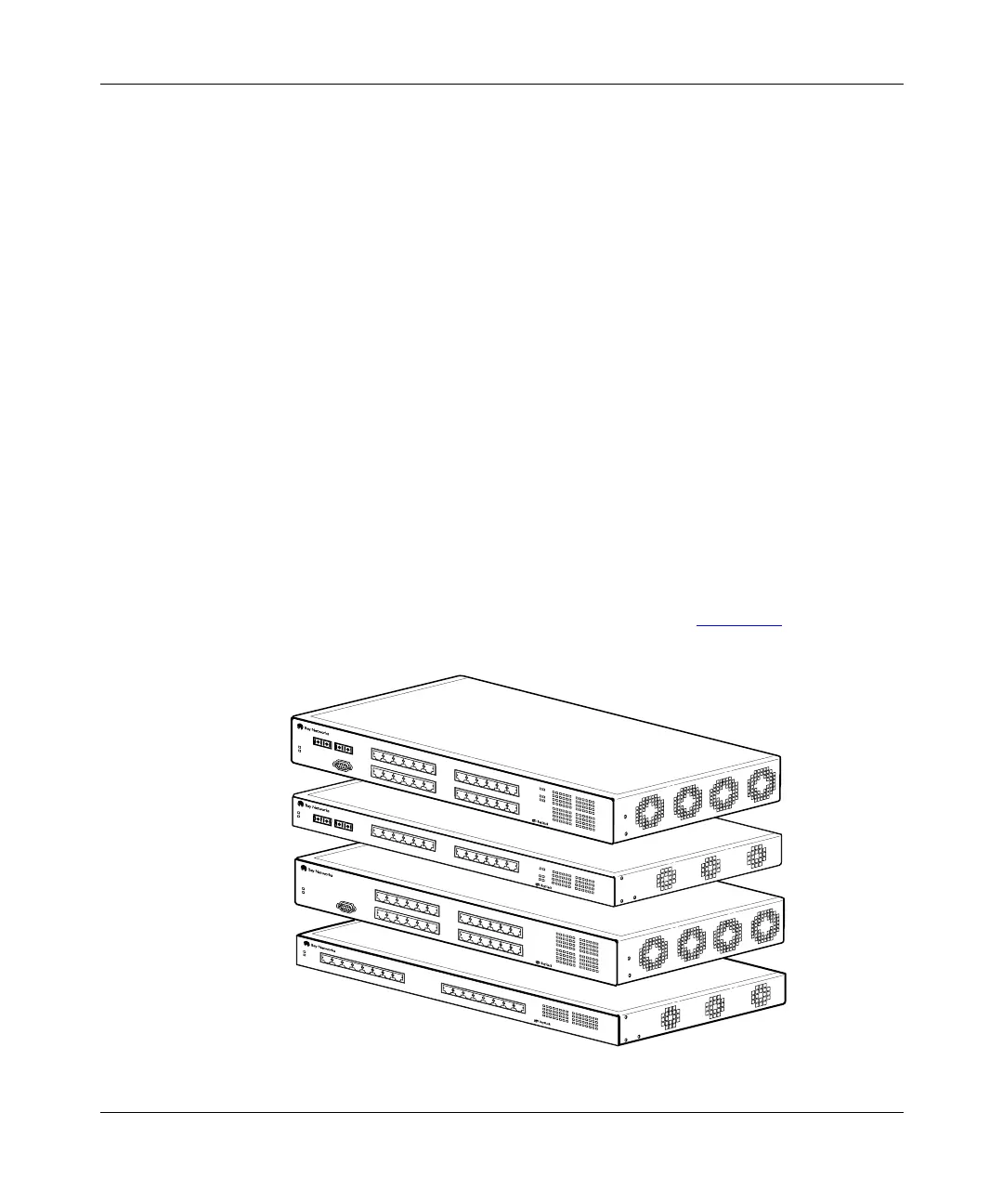
There are four versions of the BayStack 350 switch: the Model 350F-HD, the
Model 350F, the Model 350T-HD, and the Model 350T (Figure 1-1
).
Figure 1-1. BayStack 350 Series Autosense Switch
7833FA
12
Diagnostics
Power
13
345678
10 11 12
9
F
Dx
2345678
100
10
Activity
Activity
F Dx
10
100
14 15
16
1 9 10 11 12 13 14 15 16
350T
10/100 Autosense Switch
BayStack Model 350F
BayStack Model 350F-HD
78910
11
12
19
20 21 22
23
24
123456
Activity
F Dx
10
100
7
8
9
10
11
12
13 14 15 16 17 18
Activity
F Dx
10
100
19
20
21
22
23
24
Diagnostics
Comm Port
Power
350T-HD
10/100 Autosense Switch
123456
13
14
15 16
17
18
25
26
78910
11
12
19
20
21
22
23
24
123456
F Dx
26
100
Activity
25
Activity
F Dx
10
100
7
8
9
10
11
12
13 14 15 16 17 18
Activity
F Dx
10
100
19
20
21
22
23
24
Diagnostics
Comm Port
Power
350F-HD
10/100 Autosense Switch
123456
13 14
15
16
17
18
13
14
78910
11
12
123456
F Dx
26
100
Activity
25
Activity
F Dx
10
100
7
8
9
10
11
12
Diagnostics
Power
350F
10/100 Autosense Switch
123456
BayStack Model 350T
BayStack Model 350T-HD














 To Next Page