Operating & Maintaining the Eden 3-D Printer
7–34
DOC-00500 Rev. F
Thewizardcontinuesbyfillingtheheads,thenheatingandpurging
them.Iftherearenoinstallationproblems,theweightcalibration
procedurebegins(see“WeightCalibration”onpage 35).
Ifavacuumleakageisdetected,orifthereareotherproblems,the
wizardalertsyouandinstructsyouhowtocontinue(see
“Installation
Problems,”below).
Installation
Problems
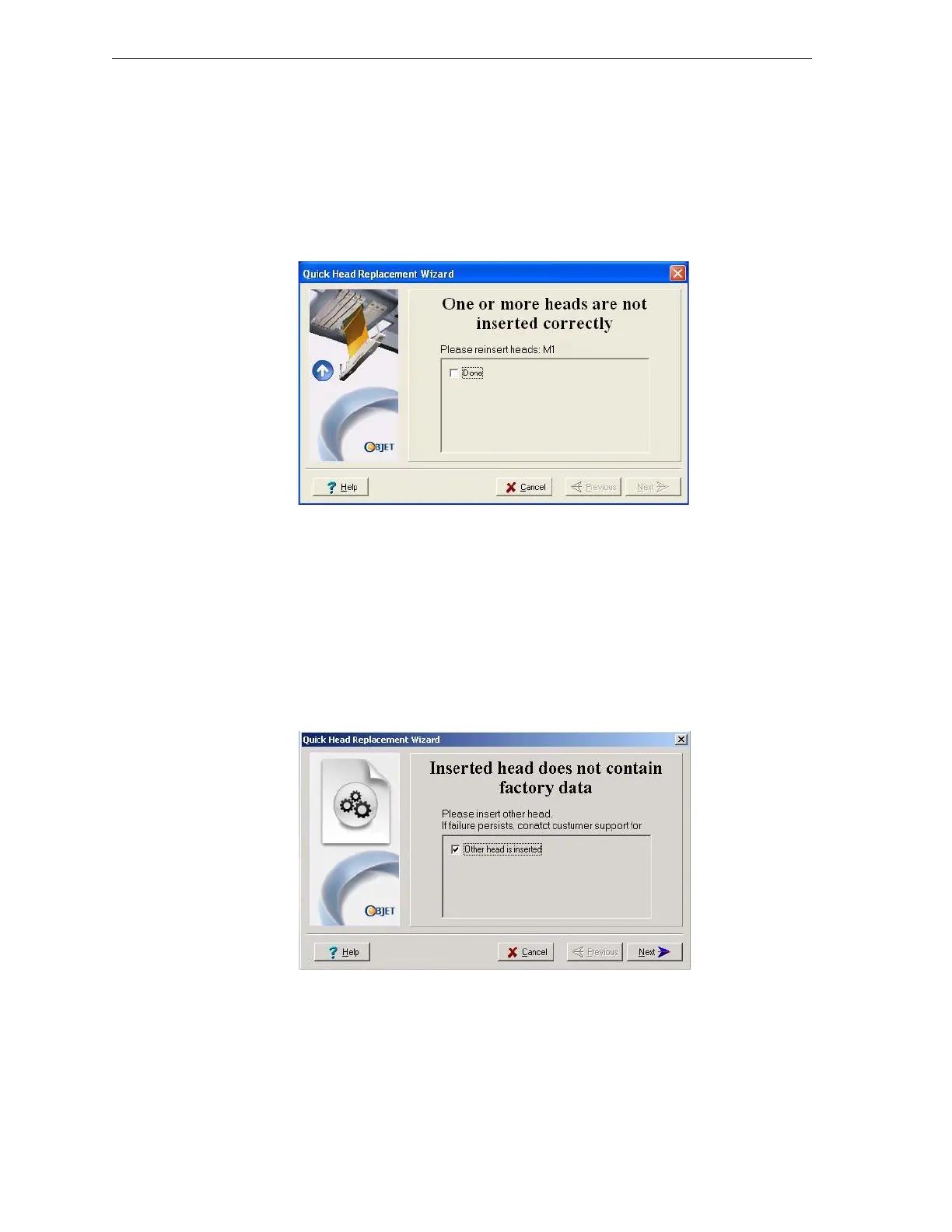
• Iftheprintersoftwaredoesnotsensethereplacedhead,thefollowing
warningscreenappears.
Figure 7-50: Incorrect-installation screen, showing which head(s) to re-insert
Ifthishappens:
a. Opentheprintheadcompartment(seefigure 7‐41onpage 30).
b. Re‐inserttheprint‐headdrivercardintoitssocket(seefigure 7‐45
onpage 32).
c. Inthewizardscreen,selectthecheckboxtoconfirmthatyouhave
re‐insertedthecard,andclick
Next.
• Ifthereplacementheadwasnotfactory‐calibrated,thefollowing
warningscreenappears.
Figure 7-51: “No factory data” warning screen
Ifthishappens:
a. Removetheheadandreplaceitwithanotherone(startingwithstep
10onpage 30).
b. Inthewizardscreen,selectthecheckboxtoconfirmthatyouhave
installedanotherprinthead,andclick
Next.
c. ContactObjetcustomersupportabouttheuncalibratedhead.



 To Next Page