517
LCD Option Board Function Section 8-6
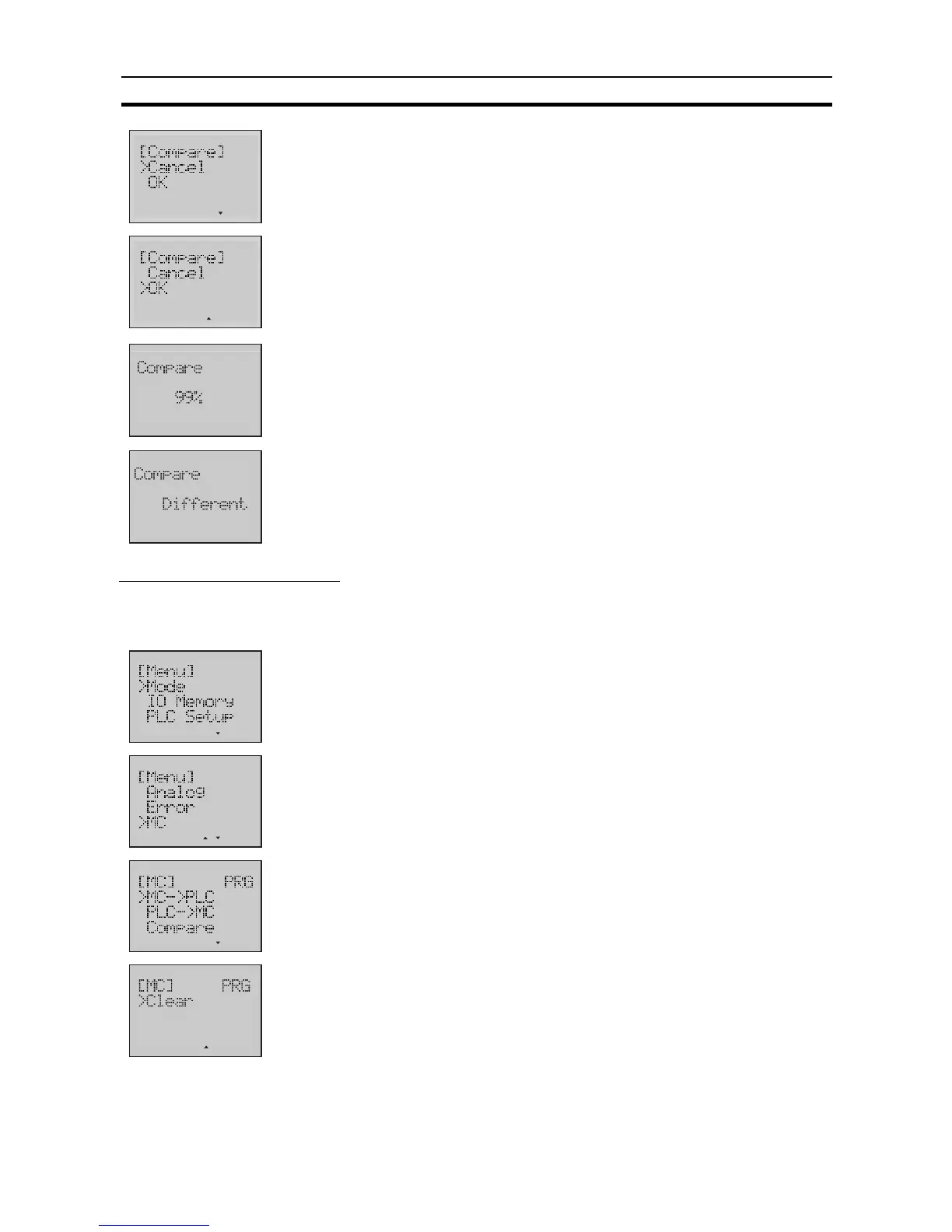
5. Press the OK button to enter the Compare Operation Screen.
6. Press the Down button to select
OK
.
Note Selecting
Cancel
will result in a return to the previous menu.
7. Press the OK button to start comparing.
A rate of comparison will be displayed in the screen.
8. When the rate comes up to 0%, the comparing is finished. Then it will dis-
play a result of comparison.
Clearing Memory Cassette
Example Clear the data in Memory Cassette.
1,2,3...
1. Switch to the Setup Mode.
2. Press the Down button to select
MC
.
3. Press the OK button to enter the Memory Cassette menu.
4. Press the Down button to select
Clear
.












 To Next Page