522
LCD Option Board Function Section 8-6
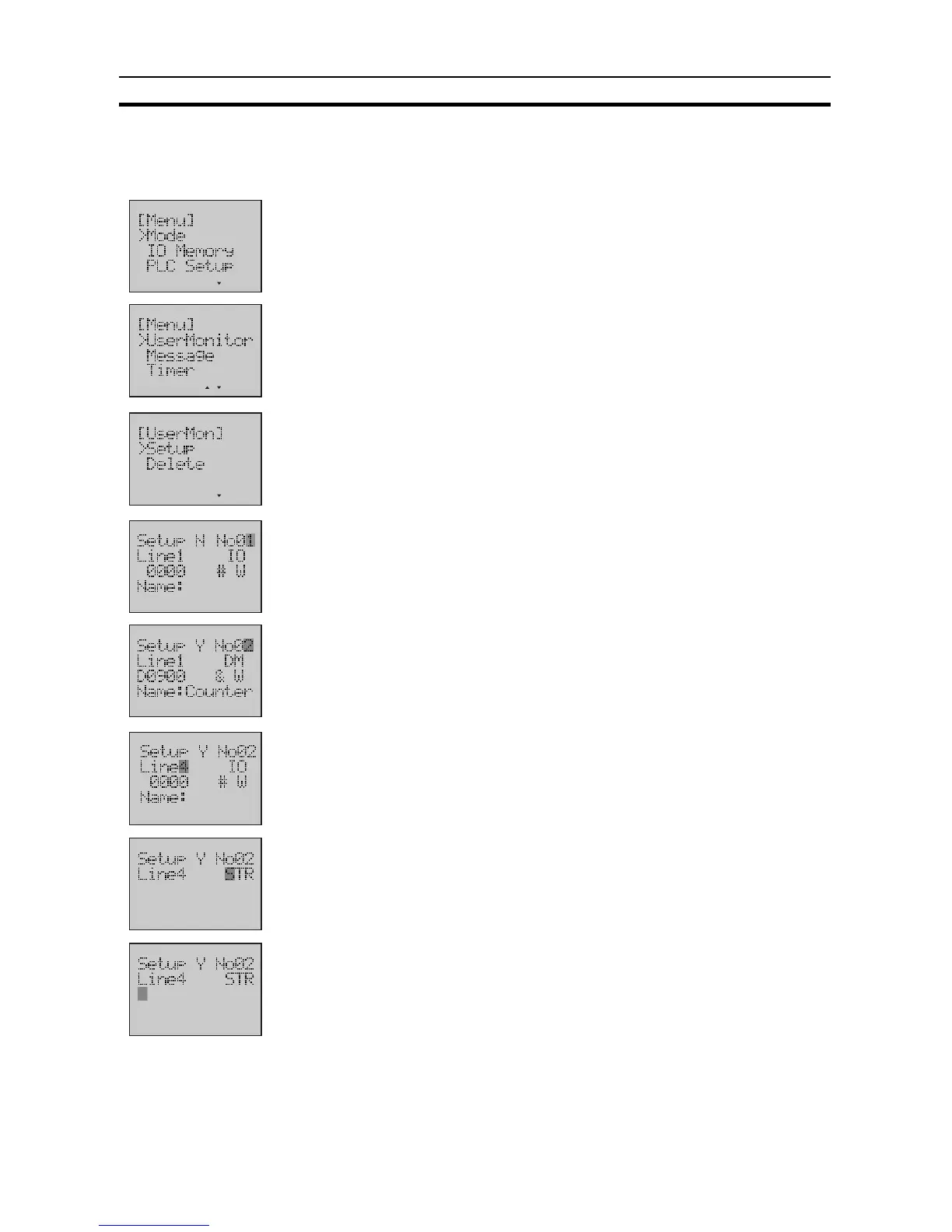
Example 2 Display a text string "elevator" on the User Monitor Screen 2, Line 4, after the
setting in example 1.
1,2,3...
1. Switch to the Setup Mode.
2. Press the Down button to select
UserMonitor
.
3. Press the OK button to enter the User Monitor menu.
4. Press the OK button to enter the User Monitor Setup Screen.
5. Use the Up button to change the Screen No. to
2
.
The setting in example 1 will be displayed.
6. Use the Forward button to move the column cursor to the Line No. position.
Use the Up button to change the Line No. to
4
.
7. Use the Forward button to move the column cursor to the display type po-
sition.
Press the Up button to select
STR
.
8. Use the Forward button to move the column cursor to the position of String
Name.












 To Next Page