118
Chapter4 Installation Conditions
F3SJ-A
User’s Manual
Wiring/Installation
No Connection
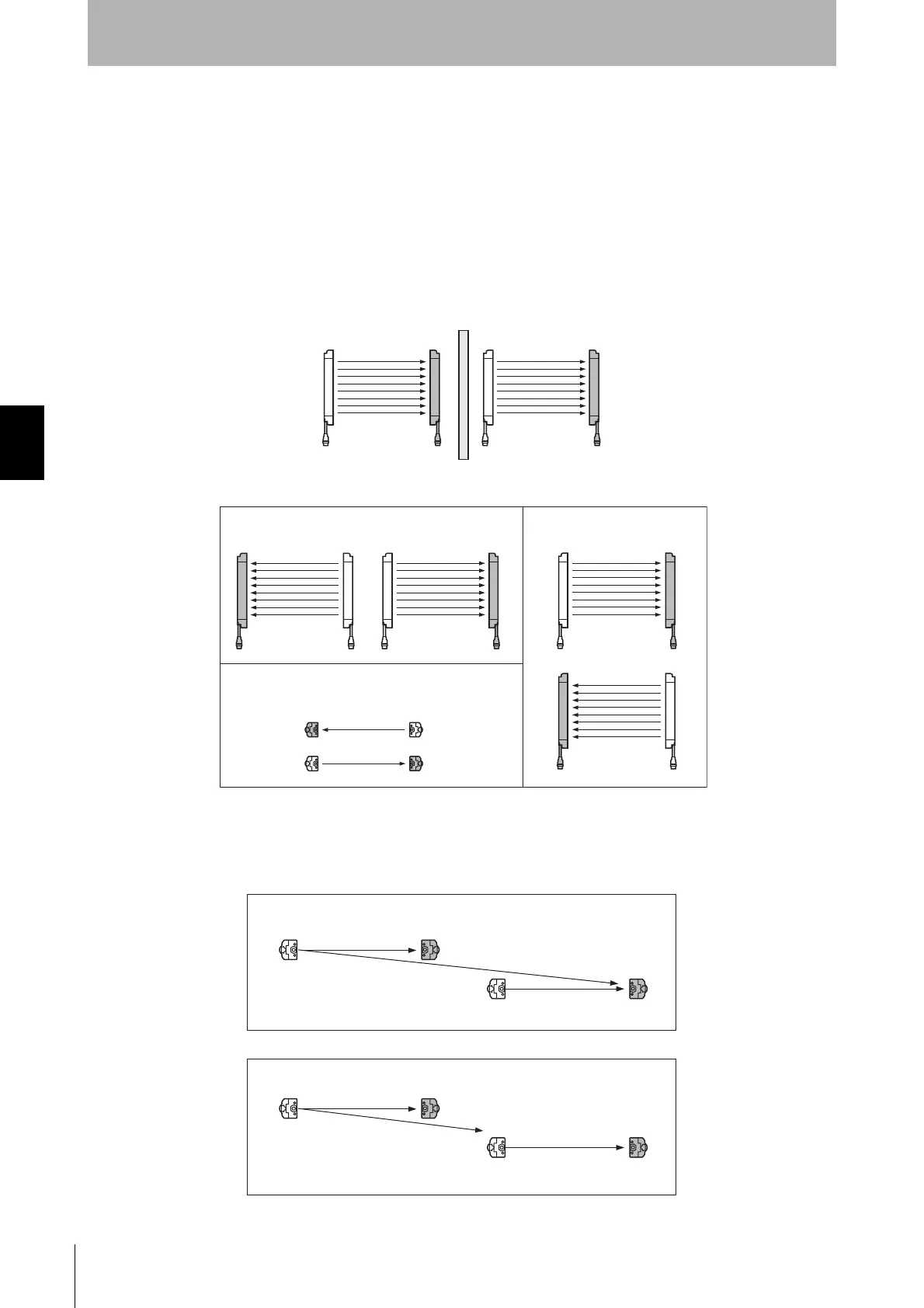
Mutual interference is prevented in up to 3 sets, using interference light avoidance algorithm. If 4 or
more sets of F3SJ are installed and are not connected to each other, arrange them so that mutual
interference does not occur. If 2 sets are installed near each other, reflection from the surface of the
F3SJ may cause mutual interference. When mutual interference occurs, the safety outputs are turned
OFF in a moment or the F3SJ enters lockout.
Combining countermeasures 1 to 4 shown below is effective.
1. Install a physical barrier between 2 sets
2. Alternate the direction of emission between 2 sets (alternation)
If 2 sets are installed near each other, reflection from the surfaces may cause mutual interference.
For such a case, it can be improved by reducing operating range through the setting tool (see Step 3).
3. Reducing operating range (setting change by the setting tool is required)
Emitter
Receiver
Emitter
Receiver
Emitter
Receiver
Emitter
Receiver
Emitter
Receiver
Emitter
Receiver
Aligned horizontally
Aligned fore and aft
Aligned vertically
Receiver Emitter
Emitter Receiver
Emitter Receiver
Emitter Receiver
Interference light
< Before the change >
Emitter Receiver
Emitter Receiver
Interference light
< After the change >



 To Next Page
 Loading...