Chapter 5. Setup Menu
5-6
AP
5
Setup Menu
● Wireless output settings
(3) Wireless output
............... This item is used to temporarily stop emission of radio wave. It On or off
wireless communication function.
(4) Transmitter output Level
..................................... You can configure transmission power of an access point.
Selection is available from high/middle/low (3 levels).(Factory Shipment
Status:High)
Maximum transmission range of an access point can be achieved by the
level "High".
Lower power level decreases a transmission range.
Assuming high wireless transmission power as 1.0, middle and low trans-
mission power can be indicated as 0.5 and 0.25 respectively.
[Use Low Power Level When]
◎You want to reduce radio wave leak from wireless unit out of a room
◎You want to enhance security by limiting a communication area
◎You want to alleviate communication speed reduction by eliminating
radio interference with a close client (slave) or an access point in an
environment where more than one access point is installed in a com-
paratively small area
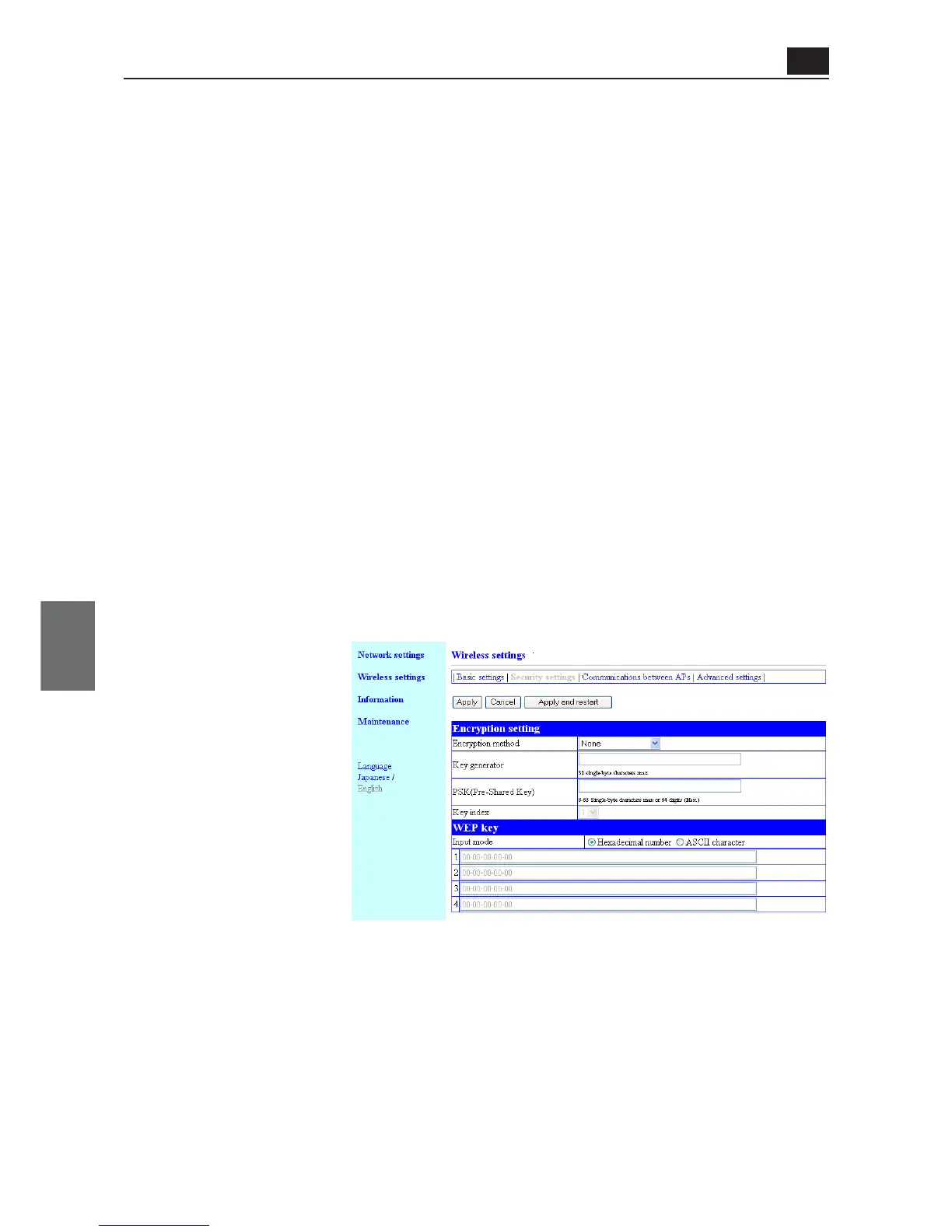
(1) Encryption method ......... You can select an encryption method for wireless data.(Factory Shipment
Status:None)Supported encryption types include "WEP (RC4)", "OCB
AES", "TKIP", "AES", and "WOC KEY".
Communication partners with different encryption methods have no com-
patibility. Set the same configuration for encryption method and bit count
between communication partners.
<Security settings> Screen
● Encryption setting
You can configure encryption for data protection of wireless LAN communication.
* "WEP (RC4)", "OCB
AES", "TKIP", "AES", and
"WOC KEY" are not com-
patible with each other.
(1)
(2)
(3)
(4)



 To Next Page