range Pi User Manual Copyright reserved by Shenzhen Xunlong Software Co., Ltd
96
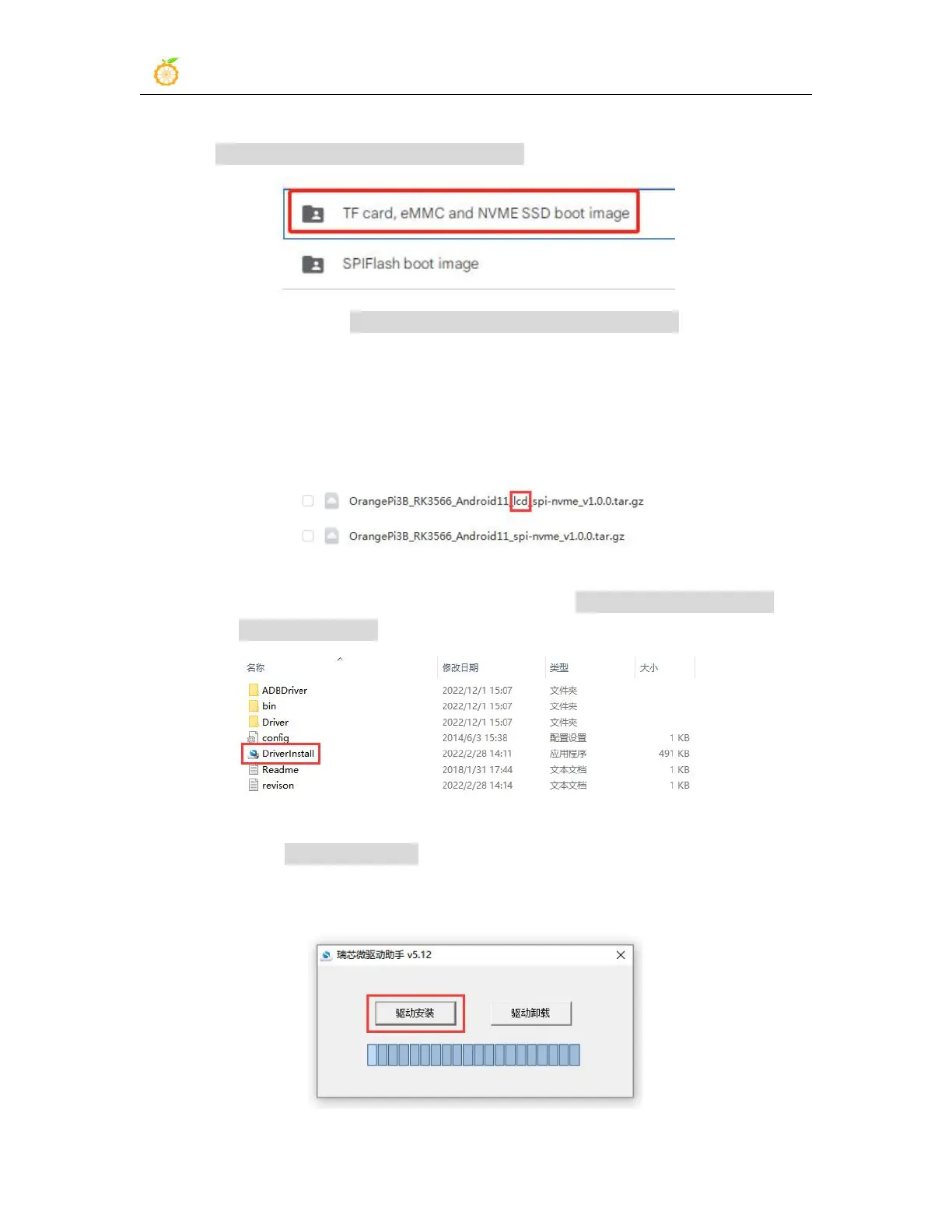
following two types of Android images, please select the image in the
SPIFlash-NVME SSD boot image folder to download
b. After entering the SPIFlash-NVME SSD boot image folder, you can see the
following two images. Their differences are:
a) The image without lcd is specially used for HDMI display and supports 4K
display. If you do not use the LCD screen, please download the image
without lcd
b) If you want to use LCD screen, please choose image with lcd
7) Then use the decompression software to decompress DriverAssitant_v5.12.zip, and
then find the DriverInstall.exe executable file in the decompressed folder and open it
8) After opening DriverInstall.exe, the steps to install the Rockchip driver are as
follows
a. Click the "Driver Installation" button



 To Next Page