range Pi User Manual Copyright reserved by Shenzhen Xunlong Software Co., Ltd
127
c. If the development board is connected to the HDMI display, you can log in to the
Linux system through the terminal displayed on the HDMI
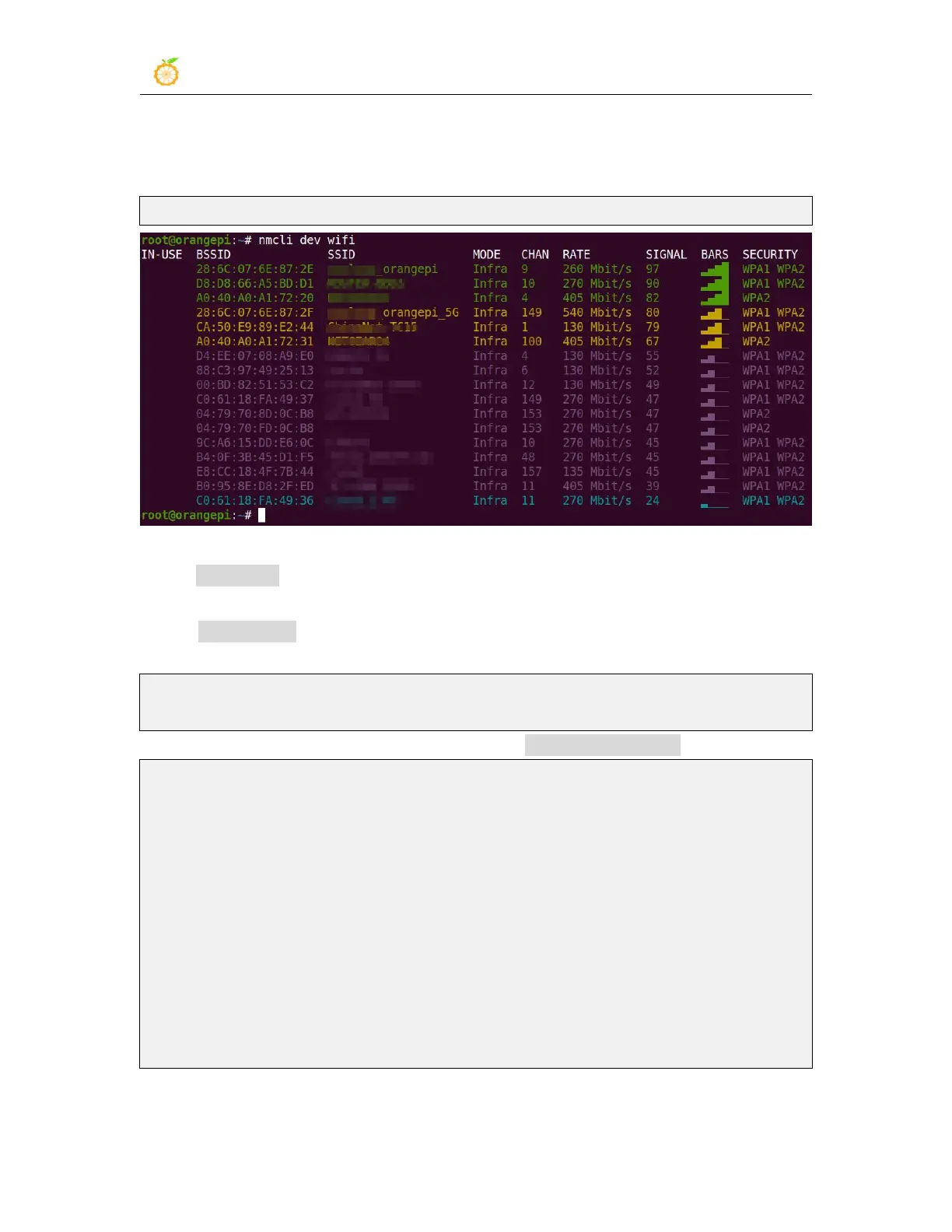
2) First use the nmcli dev wifi command to scan the surrounding WIFI hotspots
orangepi@orangepi:~$ nmcli dev wifi
3) Then use the nmcli command to connect to the scanned WIFI hotspot, where:
a. wifi_name needs to be replaced with the name of the WIFI hotspot you want to
connect to
b. wifi_passwd needs to be replaced with the password of the WIFI hotspot you
want to connect to
orangepi@orangepi:~$ nmcli dev wifi connect wifi_name password wifi_passwd
Device 'wlan0' successfully activated with 'cf937f88-ca1e-4411-bb50-61f402eef293'.
4) You can view the IP address of wifi through the ip addr show wlan0 command
orangepi@orangepi:~$ ip addr show wlan0
11: wlan0: <BROADCAST,MULTICAST,UP,LOWER_UP> mtu 1500 qdisc pfifo_fast
state UP group default qlen 1000
link/ether 23:8c:d6:ae:76:bb brd ff:ff:ff:ff:ff:ff
inet 192.168.1.11/24 brd 192.168.1.255 scope global dynamic noprefixroute wlan0
valid_lft 259192sec preferred_lft 259192sec
inet6 240e:3b7:3240:c3a0:c401:a445:5002:ccdd/64 scope global dynamic
noprefixroute
valid_lft 259192sec preferred_lft 172792sec
inet6 fe80::42f1:6019:a80e:4c31/64 scope link noprefixroute
valid_lft forever preferred_lft forever
5) Use the ping command to test the connectivity of the wifi network, and the ping


 To Next Page