range Pi User Manual Copyright reserved by Shenzhen Xunlong Software Co., Ltd
276
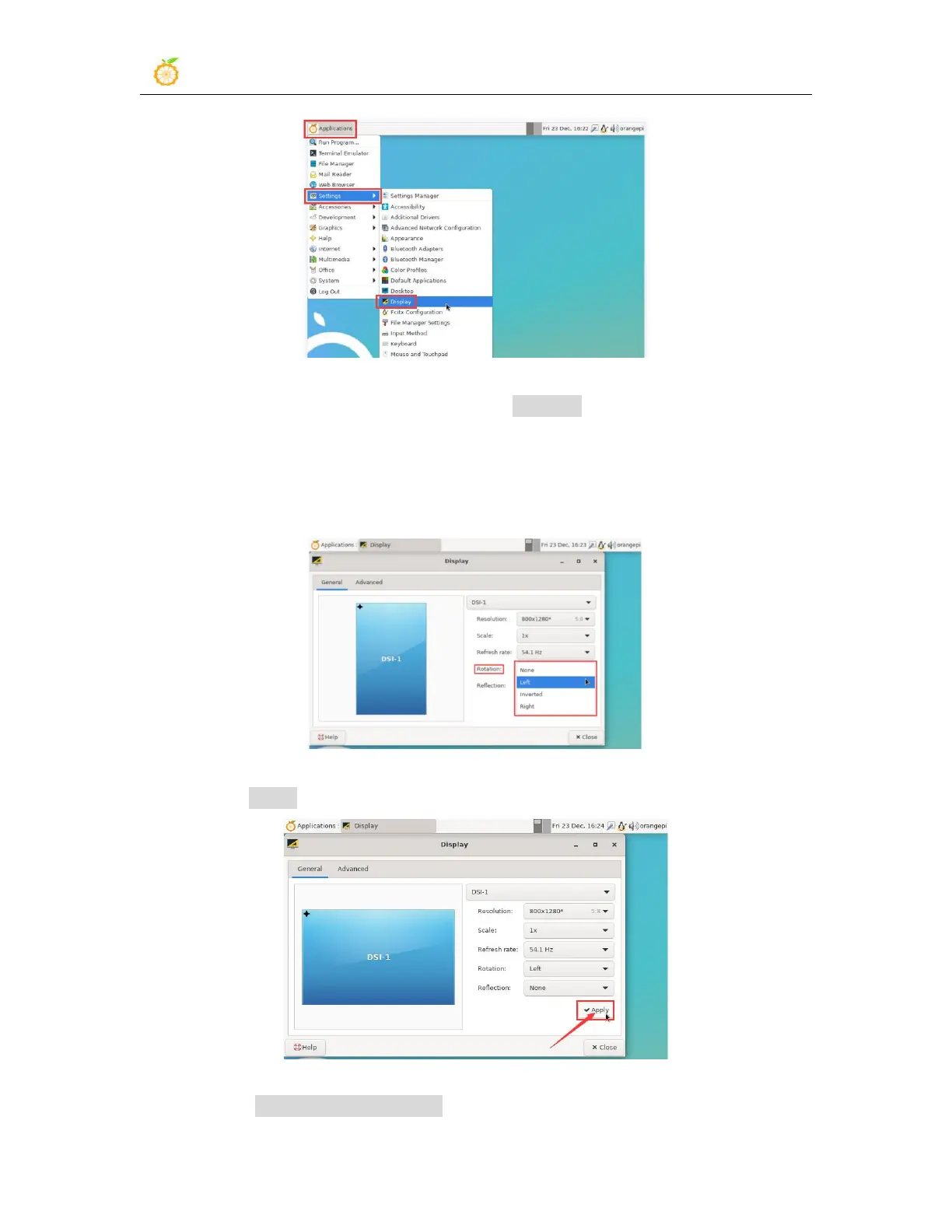
2) Then select the direction you want to rotate in Rotation
a. None: no rotation
b. Left: rotate left 90 degrees
c. Inverted: Flip up and down, which is equivalent to rotating 180 degrees
d. Right: rotate right 90 degrees
3) Then click Apply
4) Then select Keep this configuration



 To Next Page