range Pi User Manual Copyright reserved by Shenzhen Xunlong Software Co., Ltd
30
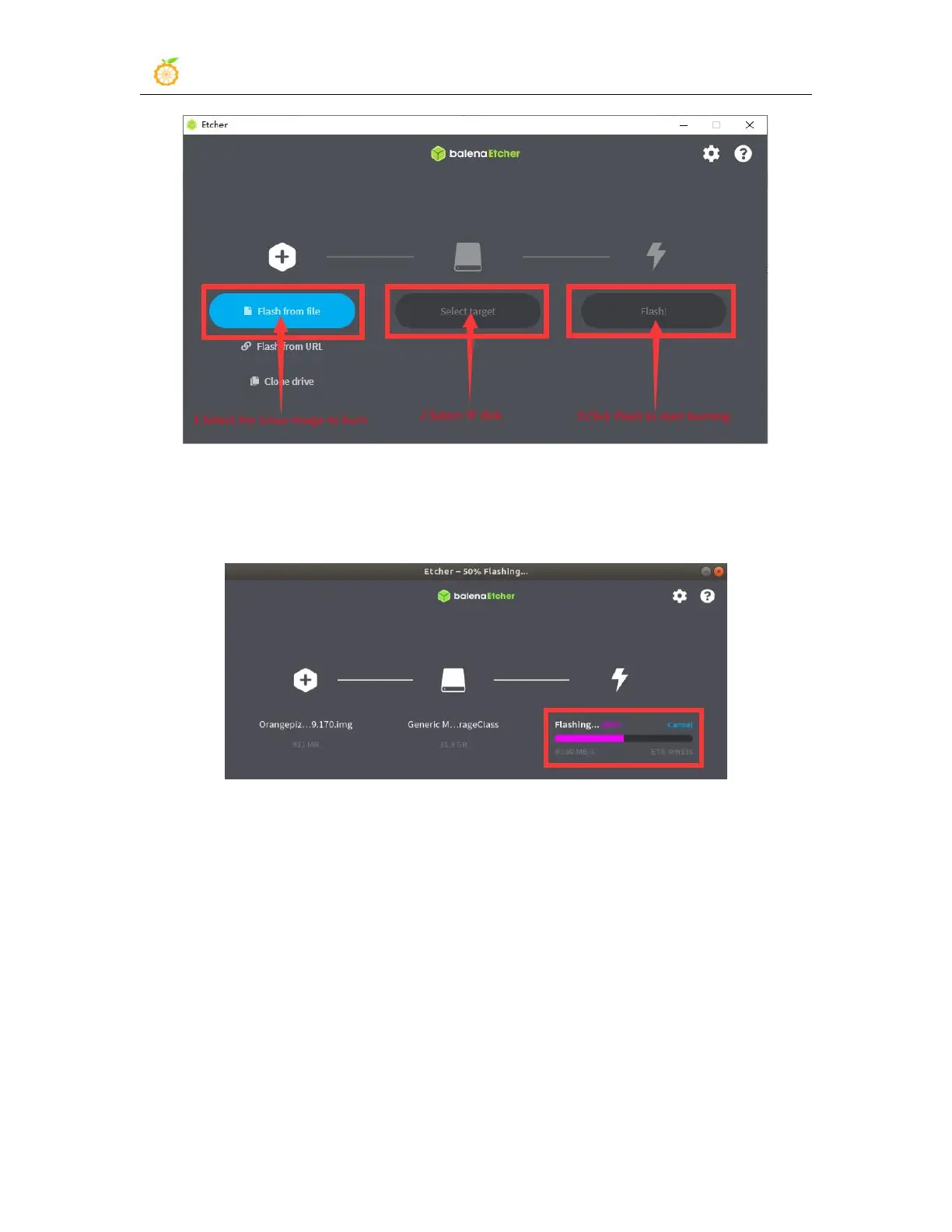
10) The interface displayed in the process of burning the Linux image by balenaEtcher is
shown in the figure below, and the progress bar displays purple, indicating that the Linux
image is being burned into the TF card
11) After burning the Linux image, balenaEtcher will also verify the image burned into
the TF card by default to ensure that there is no problem in the burning process. As
shown in the figure below, a green progress bar indicates that the image has been burnt,
and balenaEtcher is verifying the burnt image



 To Next Page