range Pi User Manual Copyright reserved by Shenzhen Xunlong Software Co., Ltd
33
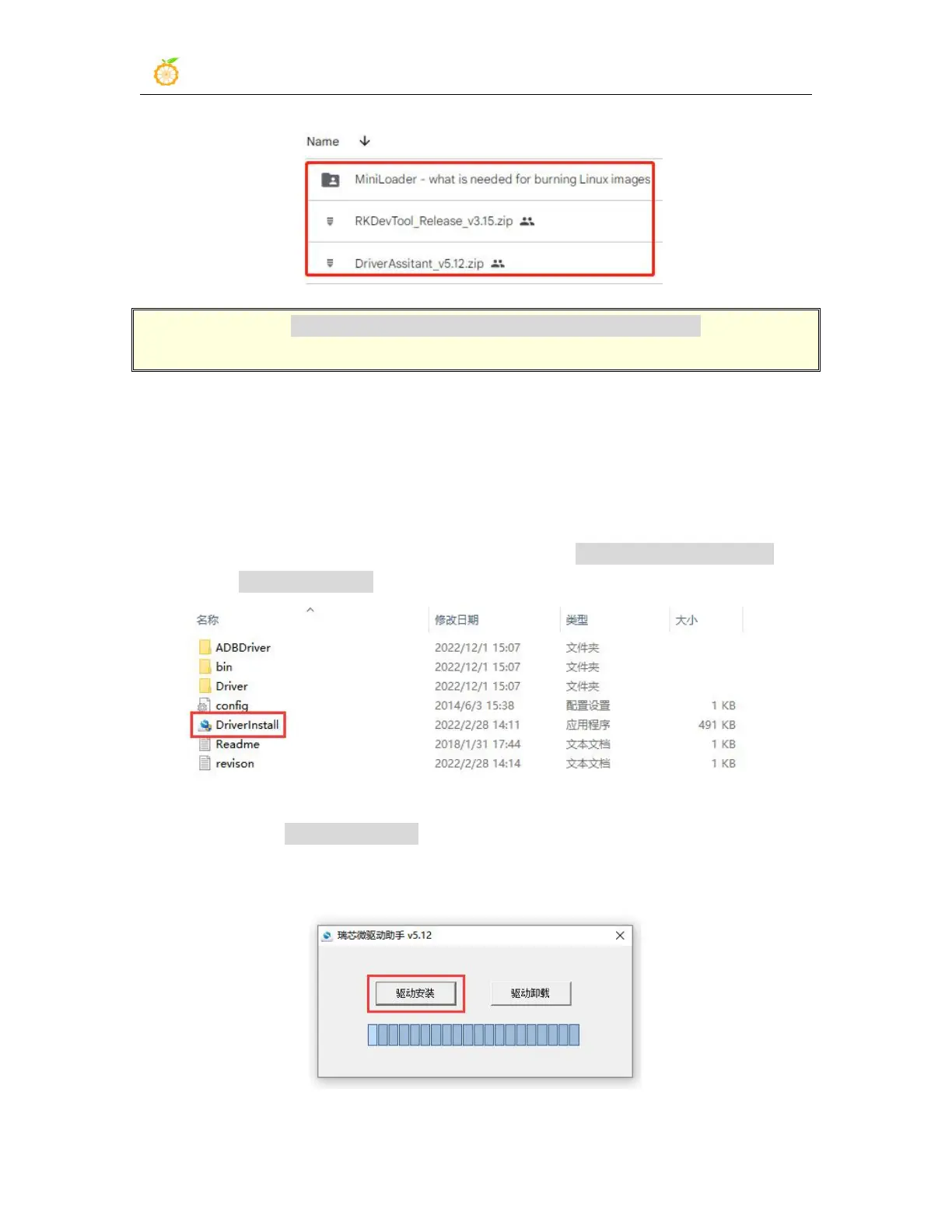
Note that the "MiniLoader-things needed to burn the Linux image" folder is
hereinafter referred to as the MiniLoader folder.
4)
Then download the Linux operating system image file compression package that you
want to burn from the Orange Pi data download page, and then use the decompression
software to decompress it. Among the decompressed files, the file ending with ".img" is
the image file of the operating system , the size is generally more than 2GB
5) Then use the decompression software to decompress DriverAssitant_v5.12.zip, and
then find the DriverInstall.exe executable file in the decompressed folder and open it
6) After opening DriverInstall.exe, the steps to install the Rockchip driver are as
follows
a. Click the "Driver Installation" button



 To Next Page