range Pi User Manual Copyright reserved by Shenzhen Xunlong Software Co., Ltd
45
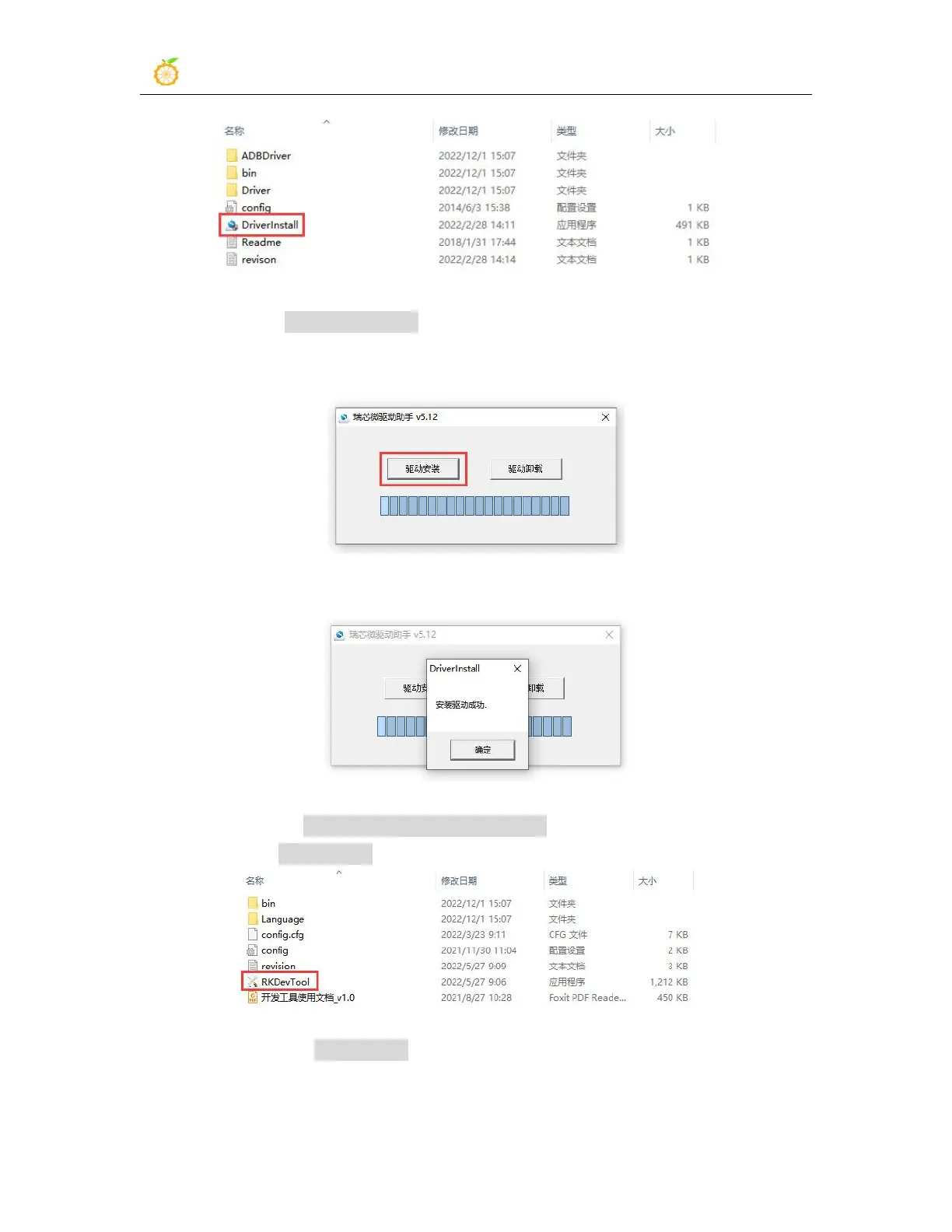
8) After opening DriverInstall.exe, the steps to install the Rockchip driver are as
follows
a. Click the "Driver Installation" button
b. After waiting for a period of time, a pop-up window will prompt "The driver is
installed successfully", and then click the "OK" button.
9) Then decompress RKDevTool_Release_v3.15.zip, this software does not need to be
installed, just find RKDevTool in the decompressed folder and open it
10) After opening the RKDevTool burning tool, because the computer is not connected
to the development board through the USB2.0 male-to-male data cable at this time, the
lower left corner will prompt "No device found"



 To Next Page