range Pi User Manual Copyright reserved by Shenzhen Xunlong Software Co., Ltd
80
5) Then use decompression software to decompress the compressed package of the
downloaded Android image. Among the decompressed files, the file ending with ".img" is
the Android image file, and the size is more than 1GB
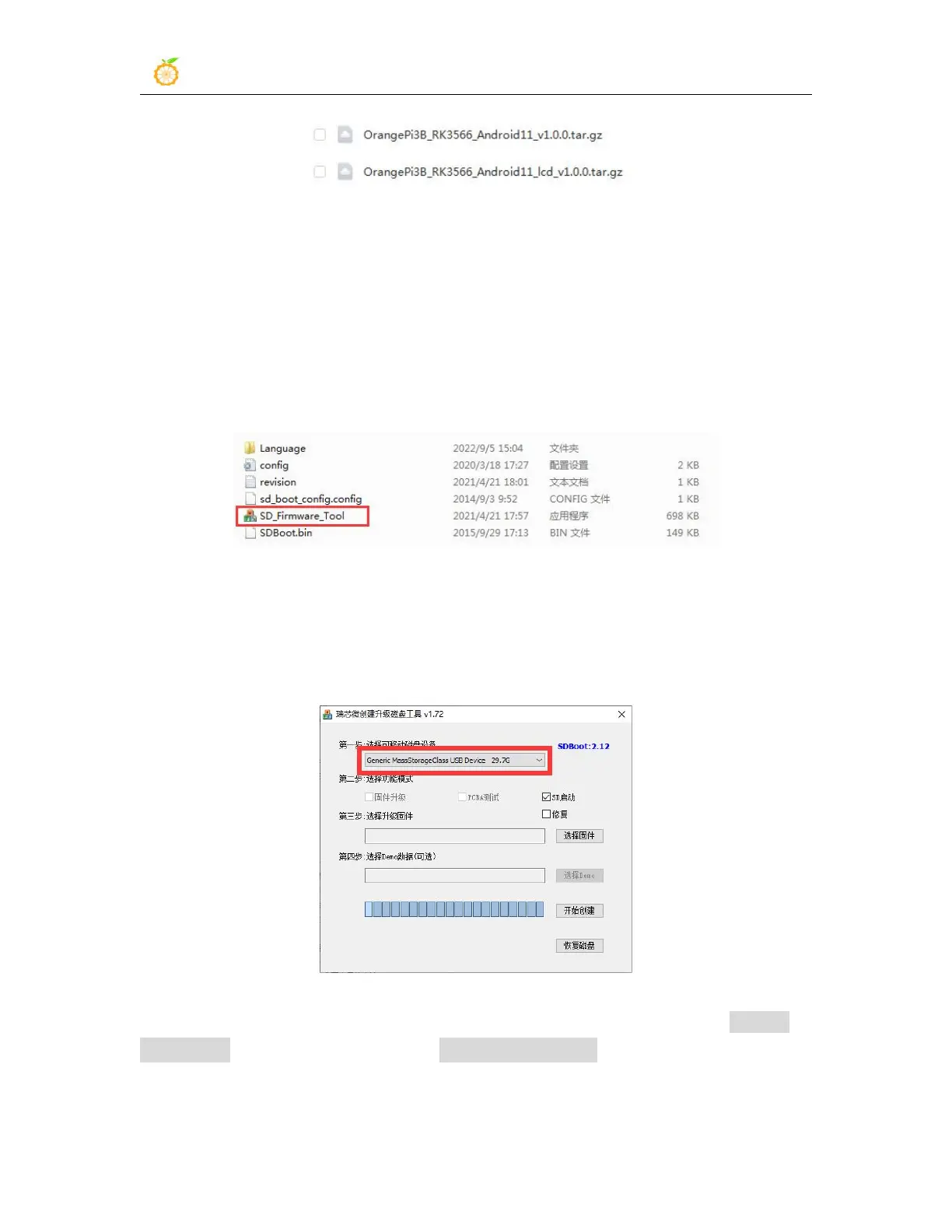
6) Then use decompression software to decompress SDDiskTool_v1.72.zip, this
software does not need to be installed, just find SD_Firmware_Tool.exe in the
decompressed folder and open it
7) After opening SDDiskTool, if the TF card is recognized normally, the inserted disk
device will be displayed in the "Select Removable Disk Device" column. Please make
sure that the displayed disk device is consistent with the drive letter of the TF card
you want to burn, if there is no display, you can try to unplug the TF card
8) After confirming the drive letter, you can format the TF card first, click the restore
disk button in
SDDiskTool,
or use the SD Card Formatter mentioned above to format
the TF card



 To Next Page