range Pi User Manual Copyright reserved by Shenzhen Xunlong Software Co., Ltd
90
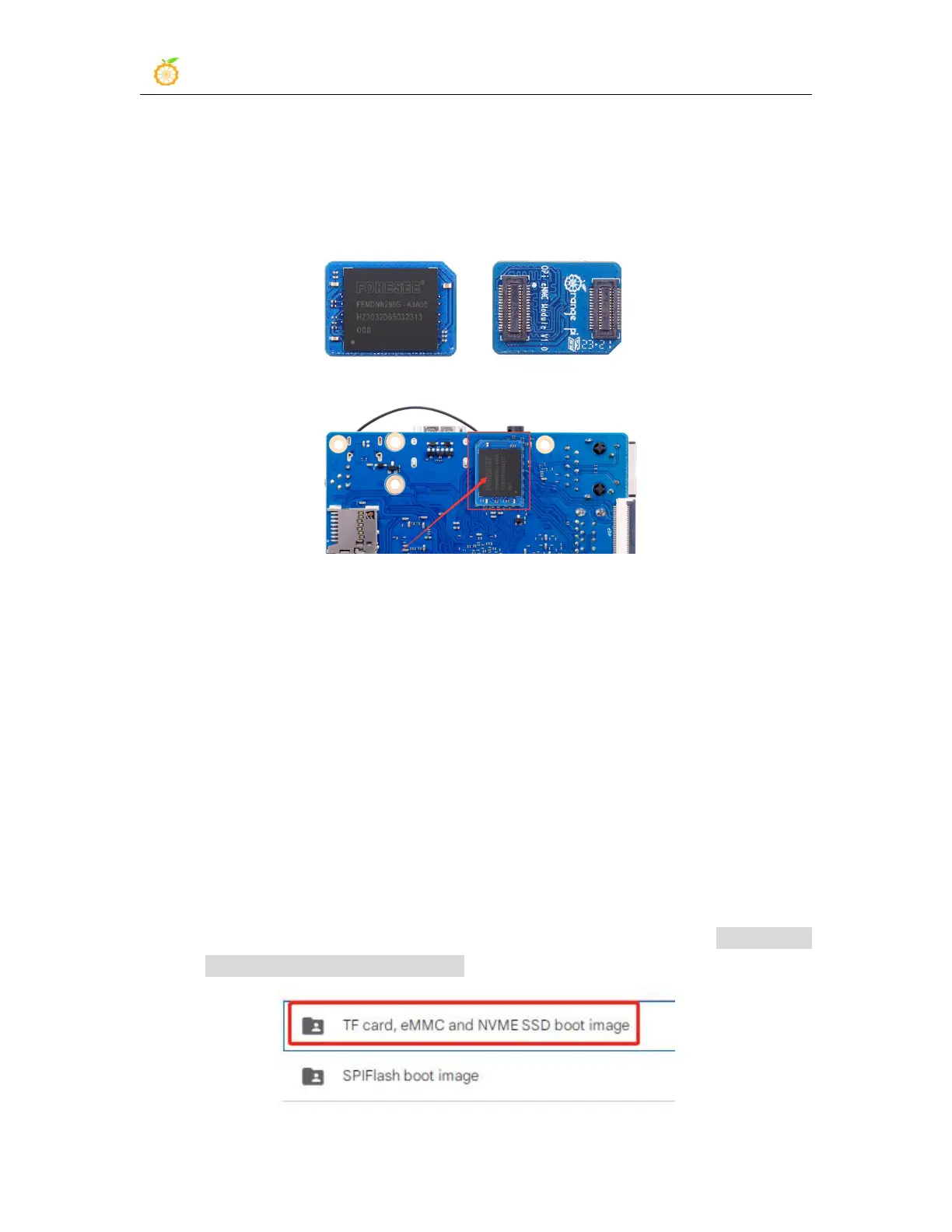
1) The development board reserves an eMMC expansion interface. Before programming
the system to eMMC, you first need to purchase an eMMC module that matches the
eMMC interface of the development board. Then install the eMMC module to the
development board. The eMMC module and the method of plugging into the
development board are as follows:
2) You also need to prepare a TF card with 8GB or larger capacity. The transmission
speed of the TF card must be class10 or above. It is recommended to use a TF card of
SanDisk and other brands
3) Then use the card reader to insert the TF card into the computer
4) Then download the SDDiskTool programming tool from the Orange Pi data
download page, please make sure that the version of the SDDiskTool tool is the latest
v1.72
5) Then download the Android image from Orange Pi's download page
a. After opening the download link of the Android image, you can see the
following two types of Android images, please select the image in the TF card
and eMMC startup image folder to download



 To Next Page