Four-Channel Digital Video Recorder
3
Chapter 2. Installation
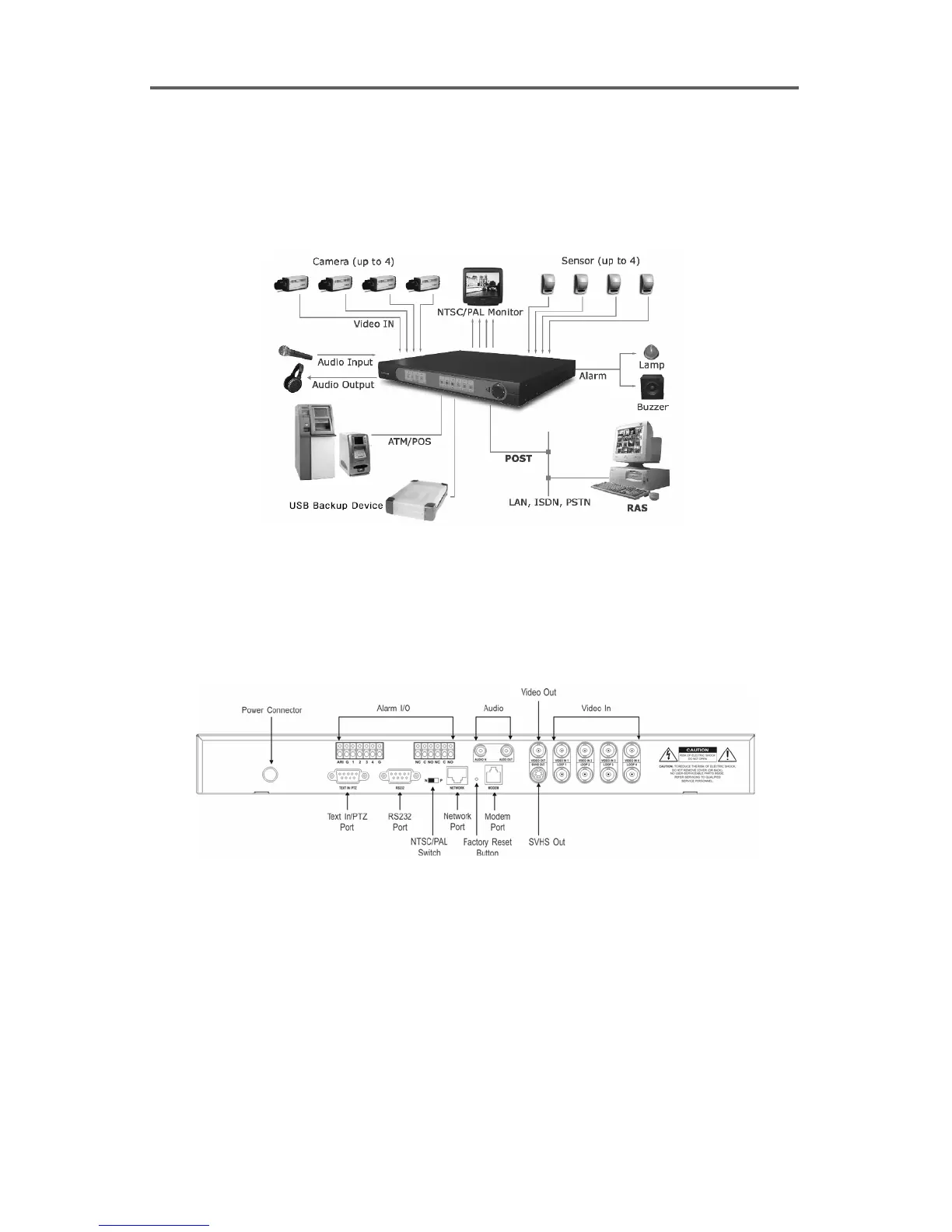
2.1 Sample Diagram
Figure 1 Sample Diagram
2.2 Connecting Components
Rear Panel Connectors
Figure 2 Rear Panel
WARNING: Do not operate the DVR on a carpet or other soft surface that might block
ventilation holes. If you are installing the DVR in a cabinet or rack, make certain there
is adequate ventilation.
Your DVR is designed to work a variety of other equipment. In this section each type of
equipment will be discussed. The basic DVR will consist of a video camera and system
monitor.







 To Next Page