Four-Channel Digital Video Recorder
37
NOTE: When any string among preset character strings in the Delimiter field is
reported repeatedly as many times as preset number in the Line Count field, it will be
considered one complete transaction. At this time, the character string next to the
Keyword 1 or Keyword 2 is saved as a key value and used for searching text-in log.
Devices ► Text-In ► Setup
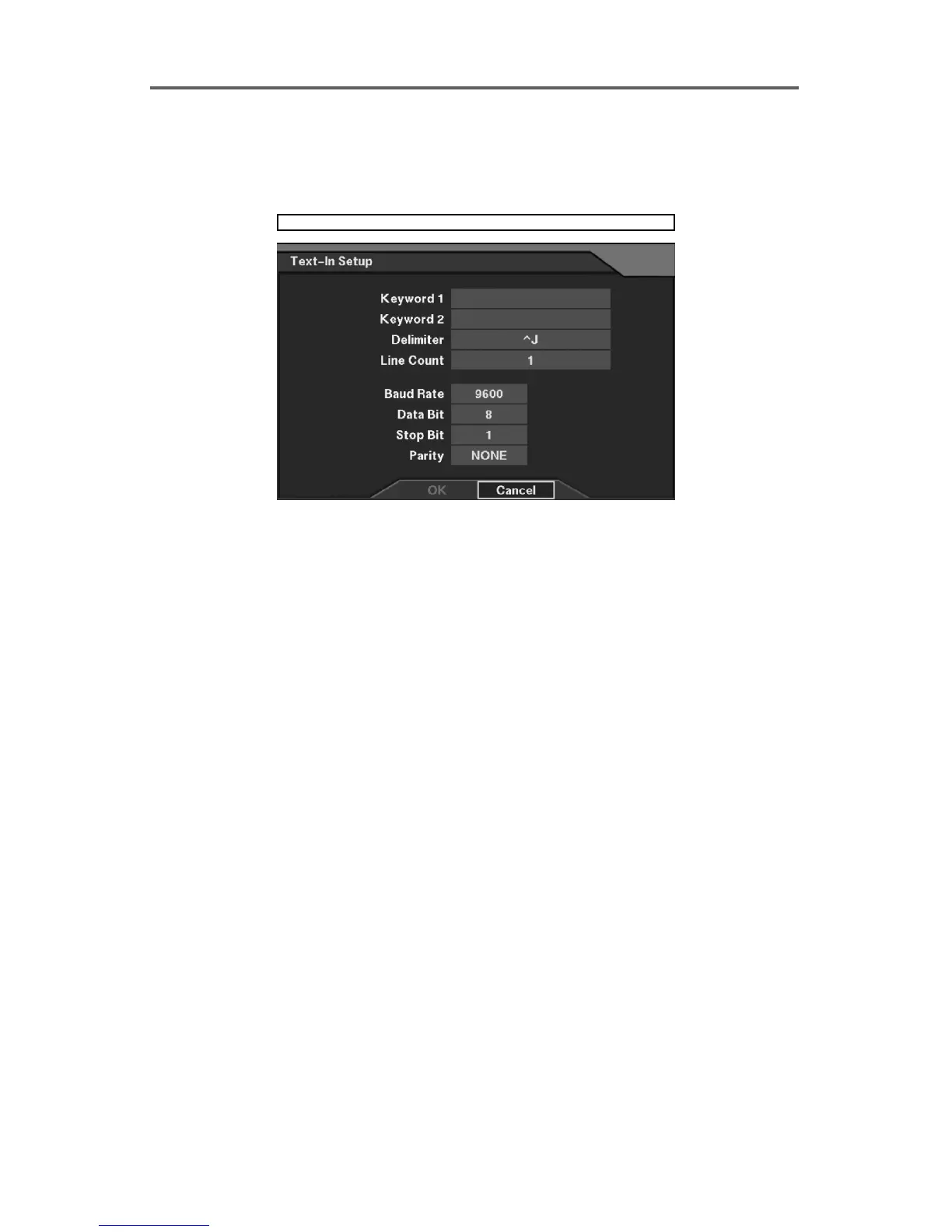
Figure 28 Text-In Setup Dialog
Set up the text-in device.
• Keyword 1: Enter the first keyword for transaction field detection. The keyword detects
any word after itself as transaction field, and reports text-in information in the event log.
• Keyword 2: Enter the second keyword for transaction field detection.
• Delimiter: Enter the character string that divides each text-in line.
• Line Count: Set the line count of one complete transaction.
• Baud Rate: Set the baud rate of Comp port (300~115200).
• Data Bit: Set the data bit (7/8).
• Stop Bit: Set the stop bit (1/2).
• Parity: Enable or disable the parity (NONE/ODD/EVEN).







 To Next Page