User’s Manual
44
NOTE: An internal modem may have compatibility problem with the modem used for
the RAS (Remote Administration System). Please contact your dealer/installer for
available models for the RAS.
Network ► Network Setup ► Modem Setup
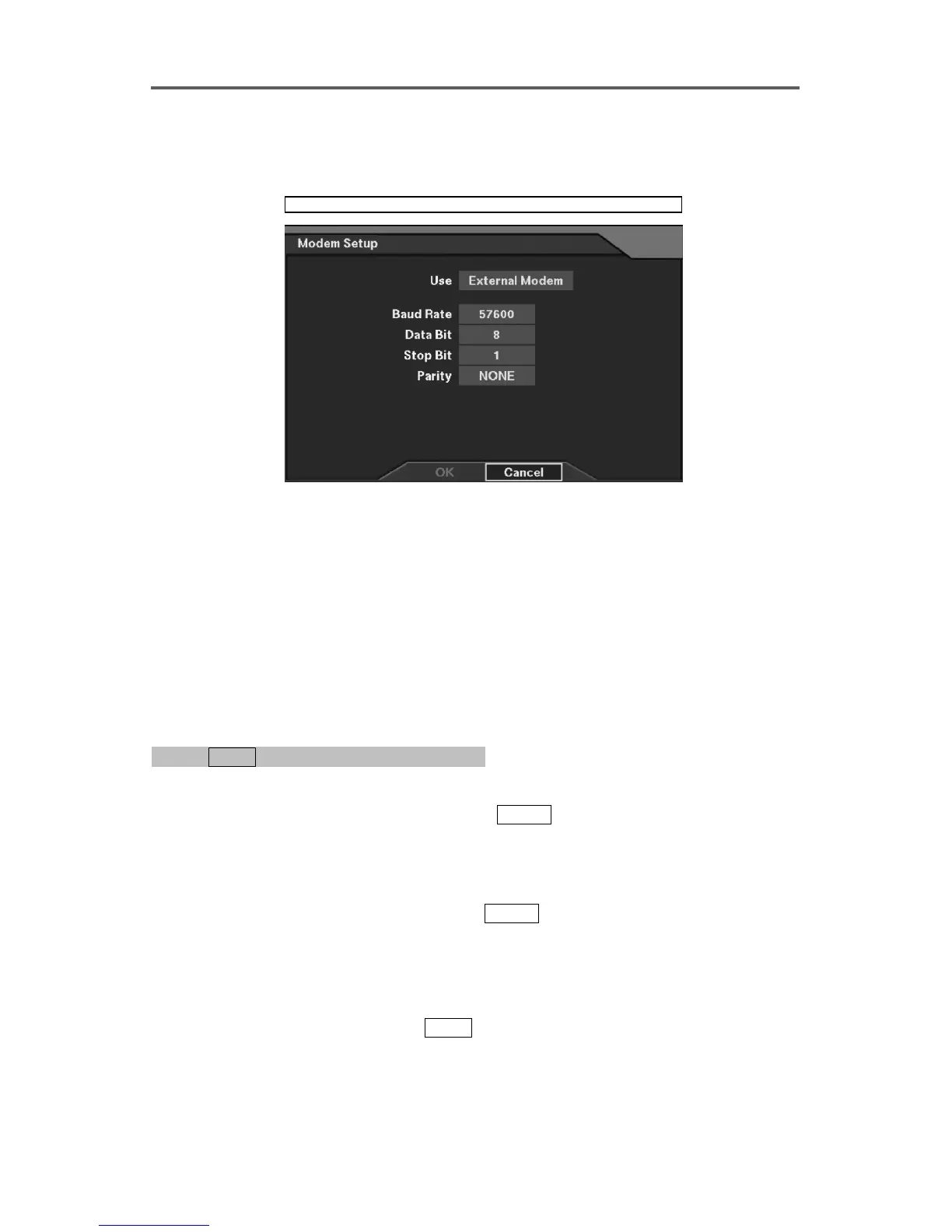
Figure 37 Modem Setup Dialog
Modem Setup
• Use: Select either Internal Modem or External Modem as the modem type to use (An
internal modem is optional.).
• Baud Rate: Set the Baud Rate of a modem (300~115200).
• Data Bit: Set the data bit (7/8).
• Stop Bit: Set the stop bit (1/2).
• Parity: Enable or disable the parity (NONE/ODD/EVEN).
Set up the Administrator Password for Remote Access (default is 12345678)
0PATH: MENU ▶ Network ▶ Network Setup0
(Refer to Figure 35 Network Setup Dialog.)
1. Move to the Admin Password field, and press
ENTER to edit the password using software
keyboard.
Set up the Typical User Password for Remote Access (default is 12345678)
2. Move to the User Password field, and press
ENTER to edit the password using software
keyboard.
NOTE: When using a User Password for remote access, the user cannot change the
remote system settings, and cannot control the image color.
NOTE: To cancel the editing, press MENU .







 To Next Page