User’s Manual
46
CAUTION: Event notification using the callback function inserts a one-minute-pause
after the initial paging or telephone call. This means an event detected within one-
minute pause from the previous paging notification will not initiate a new callback.
Maintaining this pause prohibits the DVR from holding the telephone line for an
extended period for paging notification.
NOTE: Callback message includes the following message:
Site ID (three-digit number) + Event (one-digit number)
e.g. 0752 => Site ID: 75, Event: 2
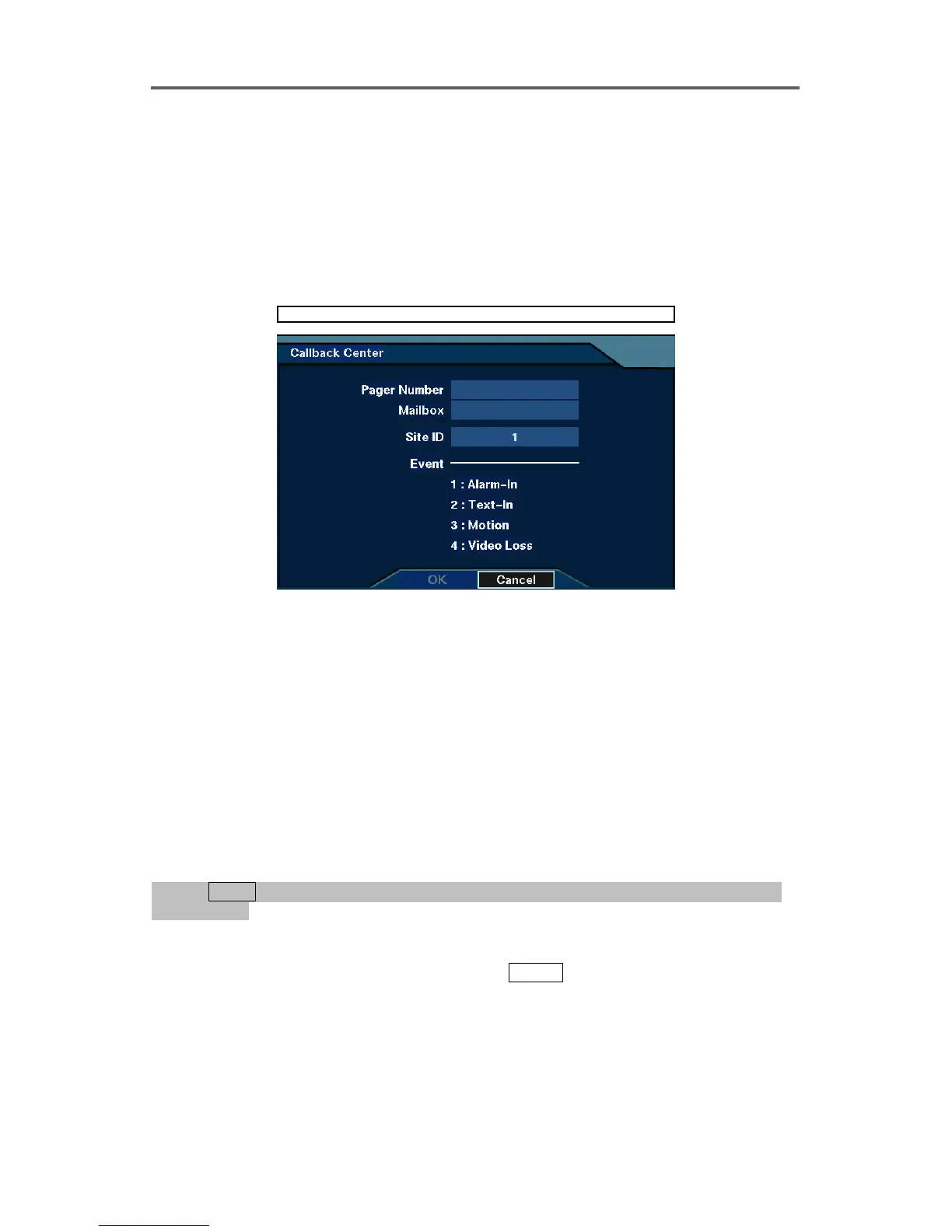
Network ► Callback Center (Modem)
Figure 39 Callback Center (Modem) Setup Dialog
• Pager Number: Enter the target pager number.
• Mailbox: Enter the number for paging when the target pager uses a voice mailbox.
• Site ID: Enter the site ID to be included in the callback message (1~999).
• Event: Displays event numbers to be included in the callback message.
Notify Event to Callback Center
NOTE: Set up event-triggered devices (alarm-in, motion detector, text-in, or video
loss) in advance before setting up this Notify feature. Refer to the 3.5 Configuring for
Recording ─ Set up Devices for Event-driven Recording section for details of setting up
each device.
0PATH: MENU ▶ Event Action ▶ Alarm-In Action, Motion Action, Text-In Action, or video
0Loss Action0
1. Select the notify action from the alarm-in, motion detector, text-in, or video loss option.
2. Select Notify in the Action Type field, and press
ENTER
.
3. Select either On or Off for the selected channel.







 To Next Page