User’s Manual
38
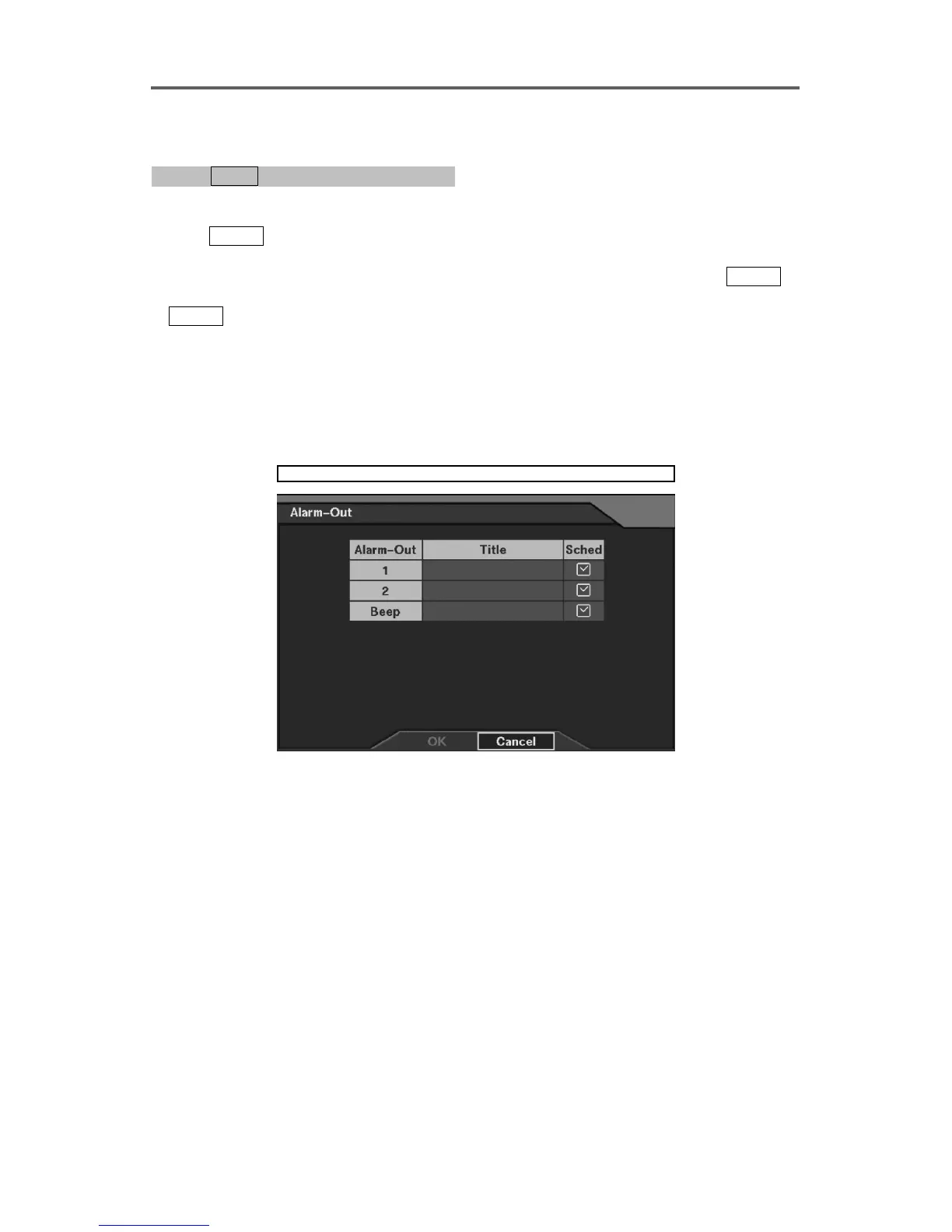
Set up Alarm-Out
0PATH: MENU ▶ Devices ▶ Alarm-Out0
1. Move to the Title field of the selected alarm-out channel.
2. Press
ENTER to display the software keyboard and enter a description title for the alarm.
Up to 16 characters may be used.
3. Move to the Sched field (Schedule) of the selected alarm-out channel, and press
ENTER.
4. Move to the hour field of the specific target day using front panel arrow buttons, and press
ENTER to select No Alarm-Out, On, or Event.
• No Alarm-Out: No alarm output during the target hours.
• On: The alarm output is always active during the target hours. For example, this can be
used to turn on/off the light.
• Event: The alarm output is active during the target hours when any event is detected.
NOTE: Changing Sched on the title bar applies the change to all alarm-outputs.
Devices ► Alarm-Out
Figure 29 Alarm-Out Setup Dialog







 To Next Page