User’s Manual
6
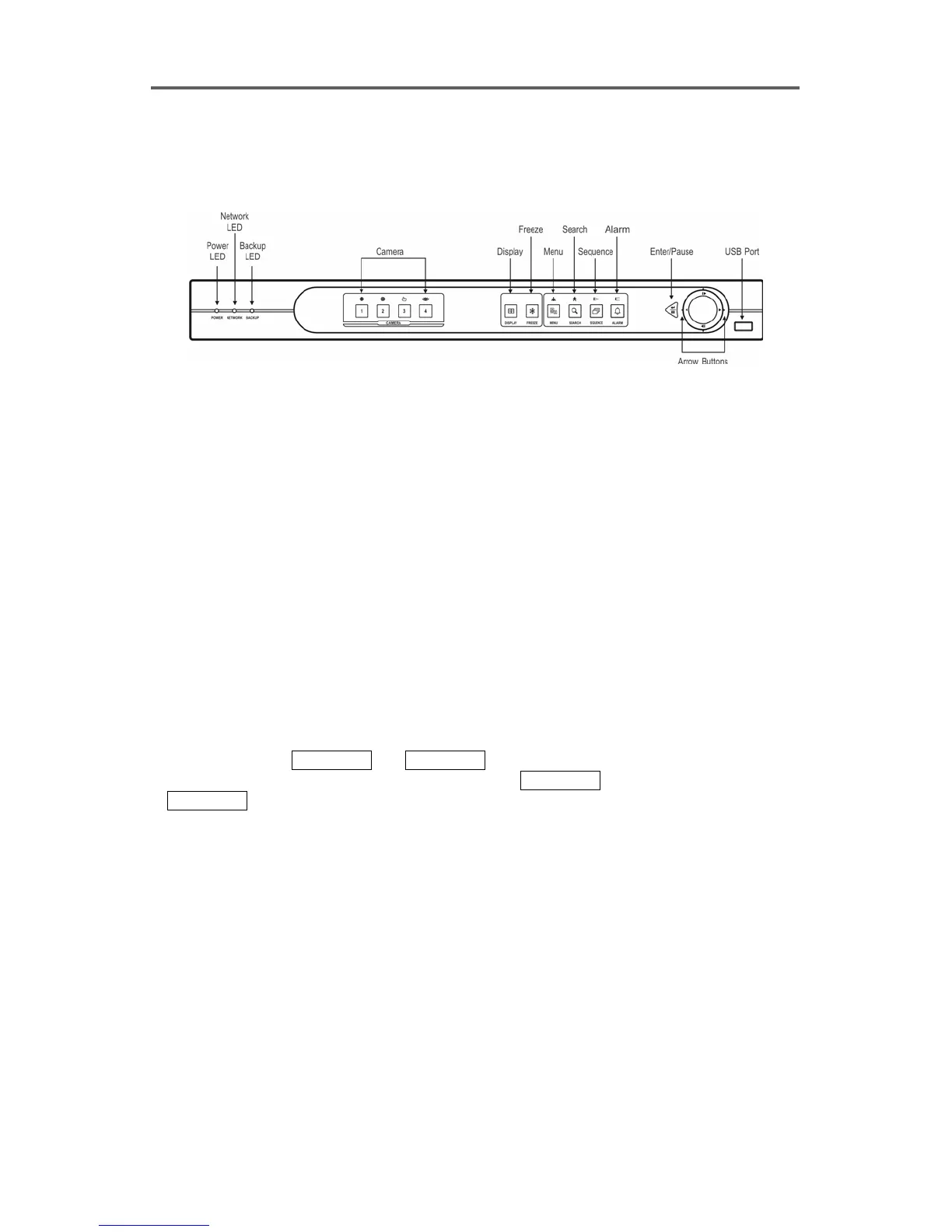
2.3 Front Panel
Front Panel Controls
Figure 3 Front Panel
POWER LED
The POWER LED is lit when the DVR is On.
NETWORK LED
The NETWORK LED is lit when the unit is networked either via Ethernet or modem.
BACKUP LED
The BACKUP LED is lit when data is being backed up using the USB port.
CAMERA Number Button (1-4)
• Selects the camera (1-4) image in the live monitoring mode and the playback mode.
• Enters number when entering the password.
• In the PTZ mode,
CAMERA 1 and CAMERA 2 control the brightness of the image by
opening and closing the IRIS of the PTZ camera. CAMERA 3 sets up the PTZ preset, and
CAMERA 4 loads the PTZ preset.
DISPLAY Button
• Switches between full screen mode and 2x2 screen mode.
FREEZE Button
• Freezes video during live monitoring mode, and releases video freeze by pressing the button
again.







 To Next Page