User’s Manual
32
Enable/Disable Pre-Event Recording
0PATH: MENU ▶ Record ▶ Pre-Event Record Setup0
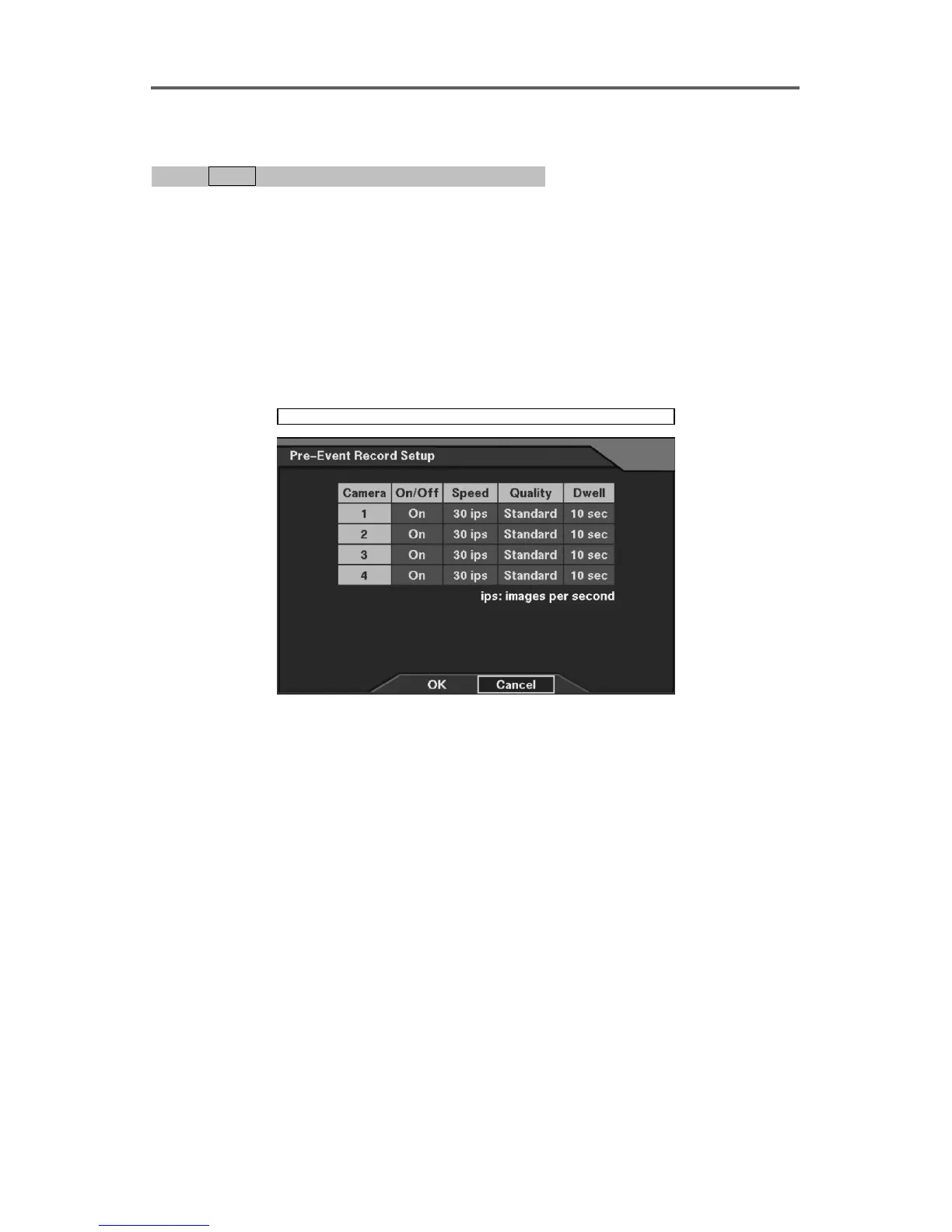
1. Move to the On/Off field of the selected camera, and select either On or Off.
2. When selecting On to enable pre-event recording, set the recording speed, image quality,
dwell time (recording period).
NOTE: Changing On/Off, Speed, Quality and Dwell on the title bar applies the change
to all cameras.
NOTE: Pre-event recording will NOT be made during the time-lapse recording period.
The DVR keeps Time-Lapse recording according to its schedule even though pre-event
recording has been enabled.
Record ► Pre-Event Record
Figure 25 Pre-Event Record Setup Dialog
Set up the pre-event recording for each camera.
• On/Off: Enable or disable the pre-event recording.
• Speed: Set the pre-event recording speed (1/5ips~30ips).
• Quality: Set the image quality for pre-event recording (Very High, High, Standard, and
Low).
• Dwell: Set the pre-event dwell time (1 sec~300 sec).







 To Next Page