Four-Channel Digital Video Recorder
25
Set up Devices for Event-driven Recording
0PATH: MENU ▶ Devices ▶ Alarm-In, Motion Detector, or Text-In/PTZ0
1. Select On for the Event triggered device (alarm contact, motion detector or text-in device).
2. Select options as desired for each Event triggered device.
3. Set up event action of recording for each device.
NOTE: Refer to the next subsection for setting up event action of recording.
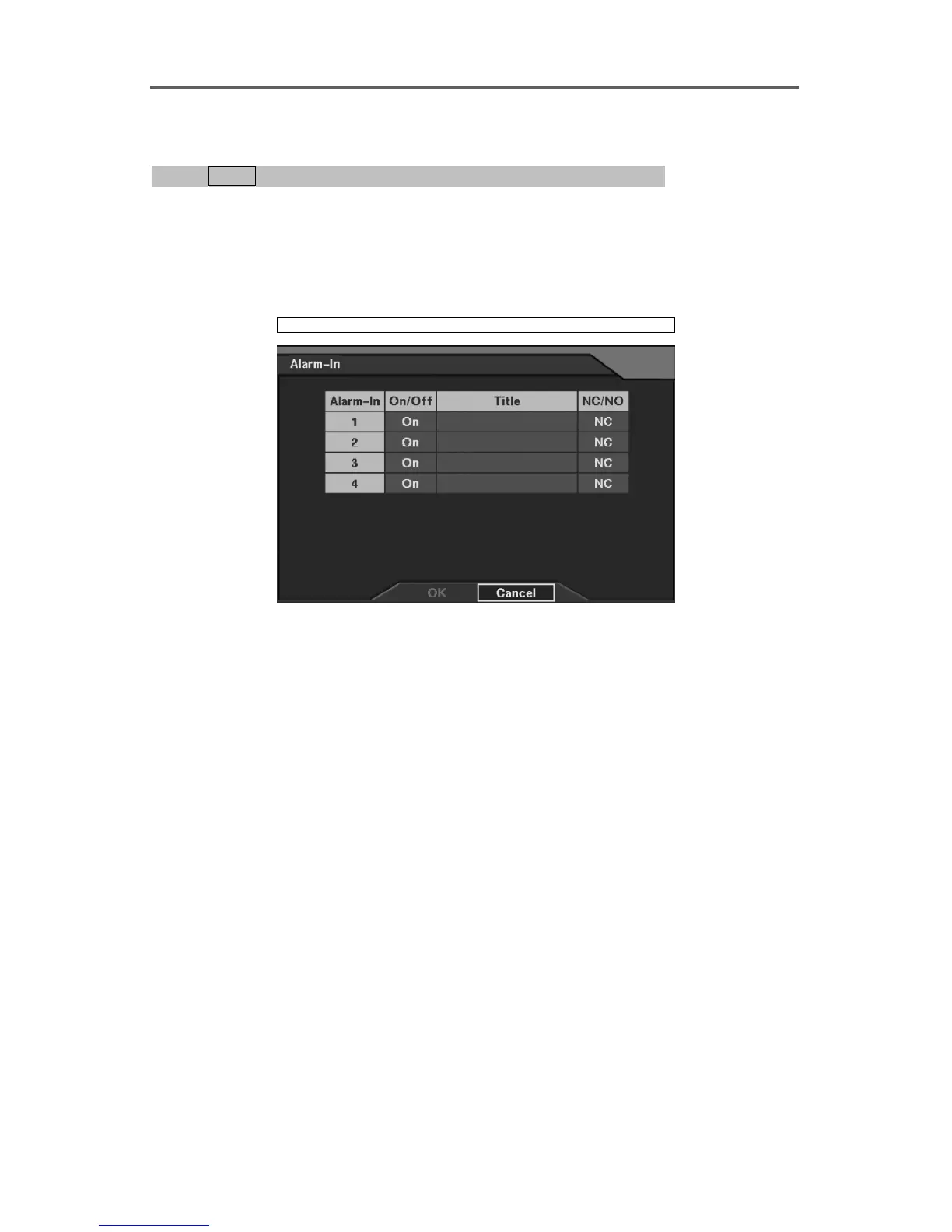
Devices ► Alarm-In
Figure 17 Alarm-In Setup Dialog
Set up the alarm-in information.
• On/Off: Enable or disable the alarm-in device.
• Title: Enter a description of the alarm-in device.
• NC/NO: Select the alarm-in type (NC: Normally Closed / NO: Normally Open).







 To Next Page