User’s Manual
42
3.7 Configuring for Networking
NOTE: The networking functions are only available for the network-supported
premium model.
Set up Network (LAN)
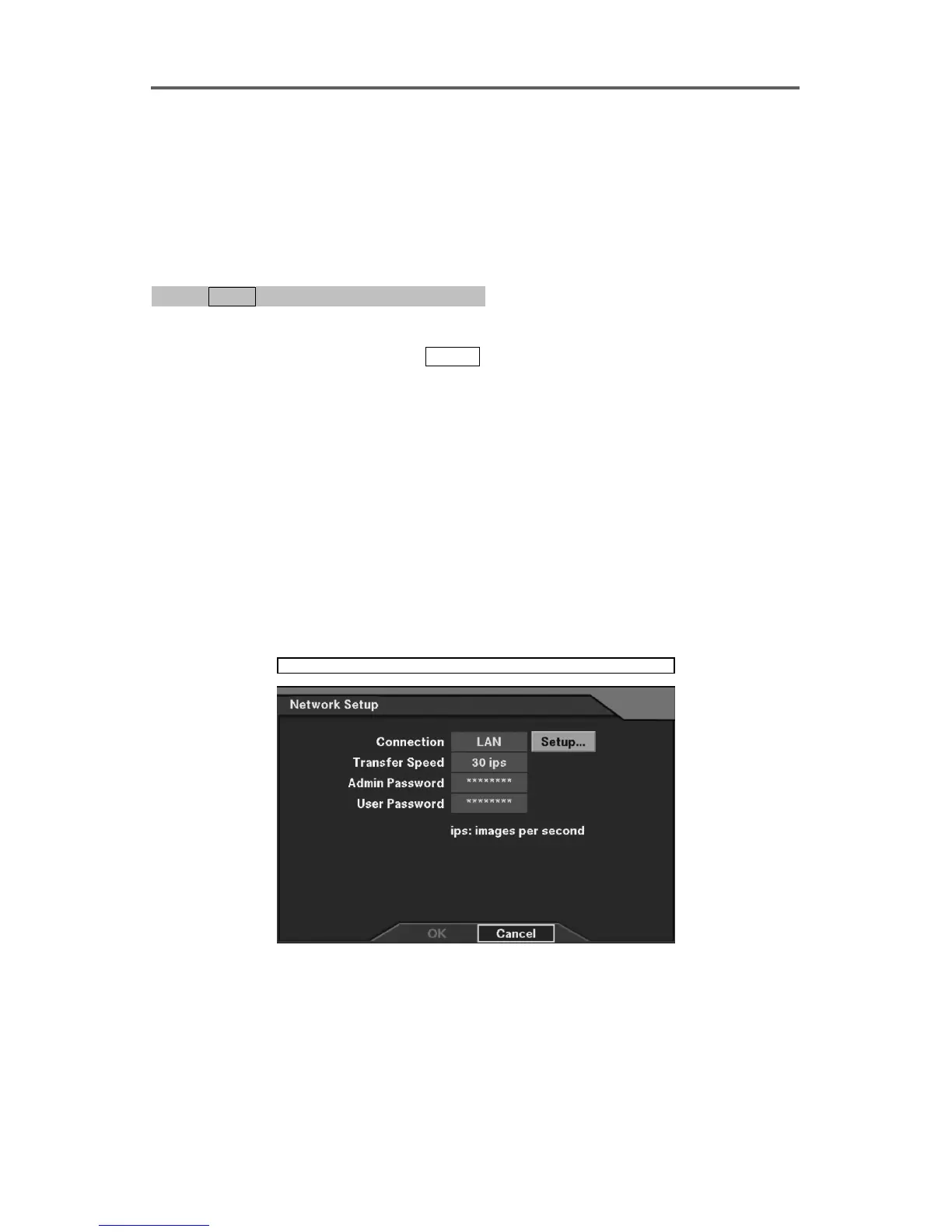
0PATH: MENU ▶ Network ▶ Network Setup0
1. Move to the Connection field, and select LAN as the connection type.
2. Move to the Setup button, and press
ENTER to display the LAN Setup dialog box.
3. Enter the appropriate IP Address, Gateway, and Subnet Mask acquired from the network
administrator.
NOTE: Default LAN Setup
• IP Address: 192.168.1.129
• Gateway: 192.168.1.254
• Subnet Mask: 255.255.255.0
4. Select OK to exit the LAN Setup.
Set up Networking Transfer Speed
5. Set the networking transfer speed (images per second) in the Transfer Speed field. This
can only be set when using LAN.
Network ► Network Setup
Figure 35 Network Setup Dialog







 To Next Page